PC 용 CLZ Music CD / Vinyl database
- 카테고리: Music
- 최근 업데이트: 2026-09-30
- 현재 버전: 11.2.3
- 파일 크기: 38.82 MB
- 개발자: Collectorz.com
- 호환성: 필요 Windows XP, Windows Vista, Windows 7, Windows 8, Windows 8.1 and Windows 10, Windows 11


PC에서 CLZ Music CD / Vinyl database 용 호환 APK 다운로드
| 다운로드 | 개발자 | 평점 | 점수 | 현재 버전 | 성인 랭킹 |
|---|---|---|---|---|---|
| ↓ PC용 APK 다운로드 | Collectorz.com | 5 | 4.8 | 11.2.3 | 4+ |
호환되는 PC 앱 또는 대안 확인
| 소프트웨어 | 다운로드 | 평점 | 개발자 |
|---|---|---|---|
| CLZ Music CD / Vinyl database |
PC 앱 받기 | 4.8/5 5 리뷰 4.8 |
Collectorz.com |
에뮬레이터의 중요성은 컴퓨터에서 안드로이드 환경을 흉내 내고 안드로이드 폰을 구입하지 않고도 안드로이드 앱을 설치하고 실행하는 것을 매우 쉽게 만들어주는 것입니다. 누가 당신이 두 세계를 즐길 수 없다고 말합니까? 우선 아래에있는 에뮬레이터 앱을 다운로드 할 수 있습니다.
A. Nox App . OR
B. Bluestacks App .
Bluestacks는 매우 대중적이므로 개인적으로 "B"옵션을 사용하는 것이 좋습니다. 문제가 발생하면 Google 또는 Naver.com에서 좋은 해결책을 찾을 수 있습니다.
Bluestacks.exe 또는 Nox.exe를 성공적으로 다운로드 한 경우 컴퓨터의 다운로드 폴더 또는 다운로드 한 파일을 일반적으로 저장하는 곳으로 이동하십시오.
찾으면 클릭하여 응용 프로그램을 설치하십시오. PC에서 설치 프로세스를 시작해야합니다.
다음을 클릭하여 EULA 라이센스 계약에 동의하십시오.
응용 프로그램을 설치하려면 화면 지시문을 따르십시오.
위 사항을 올바르게 수행하면 소프트웨어가 성공적으로 설치됩니다.
이제 설치 한 에뮬레이터 애플리케이션을 열고 검색 창을 찾으십시오. 지금 입력하십시오. - CLZ Music CD / Vinyl database 앱을 쉽게 볼 수 있습니다. 그것을 클릭하십시오. 응용 프로그램 창이 열리고 에뮬레이터 소프트웨어에 응용 프로그램이 표시됩니다. 설치 버튼을 누르면 응용 프로그램이 다운로드되기 시작합니다. 이제 우리는 모두 끝났습니다.
그런 다음 "모든 앱"아이콘이 표시됩니다.
클릭하면 설치된 모든 응용 프로그램이 포함 된 페이지로 이동합니다.
당신은 CLZ Music CD / Vinyl database 상. 그것을 클릭하고 응용 프로그램 사용을 시작하십시오.
Mac OS 에서 CLZ Music CD / Vinyl database 다운로드
| 다운로드 | 개발자 | 점수 | 현재 버전 | 성인 랭킹 |
|---|---|---|---|---|
| 무료 - Mac 에서 다운로드 | Collectorz.com | 4.8 |
11.2.3 | 4+ |
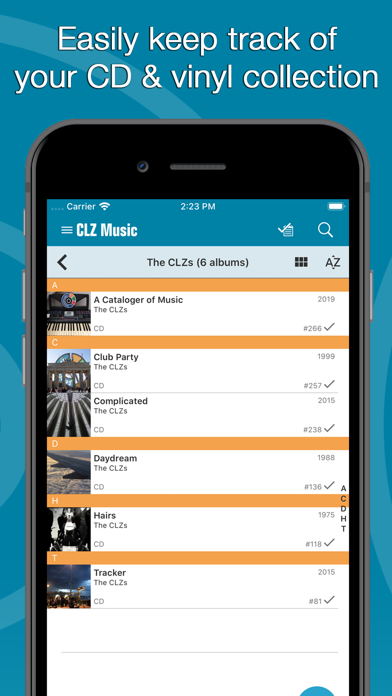
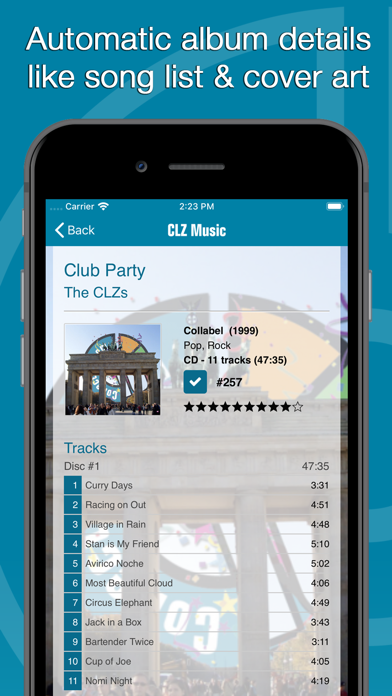
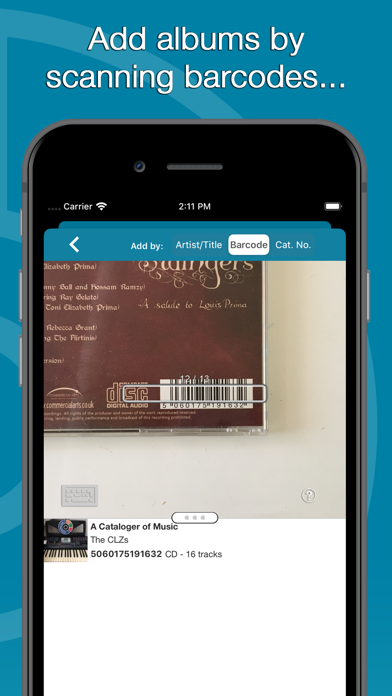
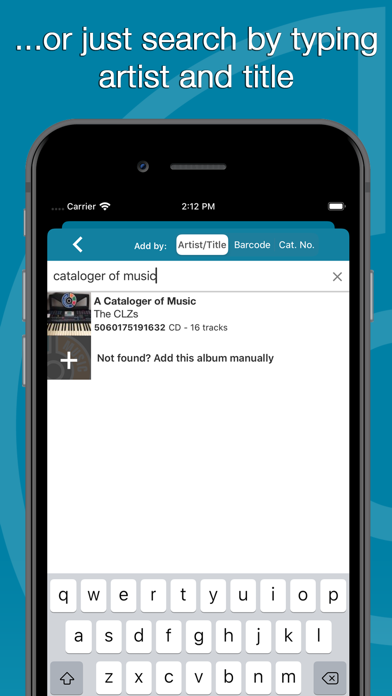
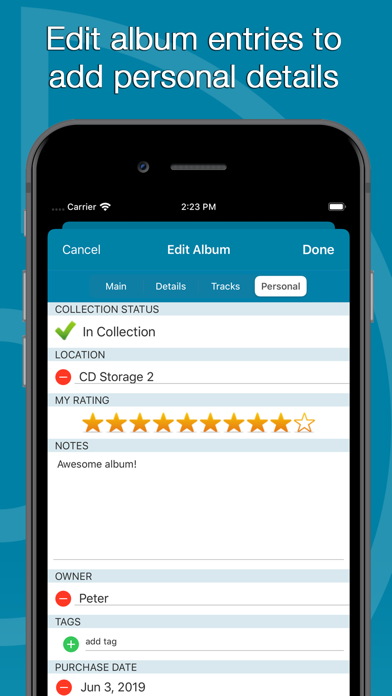
Easily catalog your collection of CDs and vinyl records. Just scan barcodes or search our CLZ Core online music database by artist/title or catalog number. Automatic album details, song lists and cover art. CLZ Music is a paid subscription app, costing US $1.99 per month or US $19.99 per year. Use the free 7-day trial to try all of the app's features and online services! == 3 easy ways to catalog your CDs and vinyl records: == 1. Scan their barcodes with the built-in camera scanner. Guaranteed 95% success rate. 2. Search by artist and title 3. Search by catalog number (great for finding Discogs entries) The app will automatically provide full album details, tracks lists and cover art, either from the CLZ Core online CD database or the Discogs CD/vinyl database. == Edit all fields == Edit all automatically provided details from CLZ Core, like artist, title, label, release dates, genres, track lists, etc.. you can even upload your own cover art (front and back!). Add personal details like condition, location, purchase date / price / store, notes, etc.. Create your own Custom Fields so that you can catalog information for which the app does not have a built-in data field. == Create multiple collections == Collections will appear as Excel-like tabs at the bottom of your screen. E.g. for different people, to separate physical CDs and vinyl records from your digital music, to keep track of CDs you sold or have for sale, etc... == Full customizable == Browse your music inventory as a list with small thumbnails or as cards with big images. Sort any way you want, e.g. by artist, title, release date, length, date added etc.. Group your albums into folders by author, composer, format, label, genre, location, etc... == CLZ Cloud storage == Sync your data to the CLZ Cloud, to: * Always have an online backup of your music database. * Sync your music library between multiple devices * View and share your music collection online == Got a question or need help? == We are always ready to help or to answer your questions, 7 days a week. Just use "Contact Support" or "CLZ Club forum" from the menu. == About CLZ == CLZ has been developing collection database software since 1996. Located in Amsterdam, the Netherlands, the CLZ team now consists of 12 guys and one gal. We're always working to bring you regular updates for the apps and software, and to keep our Core online databases up-to-date with all weekly releases. Other CLZ apps: * CLZ Movies, for cataloging your DVDs, Blu-rays and 4K UHDs * CLZ Books, for organizing your book collection by ISBN * CLZ Comics, for your collection of US comic books. * CLZ Games, for creating a database of your video game collection == What our users say == * "Very good and affordable music cataloging application. Using it almost daily." Hejehj (Sweden) * Wonderful people, perfect app "It’s been many years I’m using this app for my CD collection (for now 14,931 CDs) It’s working perfectly and the people who manage the stuff are always helpful and fast on replying and resolving problems." Fabio schiavo (Italy) * This is a wonderful app "So far, it has been everything I could have hoped for: Easy to navigate, thorough and exhaustive CD database Great customer service. It is a bargain at $19.99 per year." Mike Hodges (UK) == About auto-renewable subscriptions == * The payment will be charged to your iTunes Account when you confirm the purchase. * The subscription automatically renews unless auto-renew is turned off at least 24-hours before the end of the current period. * Your account will be charged for renewal within 24-hours prior to the end of the current period. Automatic renewals will cost the same price you were originally charged for the subscription. * You can manage your subscriptions and turn off auto-renewal by going to your Account Settings on the App Store after purchase. End User License Agreement: https://www.apple.com/legal/internet-services/itunes/dev/stdeula/