
PC 용 TV Guide: Streaming & Live TV
- 카테고리: Entertainment
- 최근 업데이트: 2026-04-01
- 현재 버전: 6.21.2
- 파일 크기: 72.78 MB
- 개발자: TV Guide
- 호환성: 필요 Windows XP, Windows Vista, Windows 7, Windows 8, Windows 8.1 and Windows 10, Windows 11

PC에서 TV Guide: Streaming & Live TV 용 호환 APK 다운로드
| 다운로드 | 개발자 | 평점 | 점수 | 현재 버전 | 성인 랭킹 |
|---|---|---|---|---|---|
| ↓ PC용 APK 다운로드 | TV Guide | 2 | 3.5 | 6.21.2 | 4+ |
에뮬레이터의 중요성은 컴퓨터에서 안드로이드 환경을 흉내 내고 안드로이드 폰을 구입하지 않고도 안드로이드 앱을 설치하고 실행하는 것을 매우 쉽게 만들어주는 것입니다. 누가 당신이 두 세계를 즐길 수 없다고 말합니까? 우선 아래에있는 에뮬레이터 앱을 다운로드 할 수 있습니다.
A. Nox App . OR
B. Bluestacks App .
Bluestacks는 매우 대중적이므로 개인적으로 "B"옵션을 사용하는 것이 좋습니다. 문제가 발생하면 Google 또는 Naver.com에서 좋은 해결책을 찾을 수 있습니다.
Bluestacks.exe 또는 Nox.exe를 성공적으로 다운로드 한 경우 컴퓨터의 다운로드 폴더 또는 다운로드 한 파일을 일반적으로 저장하는 곳으로 이동하십시오.
찾으면 클릭하여 응용 프로그램을 설치하십시오. PC에서 설치 프로세스를 시작해야합니다.
다음을 클릭하여 EULA 라이센스 계약에 동의하십시오.
응용 프로그램을 설치하려면 화면 지시문을 따르십시오.
위 사항을 올바르게 수행하면 소프트웨어가 성공적으로 설치됩니다.
이제 설치 한 에뮬레이터 애플리케이션을 열고 검색 창을 찾으십시오. 지금 입력하십시오. - TV Guide: Streaming & Live TV 앱을 쉽게 볼 수 있습니다. 그것을 클릭하십시오. 응용 프로그램 창이 열리고 에뮬레이터 소프트웨어에 응용 프로그램이 표시됩니다. 설치 버튼을 누르면 응용 프로그램이 다운로드되기 시작합니다. 이제 우리는 모두 끝났습니다.
그런 다음 "모든 앱"아이콘이 표시됩니다.
클릭하면 설치된 모든 응용 프로그램이 포함 된 페이지로 이동합니다.
당신은 TV Guide: Streaming & Live TV 상. 그것을 클릭하고 응용 프로그램 사용을 시작하십시오.
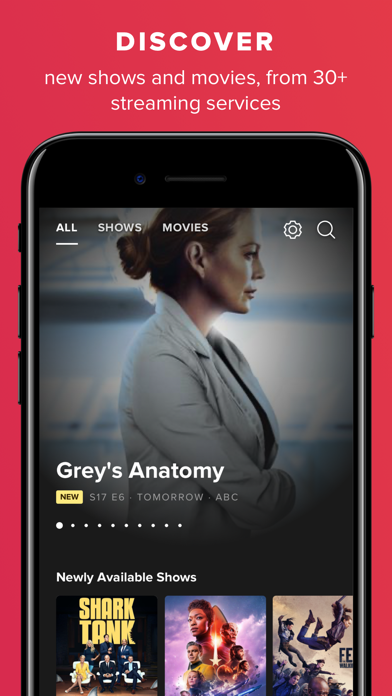
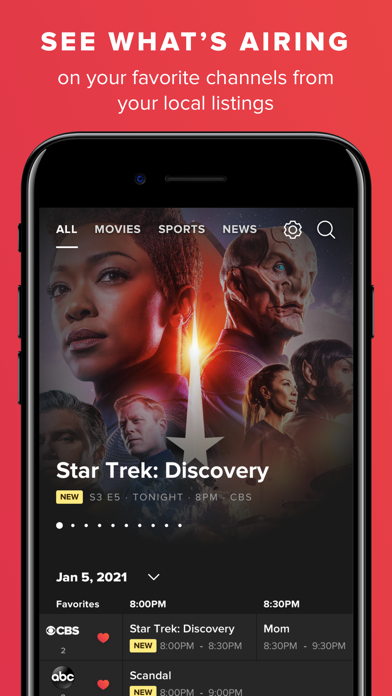
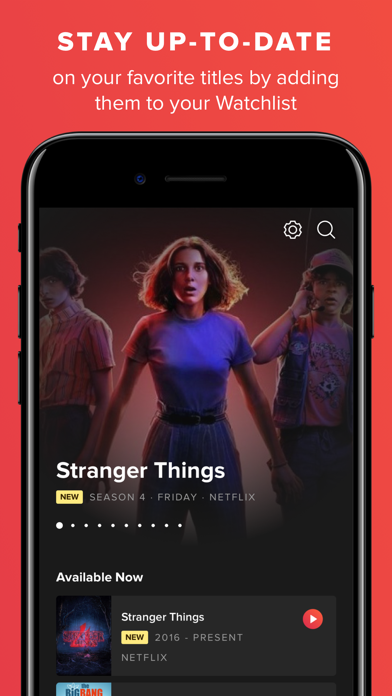
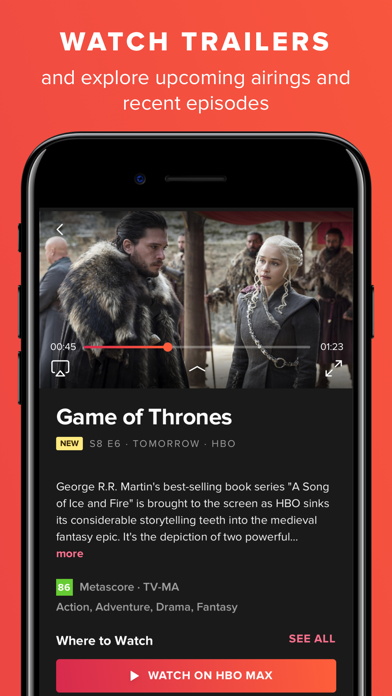
TV Guide is the No. 1 source for finding what to watch and where to watch it. Any show, any movie — on live TV or streaming — the TV Guide app puts it all in the palm of your hand. Dedicated for television and film fans like you: explore curated new content, stay informed about current airings, and effortlessly track and enjoy your favorites with a personalized Watchlist. DISCOVER NEW SHOWS & MOVIES: RECOMMENDATIONS: Take advantage of expert curation and algorithms to find the best shows and movies. • WATCH THIS NOW: Skip the endless Netflix scrolling and instead choose from TV Guide’s top picks. • NEWLY AVAILABLE: Never miss the next big show on any network or streaming platform. • COMING SOON: Stay in the know about all the best upcoming titles. • LEAVING SOON: Just watch these shows and movies before they’re gone. • MOST POPULAR: See what’s trending across all streaming services and TV channels. • TOP RATED: Browse the most critically acclaimed shows and movies according to Metacritic. SHOW / MOVIE DETAILS: Explore TV shows and films to get the scoop on your favorites and to find your next binge. • TRAILERS & CLIPS: Watch trailers, clips, behind-the-scenes videos, and interviews about your favorite series, seasons, and episodes. • AVAILABILITY & CRITICS' RATING: Check out any program’s premiere date, genres, network and streaming availability, review, and Metacritic score. • LATEST EPISODES: Browse episodes and tap to view episode details. • CAST & CREW: See the celebrities, actors, actresses, writers, and directors in the credits. WHERE TO WATCH: Find out where to stream shows and movies online or when to watch on your live TV provider. • STREAMING SERVICES: Choose from all streaming and TV everywhere services, including Netflix, Hulu, Amazon Prime Video, HBO Max, CBS All Access, Disney+, Showtime, Starz, Tubi, Pluto TV, Apple iTunes, NBC Peacock, Vudu, Apple TV+, YouTube TV, and IMDb TV. • UPCOMING AIRINGS: See the next airing at a glance; tap to view all airings in the next 2 weeks. • QUICK WATCH: One-tap links to the best service (subscription, buy, or rent) to watch a show or movie, based on price, popularity, and your personal streaming subscriptions and live TV provider. • SEARCH: Search the catalog of hundreds of thousands of titles. SEE WHAT’S AIRING • LOCAL LISTINGS: Get a personalized channel schedule by selecting any cable, satellite, or antenna provider in North America. • NEW TONIGHT: See the top new primetime shows airing on both broadcast and cable, including CBS, NBC, ABC, Fox, Ion, HGTV, Hallmark, USA Network, History, TLC, TBS, Discovery, TNT, The CW, and A&E. • FAVORITE CHANNELS: View the listings schedule for the channels you love by saving your favorites. • TIME JUMP: Jump to the primetime lineup for tonight, tomorrow, or any date within the next 2 weeks. STAY UP TO DATE ON YOUR FAVORITES • COMING SOON: See upcoming episodes, seasons, or premieres of shows and movies from your Watchlist. • AVAILABLE NOW: Browse the VOD titles on your Watchlist, and tap Quick Watch to start watching on the best available service. • AIRING REMINDERS: Get notified 30 minutes before a show or movie on your Watchlist begins airing. • WATCHLIST EMAIL DIGEST: Check out last week's news and streaming additions, and get ready for next week’s lineup. Download TV Guide today to keep up with all the best TV shows and movies! TV Guide is a digital media brand that explores TV shows and streaming entertainment, serves fans, and helps people decide what to watch next — on any platform. You can count on TV Guide’s editors to guide your TV and streaming viewing experience with honest reviews, curated recommendations, breaking news, in-depth interviews, smart recaps, and more immersive content that digs deep into your TV obsessions. For questions, comments, or feedback, contact us at [email protected]


