PC 용 Genetic Tools from Gene Link
- 카테고리: Education
- 최근 업데이트: 2018-04-19
- 현재 버전: 1.30
- 파일 크기: 6.06 MB
- 개발자: SlaVanya LLC
- 호환성: 필요 Windows XP, Windows Vista, Windows 7, Windows 8, Windows 8.1 and Windows 10, Windows 11





PC에서 Genetic Tools from Gene Link 용 호환 APK 다운로드
| 다운로드 | 개발자 | 평점 | 점수 | 현재 버전 | 성인 랭킹 |
|---|---|---|---|---|---|
| ↓ PC용 APK 다운로드 | SlaVanya LLC | 1 | 5 | 1.30 | 4+ |
에뮬레이터의 중요성은 컴퓨터에서 안드로이드 환경을 흉내 내고 안드로이드 폰을 구입하지 않고도 안드로이드 앱을 설치하고 실행하는 것을 매우 쉽게 만들어주는 것입니다. 누가 당신이 두 세계를 즐길 수 없다고 말합니까? 우선 아래에있는 에뮬레이터 앱을 다운로드 할 수 있습니다.
A. Nox App . OR
B. Bluestacks App .
Bluestacks는 매우 대중적이므로 개인적으로 "B"옵션을 사용하는 것이 좋습니다. 문제가 발생하면 Google 또는 Naver.com에서 좋은 해결책을 찾을 수 있습니다.
Bluestacks.exe 또는 Nox.exe를 성공적으로 다운로드 한 경우 컴퓨터의 다운로드 폴더 또는 다운로드 한 파일을 일반적으로 저장하는 곳으로 이동하십시오.
찾으면 클릭하여 응용 프로그램을 설치하십시오. PC에서 설치 프로세스를 시작해야합니다.
다음을 클릭하여 EULA 라이센스 계약에 동의하십시오.
응용 프로그램을 설치하려면 화면 지시문을 따르십시오.
위 사항을 올바르게 수행하면 소프트웨어가 성공적으로 설치됩니다.
이제 설치 한 에뮬레이터 애플리케이션을 열고 검색 창을 찾으십시오. 지금 입력하십시오. - Genetic Tools from Gene Link 앱을 쉽게 볼 수 있습니다. 그것을 클릭하십시오. 응용 프로그램 창이 열리고 에뮬레이터 소프트웨어에 응용 프로그램이 표시됩니다. 설치 버튼을 누르면 응용 프로그램이 다운로드되기 시작합니다. 이제 우리는 모두 끝났습니다.
그런 다음 "모든 앱"아이콘이 표시됩니다.
클릭하면 설치된 모든 응용 프로그램이 포함 된 페이지로 이동합니다.
당신은 Genetic Tools from Gene Link 상. 그것을 클릭하고 응용 프로그램 사용을 시작하십시오.
Mac OS 에서 Genetic Tools from Gene Link 다운로드
| 다운로드 | 개발자 | 점수 | 현재 버전 | 성인 랭킹 |
|---|---|---|---|---|
| 무료 - Mac 에서 다운로드 | SlaVanya LLC | 5 |
1.30 | 4+ |
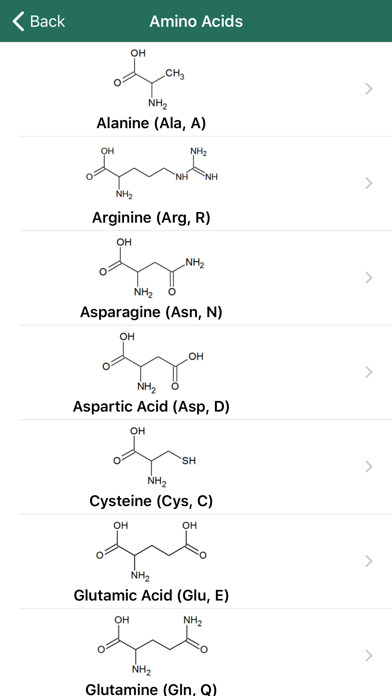
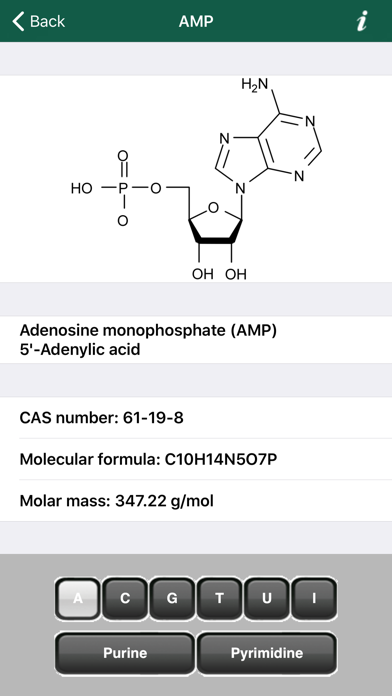
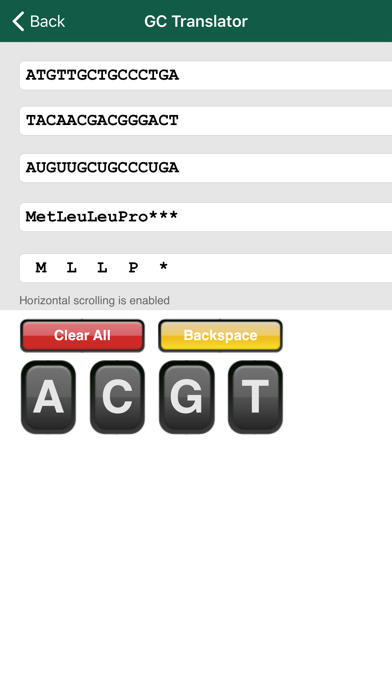
This application from Gene Link, Inc.for iPhone/iPod/iPad is geared towards life scientists, including college and graduate students for laboratory bench calculations and a quick short course in molecular genetics. Topics included are all related to nucleic acids research with an emphasis on utilizing properties that increase specific predetermined properties e.g duplex stability. The app also has advanced modules for setup of Polymerase Chain Reaction (PCR) and Quantitative Real Time PCR (Q-PCR). The main focus of this app is to have a handy source of calculation modules and quick reference sections for designing and executing experiments involving PCR and Q-PCR. These techniques are routinely used in a molecular genetics laboratory for all type of research involving DNA. These vary from simple DNA amplification and confirmation to complex allele and genotyping for diagnostics. The application has sections to encourage users to design primer and probes using modified bases as substitutes for the natural four bases to enable specificity and increase nuclease resistance. The application is divided into two sections; the Tools sections are an assortment of convenient calculators for the life scientist and the Reference section is for basic genetic information. A. Tools 1. Oligo Tm: A robust oligo melting temperature calculation module using three methods; it also calculates other physical attributes. 2. Oligo Resuspension 5. Oligo Dilution 6. PCR & QPCR: Convenient calculator for multiple reaction setup for PCR, TaqMan QPCR and Molecular Beacon QPCR setup. Includes stock solution information and cycling profiles 7. Molarity Calculator 8. Reagent Dilution 9. Measurement Convertor: A convenient selection of calculators to convert length, area, mass, temperature and volume units. 10. Genetic Code Translator: Enter DNA sequence to see coding pattern. B. Reference A selection of topics, relevant to life scientists for quick access to basic information. This section includes the following sections and sub sections. 1. Nucleic Acid Basics -Bases -Base Pairing -Oligo Types -Modification Sites 2. Modifications Table: A list of common modifications with molecular structure and basic properties. 3. Dye & Quencher Table: A convenient list of fluorophores and quencher matching the emission max. 4. Duplex Stability & Nuclease Resistance -Modifications Table. -Applications & Recommended Modifications: • Antisense Gene Target • siRNA-RNA Interference • PCR Primers • QPCR Probes • SNP Genotyping & Allelic Discrimination • Fluorescent in situ Hybridization Probes (FISH) . 5. Gene Information: Simply enter the accession number and retrieve detailed gene information from NCBI database, 6. Amino Acid Table: Molecular structure and detailed physical properties of all amino acids. 7. Translation Table: Genetic code for all amino acids. 8. Codon Picker: Select codon sequence and see the corresponding amino acid and detailed information.