PC 용 AR Missile - Auto Tracking
- 카테고리: Entertainment
- 최근 업데이트: 2017-10-04
- 현재 버전: 1.20
- 파일 크기: 19.38 MB
- 개발자: PSOFT
- 호환성: 필요 Windows XP, Windows Vista, Windows 7, Windows 8, Windows 8.1 and Windows 10, Windows 11
PC에서 AR Missile - Auto Tracking 용 호환 APK 다운로드
| 다운로드 | 개발자 | 평점 | 점수 | 현재 버전 | 성인 랭킹 |
|---|---|---|---|---|---|
| ↓ PC용 APK 다운로드 | PSOFT | 2 | 5 | 1.20 | 4+ |
에뮬레이터의 중요성은 컴퓨터에서 안드로이드 환경을 흉내 내고 안드로이드 폰을 구입하지 않고도 안드로이드 앱을 설치하고 실행하는 것을 매우 쉽게 만들어주는 것입니다. 누가 당신이 두 세계를 즐길 수 없다고 말합니까? 우선 아래에있는 에뮬레이터 앱을 다운로드 할 수 있습니다.
A. Nox App . OR
B. Bluestacks App .
Bluestacks는 매우 대중적이므로 개인적으로 "B"옵션을 사용하는 것이 좋습니다. 문제가 발생하면 Google 또는 Naver.com에서 좋은 해결책을 찾을 수 있습니다.
Bluestacks.exe 또는 Nox.exe를 성공적으로 다운로드 한 경우 컴퓨터의 다운로드 폴더 또는 다운로드 한 파일을 일반적으로 저장하는 곳으로 이동하십시오.
찾으면 클릭하여 응용 프로그램을 설치하십시오. PC에서 설치 프로세스를 시작해야합니다.
다음을 클릭하여 EULA 라이센스 계약에 동의하십시오.
응용 프로그램을 설치하려면 화면 지시문을 따르십시오.
위 사항을 올바르게 수행하면 소프트웨어가 성공적으로 설치됩니다.
이제 설치 한 에뮬레이터 애플리케이션을 열고 검색 창을 찾으십시오. 지금 입력하십시오. - AR Missile - Auto Tracking 앱을 쉽게 볼 수 있습니다. 그것을 클릭하십시오. 응용 프로그램 창이 열리고 에뮬레이터 소프트웨어에 응용 프로그램이 표시됩니다. 설치 버튼을 누르면 응용 프로그램이 다운로드되기 시작합니다. 이제 우리는 모두 끝났습니다.
그런 다음 "모든 앱"아이콘이 표시됩니다.
클릭하면 설치된 모든 응용 프로그램이 포함 된 페이지로 이동합니다.
당신은 AR Missile - Auto Tracking 상. 그것을 클릭하고 응용 프로그램 사용을 시작하십시오.
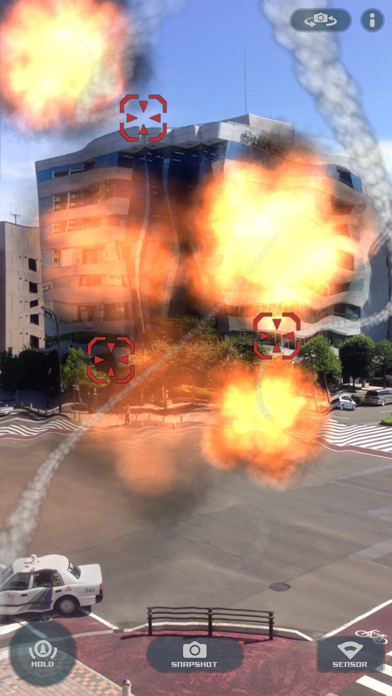
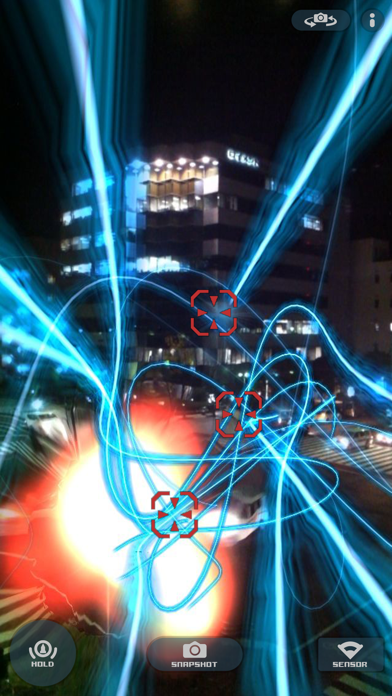
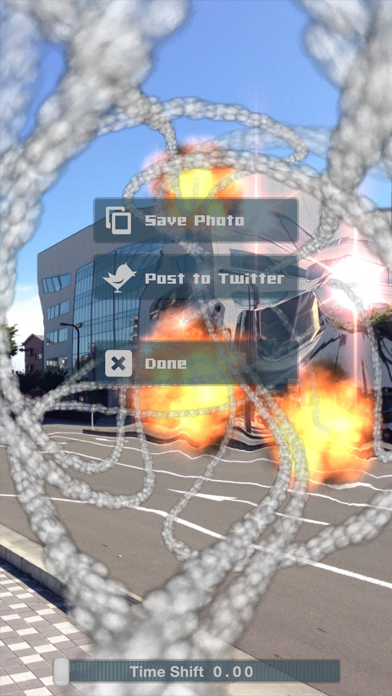
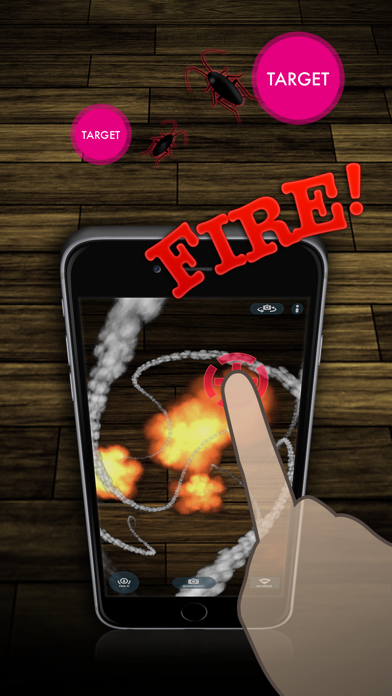
"AR Missile", the innovative AR (Augmented Reality) app. Because target painting is so last century! The AR Missile app allows you to shoot missiles at anything within your camera's sights. Simply tap the screen to send missiles flying along beautiful trajectories before exploding on your targets. Shaking cameras and moving targets are no match for AR Missile's automatic target tracking, powered by our original image analysis technology. The feeling of sending limitless waves of missiles and seeing them all hit their target is so exhilarating, you might become addicted to it! Use AR Missile to release daily stress or take funny pictures. *AR Missile requires a camera to operate. Please make sure your device is equipped with a camera before buying this app. Main Features: - Supports up to 32 simultaneous missiles. *1 - 2 types of missile - Beautiful graphics combining the image from your camera with 3D graphics. - Automatic tracking feature powered by original image analysis technology. *2 - Can switch to the front camera. - Hold button allows to you to hold the missiles while you touch the screen and shoot them all in one salvo when you release the screen. - Display the image analysis results in Sensor mode. - Snapshot function. - Time Shift function allowing fine tuning of the special effects after taking a snapshot. - Send your pictures to other apps, share functionality (Facebook, Twitter, etc.) *1 Limited to 16 missiles on iPhone4/4S. *2 If the automatic tracking is failing, please switch to sensor mode and select areas that have a high color contrast and little flickering. Caution! Shooting missiles in the real world can trigger wars and/or damage the environment. Let's restrict our missile shooting activities to within AR Missile.