
PC 용 WinDat Opener
- 카테고리: Utilities
- 최근 업데이트: 2023-09-25
- 현재 버전: 3.1.5
- 파일 크기: 2.04 MB
- 개발자: Alexander McGuffog
- 호환성: 필요 Windows XP, Windows Vista, Windows 7, Windows 8, Windows 8.1 and Windows 10, Windows 11
PC에서 WinDat Opener 용 호환 APK 다운로드
| 다운로드 | 개발자 | 평점 | 점수 | 현재 버전 | 성인 랭킹 |
|---|---|---|---|---|---|
| ↓ PC용 APK 다운로드 | Alexander McGuffog | 0 | 0 | 3.1.5 | 4+ |
에뮬레이터의 중요성은 컴퓨터에서 안드로이드 환경을 흉내 내고 안드로이드 폰을 구입하지 않고도 안드로이드 앱을 설치하고 실행하는 것을 매우 쉽게 만들어주는 것입니다. 누가 당신이 두 세계를 즐길 수 없다고 말합니까? 우선 아래에있는 에뮬레이터 앱을 다운로드 할 수 있습니다.
A. Nox App . OR
B. Bluestacks App .
Bluestacks는 매우 대중적이므로 개인적으로 "B"옵션을 사용하는 것이 좋습니다. 문제가 발생하면 Google 또는 Naver.com에서 좋은 해결책을 찾을 수 있습니다.
Bluestacks.exe 또는 Nox.exe를 성공적으로 다운로드 한 경우 컴퓨터의 다운로드 폴더 또는 다운로드 한 파일을 일반적으로 저장하는 곳으로 이동하십시오.
찾으면 클릭하여 응용 프로그램을 설치하십시오. PC에서 설치 프로세스를 시작해야합니다.
다음을 클릭하여 EULA 라이센스 계약에 동의하십시오.
응용 프로그램을 설치하려면 화면 지시문을 따르십시오.
위 사항을 올바르게 수행하면 소프트웨어가 성공적으로 설치됩니다.
이제 설치 한 에뮬레이터 애플리케이션을 열고 검색 창을 찾으십시오. 지금 입력하십시오. - WinDat Opener 앱을 쉽게 볼 수 있습니다. 그것을 클릭하십시오. 응용 프로그램 창이 열리고 에뮬레이터 소프트웨어에 응용 프로그램이 표시됩니다. 설치 버튼을 누르면 응용 프로그램이 다운로드되기 시작합니다. 이제 우리는 모두 끝났습니다.
그런 다음 "모든 앱"아이콘이 표시됩니다.
클릭하면 설치된 모든 응용 프로그램이 포함 된 페이지로 이동합니다.
당신은 WinDat Opener 상. 그것을 클릭하고 응용 프로그램 사용을 시작하십시오.
Mac OS 에서 WinDat Opener 다운로드
| 다운로드 | 개발자 | 점수 | 현재 버전 | 성인 랭킹 |
|---|---|---|---|---|
| ₩7,500 - Mac 에서 다운로드 | Alexander McGuffog | 0 |
3.1.5 | 4+ |
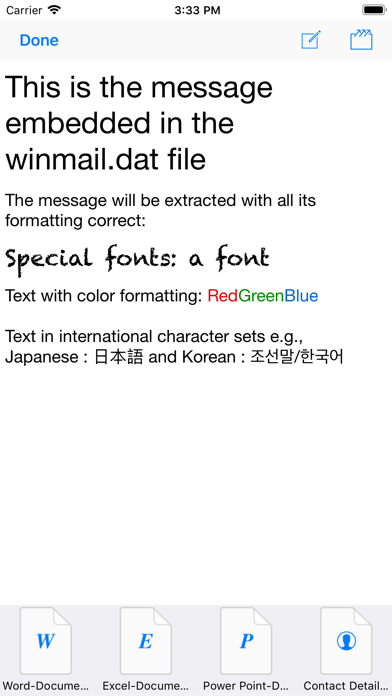
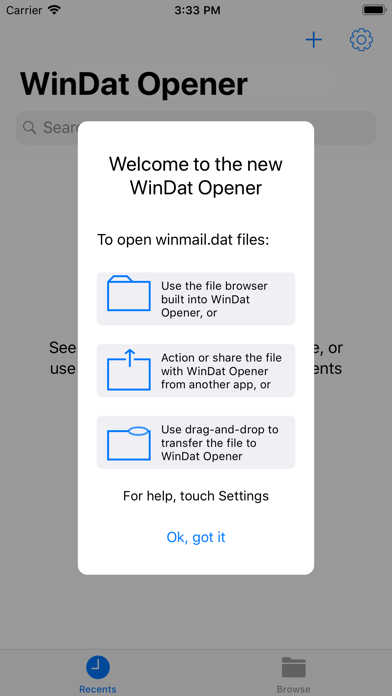
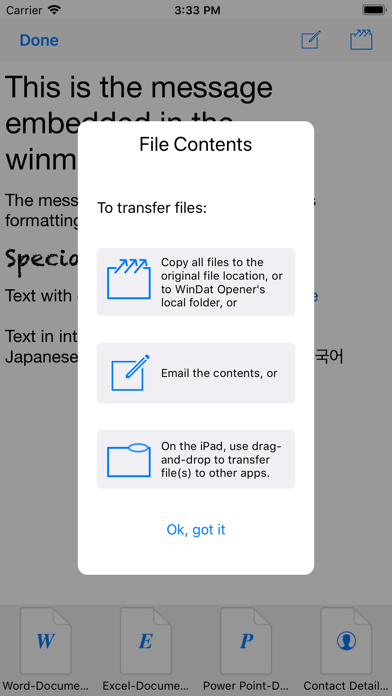
· Decodes all winmail.dat files · iOS 17 and iPadOS 17 support · Full support for drag-and-drop on iPads · File manager integration; WinDat Opener will open and save files to and from any location that file manger supported, e.g., iCloud and DropBox WinDat Opener opens the "winmail.dat" email attachments that are sometimes sent by Outlook and Outlook Express email clients. These files are in “TNEF” format, and usually contain attachments such as spreadsheets or presentations embedded within them. WinDat Opener extracts the embedded attachments hidden inside the winmail.dat file, allowing you to preview then right in WinDat Opener, or open them with another application, e.g., Pages. WinDat Opener is simple to use - it integrates transparently with Mail on the iPhone, iPod Touch or iPad at operating system level, and has it's own integrated file manager that gives you access to locations on your device, and cloud storage provides such as DropBox and iCloud. Once WinMail Opener is installed, all you have to do is to touch any winmail.dat file, and the app you're using will offer to send it to WinMail Opener for the embedded attachments to be extracted. You can then view the extracted files using Winmail Opener’s built-in file viewer, which supports a wide variety of document formats including doc, docx, xls, xlsx, ppt, pptx and PDF, as well as most image formats such as JPEG and TIFF. If you have an application installed on your device that can edit or view an extracted file, e.g., Pages for doc files, you can open any extracted file in that application. WinDat Opener also offers the option of emailing the extracted files, right from within WinDat Opener. WinDat Opener is a universal application. It will work on the iPhone, iPod Touch or iPad, in any orientation. WinDat Opener works on any version of iOS from 11 onward.