
PC 용 TACNAV-X: Military Navigation
- 카테고리: Navigation
- 최근 업데이트: 2026-10-06
- 현재 버전: 5.0.14
- 파일 크기: 54.77 MB
- 개발자: Tactical NAV LLC
- 호환성: 필요 Windows XP, Windows Vista, Windows 7, Windows 8, Windows 8.1 and Windows 10, Windows 11

PC에서 TACNAV-X: Military Navigation 용 호환 APK 다운로드
| 다운로드 | 개발자 | 평점 | 점수 | 현재 버전 | 성인 랭킹 |
|---|---|---|---|---|---|
| ↓ PC용 APK 다운로드 | Tactical NAV LLC | 3 | 3.66667 | 5.0.14 | 4+ |
에뮬레이터의 중요성은 컴퓨터에서 안드로이드 환경을 흉내 내고 안드로이드 폰을 구입하지 않고도 안드로이드 앱을 설치하고 실행하는 것을 매우 쉽게 만들어주는 것입니다. 누가 당신이 두 세계를 즐길 수 없다고 말합니까? 우선 아래에있는 에뮬레이터 앱을 다운로드 할 수 있습니다.
A. Nox App . OR
B. Bluestacks App .
Bluestacks는 매우 대중적이므로 개인적으로 "B"옵션을 사용하는 것이 좋습니다. 문제가 발생하면 Google 또는 Naver.com에서 좋은 해결책을 찾을 수 있습니다.
Bluestacks.exe 또는 Nox.exe를 성공적으로 다운로드 한 경우 컴퓨터의 다운로드 폴더 또는 다운로드 한 파일을 일반적으로 저장하는 곳으로 이동하십시오.
찾으면 클릭하여 응용 프로그램을 설치하십시오. PC에서 설치 프로세스를 시작해야합니다.
다음을 클릭하여 EULA 라이센스 계약에 동의하십시오.
응용 프로그램을 설치하려면 화면 지시문을 따르십시오.
위 사항을 올바르게 수행하면 소프트웨어가 성공적으로 설치됩니다.
이제 설치 한 에뮬레이터 애플리케이션을 열고 검색 창을 찾으십시오. 지금 입력하십시오. - TACNAV-X: Military Navigation 앱을 쉽게 볼 수 있습니다. 그것을 클릭하십시오. 응용 프로그램 창이 열리고 에뮬레이터 소프트웨어에 응용 프로그램이 표시됩니다. 설치 버튼을 누르면 응용 프로그램이 다운로드되기 시작합니다. 이제 우리는 모두 끝났습니다.
그런 다음 "모든 앱"아이콘이 표시됩니다.
클릭하면 설치된 모든 응용 프로그램이 포함 된 페이지로 이동합니다.
당신은 TACNAV-X: Military Navigation 상. 그것을 클릭하고 응용 프로그램 사용을 시작하십시오.
Mac OS 에서 TACNAV-X 다운로드
| 다운로드 | 개발자 | 점수 | 현재 버전 | 성인 랭킹 |
|---|---|---|---|---|
| ₩11,000 - Mac 에서 다운로드 | Tactical NAV LLC | 3.66667 |
5.0.14 | 4+ |
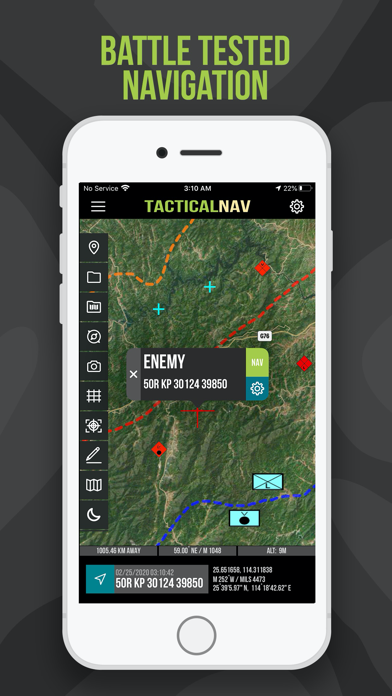
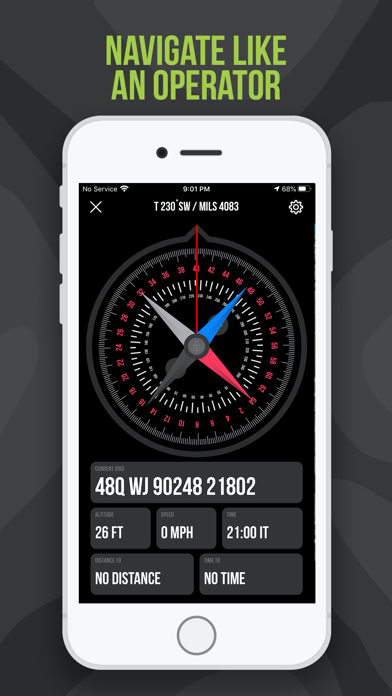
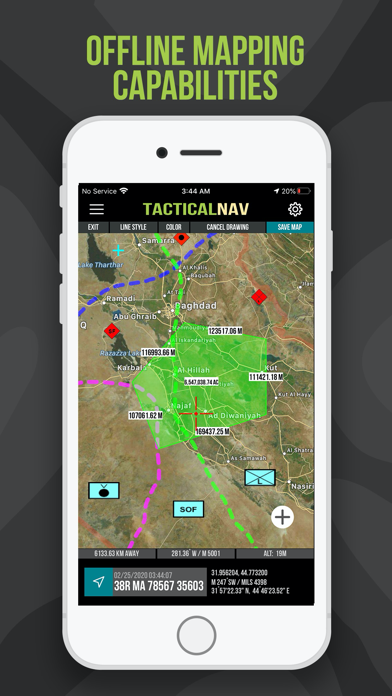
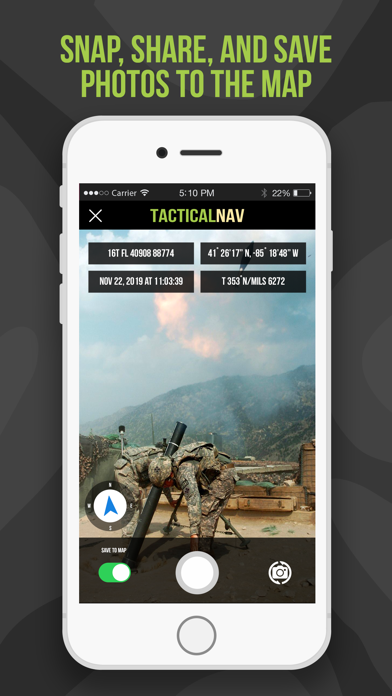
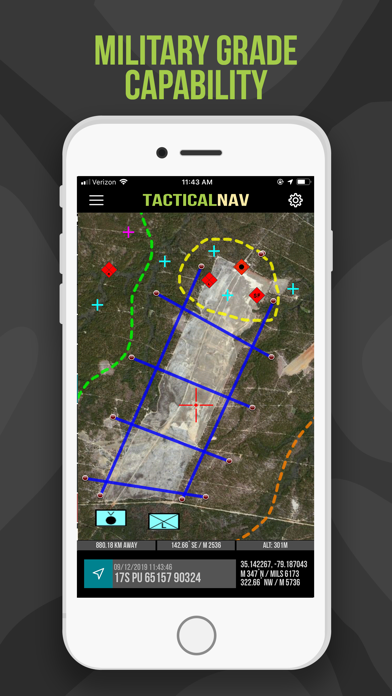
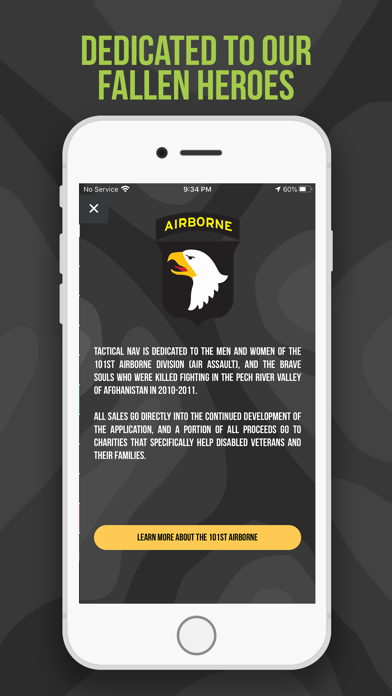
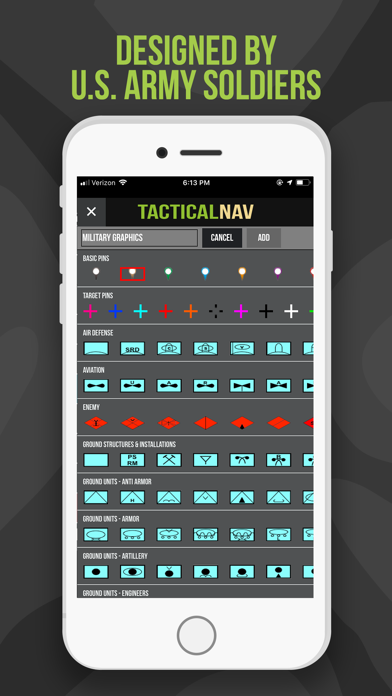
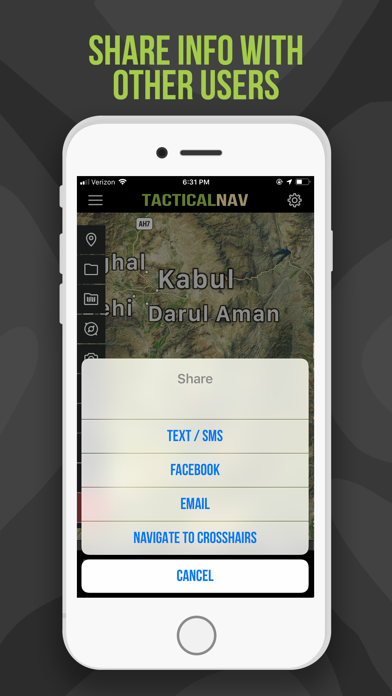
--- What's up? This is Jon, the creator of TACNAV-X, an offline tactical navigation platform built for austere and contested environments. I sincerely appreciate you taking the time to check out the app. TACNAV-X is dedicated to the 24 Soldiers killed in action during our deployment to Afghanistan in 2010, and to the men and women who continue to serve today. I'm still here, I'm still listening, and I'm still building. God bless you, Jon --- KEY FEATURES: • Offline mapping capabilities (full app usage with no emission of a cellular signal) • Purpose-built for the individual Soldier • WGS-84 standard (MGRS, UTM, BNG, and USNG coordinates) • A military-quality precision targeting platform • Tactical drawing mode (useful for mission planning, building overlays, targeting, etc.) • Waypoint plotting functionality with military graphics (per FM 1-02.2) • Compass “FastLock” function for capturing quick and precise azimuths • ‘Go to Grid’ feature for precision planning and targeting • Snap and save photographs onto the main map to increase situational awareness • Location, waypoint, and photo-sharing capabilities (via email and text) • One-button night mode function for low-light situations • Apple Watch support included for free BACKGROUND: Built from the ground up in the rugged mountains of eastern Afghanistan, Tactical NAV (also known as TACNAV-X) was developed by a U.S. Army Field Artillery officer with the vision of crafting a low-cost and highly accurate mobile navigation platform tailored for the U.S. military. Tactical NAV’s journey began in the Pech and Korengal Valleys of Kunar Province, Afghanistan. U.S. Army Capt. Jonathan J. Springer, a Field Artilleryman serving as a Fire Support Officer with the 101st Airborne Division (Air Assault), began developing this tactical navigation platform immediately after the memorial services for Spc. Blair D. Thompson and Spc. Jared C. Plunk, who were killed in action on June 25, 2010. Despite initial rejections by the Department of Defense, Captain Springer remained steadfast in his mission to continue developing TACNAV-X, even to this day. He used his life savings to fund and develop TACNAV-X, all with the ultimate hope of saving military lives and helping his fellow service members accomplish their missions at home and abroad. Tactical NAV officially launched on the App Store on February 14, 2011. BUILT FOR ACCURACY: TACNAV-X was extensively field-tested during military operations in Afghanistan and later at Fort Bragg, including comparative testing alongside the AN/PSN-13 Defense Advanced GPS Receiver (DAGR) and other military navigation systems. MISSION: Empower military service members with a highly accurate and powerful mobile navigation platform. VISION: Assist and support our nation’s service members with their mobile navigational needs and enable them to operate and win in both training and combat environments. BOTTOM LINE: Tactical NAV has undergone extensive real-world evaluation alongside Nett Warrior, ATAK, BFT, the DAGR, and other military targeting and navigation systems. During comparative testing, TACNAV-X demonstrated accuracy within 1 meter of a DAGR. IAPs & SUBSCRIPTIONS: Currently, offline mapping mode is available as a monthly or yearly subscription, or as a one-time purchase. Drawing mode, previously an in-app purchase, is now included free for all users. All revenue generated from these features contributes to further development and updates, and a portion of the proceeds are donated to charities that specifically benefit disabled veterans. IMPORTANT NOTES: The Department of Defense does not endorse Tactical NAV or TACNAV-X. The app should not replace a government-issued device during life-threatening or combat operations. SUPPORT: If you have any questions about the app, please contact Jonathan Springer directly at [email protected].


