PC 용 White Noise Lite
- 카테고리: Health & Fitness
- 최근 업데이트: 2026-05-07
- 현재 버전: 7.6.1
- 파일 크기: 38.34 MB
- 개발자: TMSOFT
- 호환성: 필요 Windows XP, Windows Vista, Windows 7, Windows 8, Windows 8.1 and Windows 10, Windows 11
에뮬레이터의 중요성은 컴퓨터에서 안드로이드 환경을 흉내 내고 안드로이드 폰을 구입하지 않고도 안드로이드 앱을 설치하고 실행하는 것을 매우 쉽게 만들어주는 것입니다. 누가 당신이 두 세계를 즐길 수 없다고 말합니까? 우선 아래에있는 에뮬레이터 앱을 다운로드 할 수 있습니다.
A. Nox App . OR
B. Bluestacks App .
Bluestacks는 매우 대중적이므로 개인적으로 "B"옵션을 사용하는 것이 좋습니다. 문제가 발생하면 Google 또는 Naver.com에서 좋은 해결책을 찾을 수 있습니다.
Bluestacks.exe 또는 Nox.exe를 성공적으로 다운로드 한 경우 컴퓨터의 다운로드 폴더 또는 다운로드 한 파일을 일반적으로 저장하는 곳으로 이동하십시오.
찾으면 클릭하여 응용 프로그램을 설치하십시오. PC에서 설치 프로세스를 시작해야합니다.
다음을 클릭하여 EULA 라이센스 계약에 동의하십시오.
응용 프로그램을 설치하려면 화면 지시문을 따르십시오.
위 사항을 올바르게 수행하면 소프트웨어가 성공적으로 설치됩니다.
이제 설치 한 에뮬레이터 애플리케이션을 열고 검색 창을 찾으십시오. 지금 입력하십시오. - White Noise Lite 앱을 쉽게 볼 수 있습니다. 그것을 클릭하십시오. 응용 프로그램 창이 열리고 에뮬레이터 소프트웨어에 응용 프로그램이 표시됩니다. 설치 버튼을 누르면 응용 프로그램이 다운로드되기 시작합니다. 이제 우리는 모두 끝났습니다.
그런 다음 "모든 앱"아이콘이 표시됩니다.
클릭하면 설치된 모든 응용 프로그램이 포함 된 페이지로 이동합니다.
당신은 White Noise Lite 상. 그것을 클릭하고 응용 프로그램 사용을 시작하십시오.
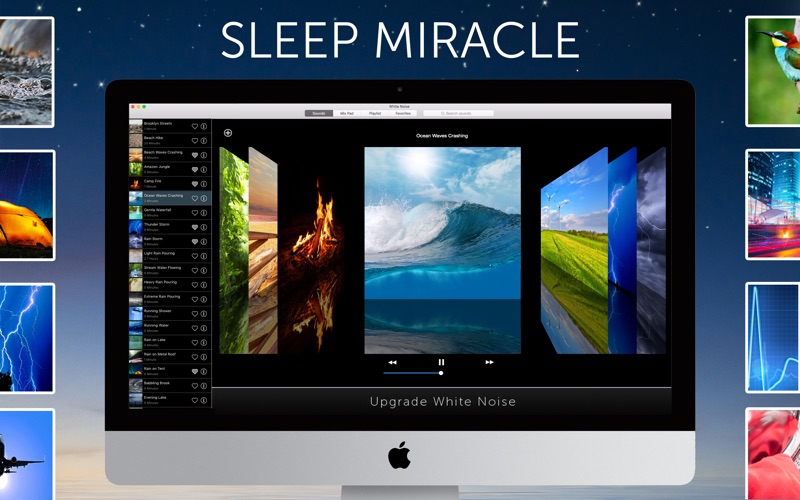
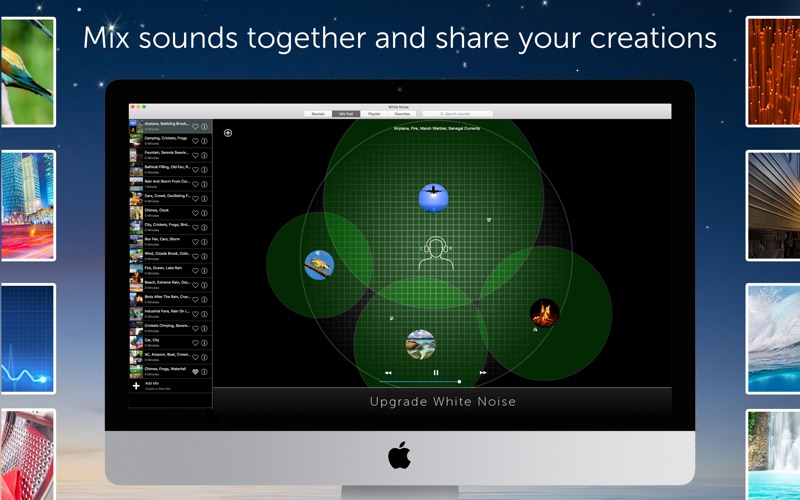
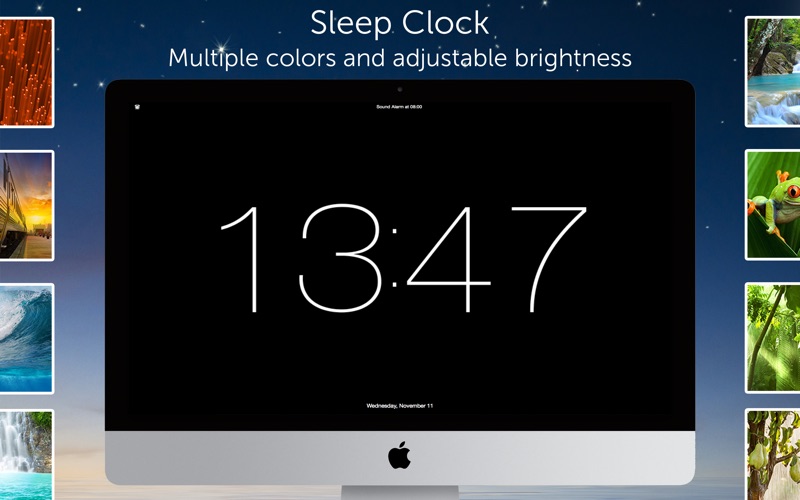
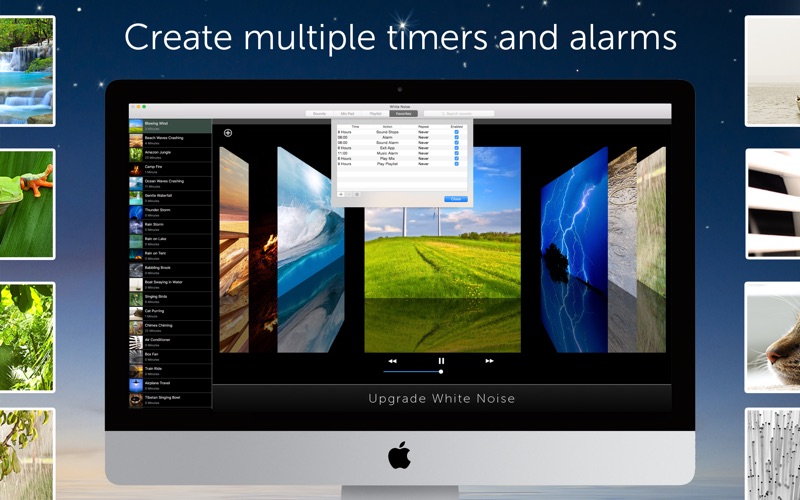
White Noise Lite provides 50 HD ambient sounds of the environment to help you relax or sleep. Do you find yourself waking up in the middle of the night? Are you in a hotel and miss the familiar sound of your fan? Need a full screen digital clock on your nightstand? Includes high quality looping noises such as waves crashing on a beach, crickets chirping at night, and the soothing sound of rain fall. Relax. Sleep better. Feel better. FEATURES - 50 New HD Perfectly Looped Sounds! - Beautiful photos in a cover flow interface allows you to swipe to your favorite sound. - Mix sounds together with our revolutionary mix pad and create new unique sounds. - Download new sounds for free from our White Noise Market ( http://whitenoisemarket.com/ ) - Digital Clock is the perfect bedside sleep companion. Swipe left or right to change colors. Drag up and down to adjust brightness. - Sound timers that slowly fade audio out so you don't suddenly awake. - Multiple alarms that slowly fade in so you wake up feeling refreshed. - Full screen mode supported. - On-screen media and volume control. - Create custom playlist of sounds and mixes with different playback durations. - Favorites view for quickly accessing your preferred sounds and mixes. SOUND CATALOG Air Conditioner, Airplane Travel, Amazon Jungle, Babbling Brook, Bathroom Fan, Beach Waves Crashing, Blowing Wind, Blue Noise, Boat Swaying in Water, Box Fan, Brown Noise, Camp Fire, Cars Driving, Cat Purring, Chimes Chiming, City Streets, Clothes Dryer, Crickets Chirping, Crowded Room, Dishwasher Rinsing, Evening Lake, Extreme Rain Pouring, Frogs at Night, Gentle Waterfall, Grandfather Clock, Gray Noise, Hair Dryer Blowing, Heartbeat, Heavy Rain Pouring, Light Rain Pouring, Ocean Waves Crashing, Oscillating Fan, Pink Noise, Rain on Car Roof, Rain on Lake, Rain on Metal Roof, Rain on Tent, Rain Storm, Running Shower, Running Water, Singing Birds, Stream Water Flowing, Thunder Storm, Tibetan Singing Bowl, Train Ride, Vacuum Cleaner, Violet Noise, Water Dripping, Water Sprinkler, White Noise UPGRADING If you like what you hear in the White Noise Lite version then upgrade to the following features: - Full Stereo HD Sounds - Create custom White Noise color sounds with Generator - More alarms that slowly fade in so you wake up refreshed! - Unlimited sound imports from the White Noise Market - No ads! White Noise is also available for iPhone, iPod touch, and iPad. Click the Web menu to find out more details! Visit our website at https://www.tmsoft.com/white-noise/ Support and FAQ info at https://www.tmsoft.com/white-noise/support/ Download new sounds at https://whitenoisemarket.com/ White Noise was first created for the original iPhone in 2008 by TMSOFT and has been continuously updated with new features. Join us on Facebook and Twitter and let us know how we can improve. Like us on Facebook at https://www.facebook.com/WhiteNoiseApp Follow us on twitter at https://twitter.com/whitenoiseapp Thanks for using White Noise by TMSOFT!