
PC 용 The Infatuation
- 카테고리: Food & Drink
- 최근 업데이트: 2026-08-24
- 현재 버전: 9.0.5
- 파일 크기: 134.23 MB
- 개발자: EATS Athletic Club LLC
- 호환성: 필요 Windows XP, Windows Vista, Windows 7, Windows 8, Windows 8.1 and Windows 10, Windows 11



PC에서 The Infatuation 용 호환 APK 다운로드
| 다운로드 | 개발자 | 평점 | 점수 | 현재 버전 | 성인 랭킹 |
|---|---|---|---|---|---|
| ↓ PC용 APK 다운로드 | EATS Athletic Club LLC | 0 | 0 | 9.0.5 | 4+ |
에뮬레이터의 중요성은 컴퓨터에서 안드로이드 환경을 흉내 내고 안드로이드 폰을 구입하지 않고도 안드로이드 앱을 설치하고 실행하는 것을 매우 쉽게 만들어주는 것입니다. 누가 당신이 두 세계를 즐길 수 없다고 말합니까? 우선 아래에있는 에뮬레이터 앱을 다운로드 할 수 있습니다.
A. Nox App . OR
B. Bluestacks App .
Bluestacks는 매우 대중적이므로 개인적으로 "B"옵션을 사용하는 것이 좋습니다. 문제가 발생하면 Google 또는 Naver.com에서 좋은 해결책을 찾을 수 있습니다.
Bluestacks.exe 또는 Nox.exe를 성공적으로 다운로드 한 경우 컴퓨터의 다운로드 폴더 또는 다운로드 한 파일을 일반적으로 저장하는 곳으로 이동하십시오.
찾으면 클릭하여 응용 프로그램을 설치하십시오. PC에서 설치 프로세스를 시작해야합니다.
다음을 클릭하여 EULA 라이센스 계약에 동의하십시오.
응용 프로그램을 설치하려면 화면 지시문을 따르십시오.
위 사항을 올바르게 수행하면 소프트웨어가 성공적으로 설치됩니다.
이제 설치 한 에뮬레이터 애플리케이션을 열고 검색 창을 찾으십시오. 지금 입력하십시오. - The Infatuation 앱을 쉽게 볼 수 있습니다. 그것을 클릭하십시오. 응용 프로그램 창이 열리고 에뮬레이터 소프트웨어에 응용 프로그램이 표시됩니다. 설치 버튼을 누르면 응용 프로그램이 다운로드되기 시작합니다. 이제 우리는 모두 끝났습니다.
그런 다음 "모든 앱"아이콘이 표시됩니다.
클릭하면 설치된 모든 응용 프로그램이 포함 된 페이지로 이동합니다.
당신은 The Infatuation 상. 그것을 클릭하고 응용 프로그램 사용을 시작하십시오.
Mac OS 에서 The Infatuation 다운로드
| 다운로드 | 개발자 | 점수 | 현재 버전 | 성인 랭킹 |
|---|---|---|---|---|
| 무료 - Mac 에서 다운로드 | EATS Athletic Club LLC | 0 |
9.0.5 | 4+ |
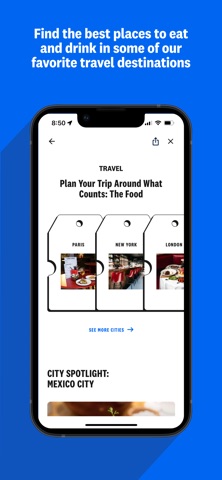
Expert restaurant recommendations for every situation. Our mission is very simple: to bring you the most honest and trustworthy opinions on where to eat around the world. Find a restaurant that’s “Perfect For” every situation. Search restaurant recommendations in our curated guides & reviews, or via map & list views, in over 40 different cities. Coverage in: New York, London, Los Angeles, Chicago, San Francisco, Boston, Philadelphia, Seattle, Washington DC, Atlanta, Austin, Denver, Paris, Mexico City, Melbourne, Rome, and Tokyo, and beyond with more on the way. FEATURES: Find Places: Search for nearby restaurants based on your current location, or browse for a spot in a city you are planning to visit. Filter on specific cuisines types, or “Perfect Fors” to find the right restaurant for every situation. Explore: Browse our restaurant reviews and curated guides in more than 40 cities worldwide. Use different categories to find the restaurant that best suits your needs. Categories include: Perfect Fors (Ex: Girls' Night Out, Late Night Eats), Cuisine, and Neighborhood. My Infatuation: Create an account with The Infatuation to save your favorite reviews and curate your own list. “Apps for finding restaurants are plentiful, but most of them leave me feeling overwhelmed. I want someone to choose for me, and I trust the authors of this app to do that. Their taste has never led me astray.” - Joshua Brustein, The New York Times In 2021, restaurant discovery platform The Infatuation was acquired by JPMorgan Chase & Co. to accelerate the firm’s investment in dining, and further demonstrates JPMorgan Chase’s commitment to meeting customers where they are with exceptional benefits, useful content and one-of-a-kind experiences, at scale. The Infatuation’s entire business, including Zagat, is a wholly owned subsidiary of JPMorgan Chase.


