
PC 용 Assistant Coach
- 카테고리: Sports
- 최근 업데이트: 2023-10-11
- 현재 버전: 3.7.1
- 파일 크기: 47.56 MB
- 개발자: Valerio Lo Giudice
- 호환성: 필요 Windows XP, Windows Vista, Windows 7, Windows 8, Windows 8.1 and Windows 10, Windows 11
PC에서 Assistant Coach 용 호환 APK 다운로드
| 다운로드 | 개발자 | 평점 | 점수 | 현재 버전 | 성인 랭킹 |
|---|---|---|---|---|---|
| ↓ PC용 APK 다운로드 | Valerio Lo Giudice | 0 | 0 | 3.7.1 | 4+ |
에뮬레이터의 중요성은 컴퓨터에서 안드로이드 환경을 흉내 내고 안드로이드 폰을 구입하지 않고도 안드로이드 앱을 설치하고 실행하는 것을 매우 쉽게 만들어주는 것입니다. 누가 당신이 두 세계를 즐길 수 없다고 말합니까? 우선 아래에있는 에뮬레이터 앱을 다운로드 할 수 있습니다.
A. Nox App . OR
B. Bluestacks App .
Bluestacks는 매우 대중적이므로 개인적으로 "B"옵션을 사용하는 것이 좋습니다. 문제가 발생하면 Google 또는 Naver.com에서 좋은 해결책을 찾을 수 있습니다.
Bluestacks.exe 또는 Nox.exe를 성공적으로 다운로드 한 경우 컴퓨터의 다운로드 폴더 또는 다운로드 한 파일을 일반적으로 저장하는 곳으로 이동하십시오.
찾으면 클릭하여 응용 프로그램을 설치하십시오. PC에서 설치 프로세스를 시작해야합니다.
다음을 클릭하여 EULA 라이센스 계약에 동의하십시오.
응용 프로그램을 설치하려면 화면 지시문을 따르십시오.
위 사항을 올바르게 수행하면 소프트웨어가 성공적으로 설치됩니다.
이제 설치 한 에뮬레이터 애플리케이션을 열고 검색 창을 찾으십시오. 지금 입력하십시오. - Assistant Coach 앱을 쉽게 볼 수 있습니다. 그것을 클릭하십시오. 응용 프로그램 창이 열리고 에뮬레이터 소프트웨어에 응용 프로그램이 표시됩니다. 설치 버튼을 누르면 응용 프로그램이 다운로드되기 시작합니다. 이제 우리는 모두 끝났습니다.
그런 다음 "모든 앱"아이콘이 표시됩니다.
클릭하면 설치된 모든 응용 프로그램이 포함 된 페이지로 이동합니다.
당신은 Assistant Coach 상. 그것을 클릭하고 응용 프로그램 사용을 시작하십시오.
Mac OS 에서 Assistant Coach 다운로드
| 다운로드 | 개발자 | 점수 | 현재 버전 | 성인 랭킹 |
|---|---|---|---|---|
| ₩5,900 - Mac 에서 다운로드 | Valerio Lo Giudice | 0 |
3.7.1 | 4+ |
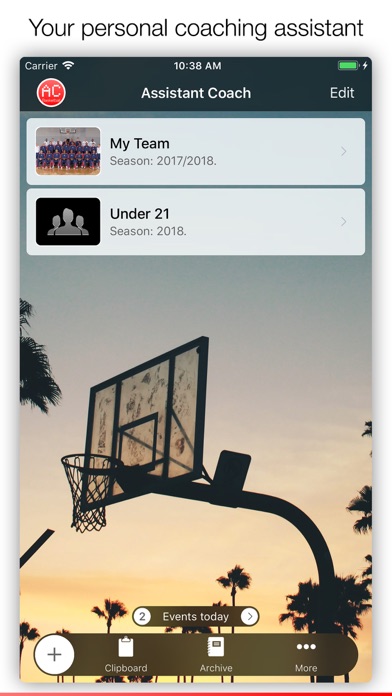
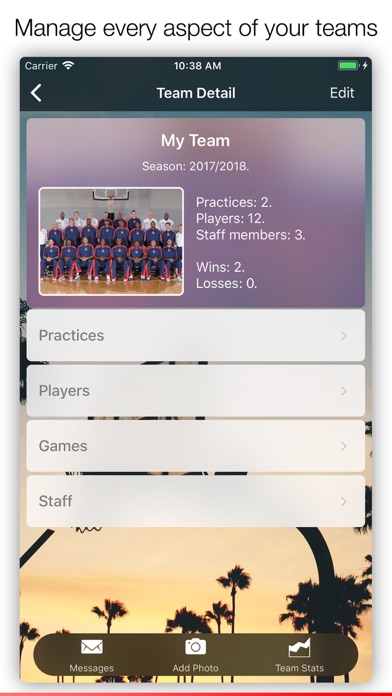
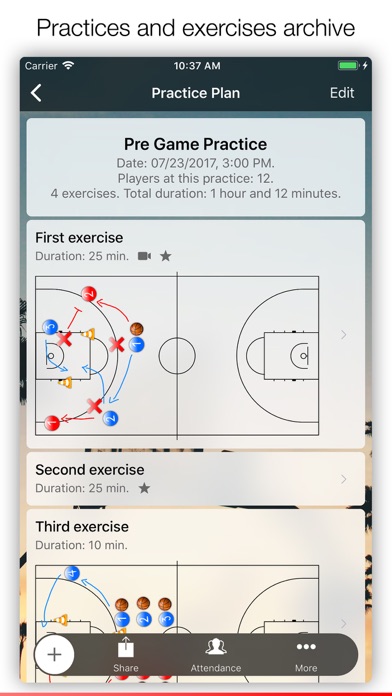
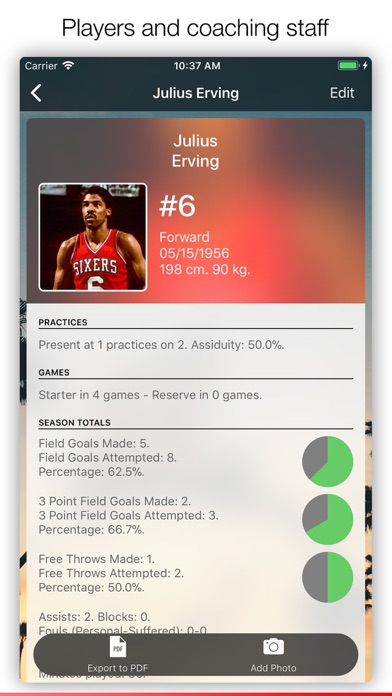
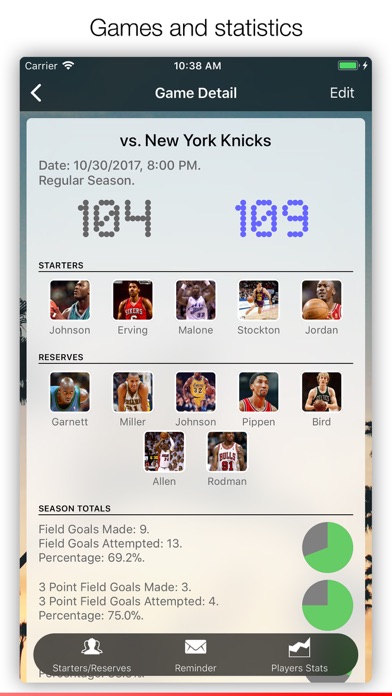
Assistant Coach is the most complete and professional app for basketball coaches to manage teams, players, games, stats, practices, exercises and coaching staffs. You can add all your teams for each season, and consult the team's infos and seasonal stats. Add your players infos, photo, and game's performance; the app will calculate all the total stats for every single player automatically. Add your practice plan and exercises, describing the exercise and drawing with your fingers the clipboard. Manage your exercises archive, shared by all your teams, to easily create new practice plans more rapidly. Add games result, and the performance of every single player after a game, the app will calculate for you player's individuals stats and team's total stats. You can also export every stats report and practice plan to PDF and send them via email, print them with AirPrint, or import them with iTunes File Sharing on your computer. • FEATURES • TEAMS • Manage your team practices, players and games for each season. • Add team's photo. • Consult your team stats for the season. • Export your team stats to PDF. • Send a group message to all your players via e-mail or text. PRACTICES • Add a new practice with description and date. • Add a new exercise to your practice plan with exercise description, note, duration and video. • Draw with your fingers the exercise clipboard. • Take the player's presence at practice. • Export practice plan to PDF. • Record a video of your players performing the practice for every exercise. • Add your favorite exercises to the archive, in order to add an exercise to your new practice more rapidly. PLAYERS • Add a new player with name, number, date of birth, role, height, weight, phone number, e-mail, notes and photo. • Add new players to a team from your other teams. • Consult the player's presence at practices, how many time he was a starting five, season total stats and stats per games played. • Export the player's profile and seasonal stats to PDF. GAMES • Add a new game with game result, opponent team, game type and notes. • Add game with no score as scheduled game. • Add the starting five and the reserves. • Add players individual performance after a game, and the app will calculate the team's total stats. • Export game and players total stats to PDF. EXERCISES ARCHIVE • Create your exercises archive, adding your favorite practice exercises or marking an existing exercise. ASSISTANT COACH ACCOUNT • You can create a backup and share it on your devices using the same Assistant Coach account. • Add your colleagues with a registered Assistant Coach account and share your practice exercises and practice plans with them. • PDF Streaming: every time you create a new PDF, the file is uploaded automatically to your account. The file will appear on your profile page on the web, and you will be able to download the last 15 PDF files created. • CONTACTS • If you have any suggestions for improving the app, or any problem, or need help, please feel free to write to the email below. E-MAIL: [email protected] ASSISTANT COACH: http://www.assistantcoach.co/AssistantCoach FACEBOOK: http://www.facebook.com/AssistantCoach TWITTER: http://twitter.com/Assistant_Coach INSTAGRAM: http://instagram.com/assistantcoach YOUTUBE: http://www.youtube.com/AssistantCoachApp