
PC 용 Calorie Counter - Daily Steps
- 카테고리: Health & Fitness
- 최근 업데이트: 2019-08-26
- 현재 버전: 4.0.1
- 파일 크기: 56.51 MB
- 개발자: Cross Atlantic Software Pvt. Ltd.
- 호환성: 필요 Windows XP, Windows Vista, Windows 7, Windows 8, Windows 8.1 and Windows 10, Windows 11



PC에서 Calorie Counter - Daily Steps 용 호환 APK 다운로드
| 다운로드 | 개발자 | 평점 | 점수 | 현재 버전 | 성인 랭킹 |
|---|---|---|---|---|---|
| ↓ PC용 APK 다운로드 | Cross Atlantic Software Pvt. Ltd. | 0 | 4.0.1 | 4+ |
호환되는 PC 앱 또는 대안 확인
| 소프트웨어 | 다운로드 | 평점 | 개발자 |
|---|---|---|---|
| Calorie Counter |
PC 앱 받기 | /5 0 리뷰 |
Cross Atlantic Software Pvt. Ltd. |
에뮬레이터의 중요성은 컴퓨터에서 안드로이드 환경을 흉내 내고 안드로이드 폰을 구입하지 않고도 안드로이드 앱을 설치하고 실행하는 것을 매우 쉽게 만들어주는 것입니다. 누가 당신이 두 세계를 즐길 수 없다고 말합니까? 우선 아래에있는 에뮬레이터 앱을 다운로드 할 수 있습니다.
A. Nox App . OR
B. Bluestacks App .
Bluestacks는 매우 대중적이므로 개인적으로 "B"옵션을 사용하는 것이 좋습니다. 문제가 발생하면 Google 또는 Naver.com에서 좋은 해결책을 찾을 수 있습니다.
Bluestacks.exe 또는 Nox.exe를 성공적으로 다운로드 한 경우 컴퓨터의 다운로드 폴더 또는 다운로드 한 파일을 일반적으로 저장하는 곳으로 이동하십시오.
찾으면 클릭하여 응용 프로그램을 설치하십시오. PC에서 설치 프로세스를 시작해야합니다.
다음을 클릭하여 EULA 라이센스 계약에 동의하십시오.
응용 프로그램을 설치하려면 화면 지시문을 따르십시오.
위 사항을 올바르게 수행하면 소프트웨어가 성공적으로 설치됩니다.
이제 설치 한 에뮬레이터 애플리케이션을 열고 검색 창을 찾으십시오. 지금 입력하십시오. - Calorie Counter - Daily Steps 앱을 쉽게 볼 수 있습니다. 그것을 클릭하십시오. 응용 프로그램 창이 열리고 에뮬레이터 소프트웨어에 응용 프로그램이 표시됩니다. 설치 버튼을 누르면 응용 프로그램이 다운로드되기 시작합니다. 이제 우리는 모두 끝났습니다.
그런 다음 "모든 앱"아이콘이 표시됩니다.
클릭하면 설치된 모든 응용 프로그램이 포함 된 페이지로 이동합니다.
당신은 Calorie Counter - Daily Steps 상. 그것을 클릭하고 응용 프로그램 사용을 시작하십시오.
Mac OS 에서 Calorie Counter 다운로드
| 다운로드 | 개발자 | 점수 | 현재 버전 | 성인 랭킹 |
|---|---|---|---|---|
| 무료 - Mac 에서 다운로드 | Cross Atlantic Software Pvt. Ltd. | 4.0.1 | 4+ |
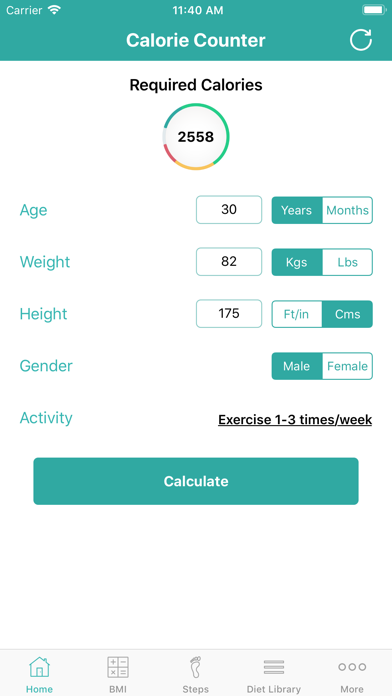
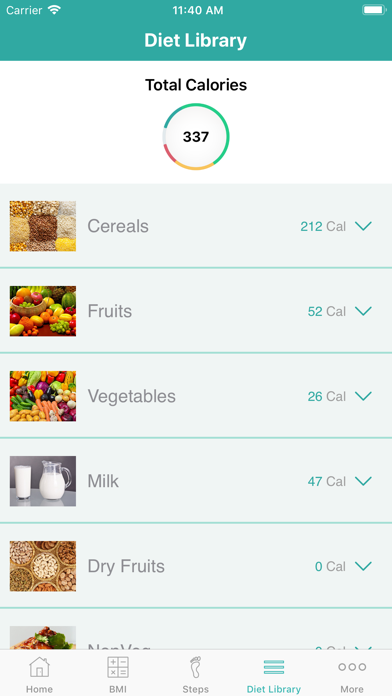
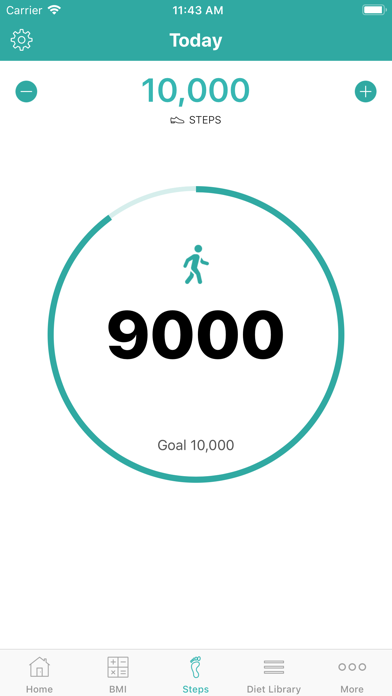
- Calorie Counter helps you know your calories requirement per day according to your weight, height, age & activity and a very simple app that lets you calculate your BMI. Calorie Counter also provides you BMI Calculator, which helps you to determine what's the best calorie intake to maintain your current weight or to lose weight. Basal Metabolic Rate (BMR): You use energy no matter what you're doing, even when sleeping. The BMR Calculator will calculate your Basal Metabolic Rate (BMR); the number of calories you'd burn if you stayed in bed all day. Calorie Counter turns your iPhone into a simple and efficient step counter. Just put your phone in your pocket and everything else is taken care by Calorie Counter. Your activity tracker for walking, running, and hiking. BMI Calculator is a free application for the iPhone and iPad. You can easily calculate your BMI (Body Mass Index). The result of the calculation indicates your BMI category. For example underweight or obese. With this BMI Calculator you can calculate your Body Mass Index to find your ideal weight. It's the ideal companion app for your weight loss program. No matter if you want to lose weight or gain weight, this app can help you evaluate your current weight. WHR ( Waist Height Ratio) Calculator is a free application for the iPhone and iPad. You can easily calculate your WHR ( Waist Height Ratio). The result of the calculation indicates your WHR category. Body Fat Percentage (BFP): How much Body Fat are you carrying and the calculator is based on a formula developed by the US Navy. A certain amount of fat is essential to bodily functions. Fat regulates body temperature, cushions and insulates organs and tissues and is the main form of the body's energy storage. Check out this Body Fat Chart which describes fat ranges and their associated categories. - Calculate your BMI with ease - Find out ideal weight for your height - Find out ideal waist for your height - Find out difference between your weight and ideal weight for your height - Find out your BMI category - Find out your Body Fat percentage Calorie counter integrates with health kit and carekit to access user data after they have consented the same.