PC 용 My Fishing Advisor
- 카테고리: Sports
- 최근 업데이트: 2017-10-10
- 현재 버전: 3.21
- 파일 크기: 30.00 MB
- 개발자: Pishtech LLC
- 호환성: 필요 Windows XP, Windows Vista, Windows 7, Windows 8, Windows 8.1 and Windows 10, Windows 11



PC에서 My Fishing Advisor 용 호환 APK 다운로드
| 다운로드 | 개발자 | 평점 | 점수 | 현재 버전 | 성인 랭킹 |
|---|---|---|---|---|---|
| ↓ PC용 APK 다운로드 | Pishtech LLC | 0 | 0 | 3.21 | 4+ |
에뮬레이터의 중요성은 컴퓨터에서 안드로이드 환경을 흉내 내고 안드로이드 폰을 구입하지 않고도 안드로이드 앱을 설치하고 실행하는 것을 매우 쉽게 만들어주는 것입니다. 누가 당신이 두 세계를 즐길 수 없다고 말합니까? 우선 아래에있는 에뮬레이터 앱을 다운로드 할 수 있습니다.
A. Nox App . OR
B. Bluestacks App .
Bluestacks는 매우 대중적이므로 개인적으로 "B"옵션을 사용하는 것이 좋습니다. 문제가 발생하면 Google 또는 Naver.com에서 좋은 해결책을 찾을 수 있습니다.
Bluestacks.exe 또는 Nox.exe를 성공적으로 다운로드 한 경우 컴퓨터의 다운로드 폴더 또는 다운로드 한 파일을 일반적으로 저장하는 곳으로 이동하십시오.
찾으면 클릭하여 응용 프로그램을 설치하십시오. PC에서 설치 프로세스를 시작해야합니다.
다음을 클릭하여 EULA 라이센스 계약에 동의하십시오.
응용 프로그램을 설치하려면 화면 지시문을 따르십시오.
위 사항을 올바르게 수행하면 소프트웨어가 성공적으로 설치됩니다.
이제 설치 한 에뮬레이터 애플리케이션을 열고 검색 창을 찾으십시오. 지금 입력하십시오. - My Fishing Advisor 앱을 쉽게 볼 수 있습니다. 그것을 클릭하십시오. 응용 프로그램 창이 열리고 에뮬레이터 소프트웨어에 응용 프로그램이 표시됩니다. 설치 버튼을 누르면 응용 프로그램이 다운로드되기 시작합니다. 이제 우리는 모두 끝났습니다.
그런 다음 "모든 앱"아이콘이 표시됩니다.
클릭하면 설치된 모든 응용 프로그램이 포함 된 페이지로 이동합니다.
당신은 My Fishing Advisor 상. 그것을 클릭하고 응용 프로그램 사용을 시작하십시오.
Mac OS 에서 My Fishing Advisor 다운로드
| 다운로드 | 개발자 | 점수 | 현재 버전 | 성인 랭킹 |
|---|---|---|---|---|
| ₩5,900 - Mac 에서 다운로드 | Pishtech LLC | 0 |
3.21 | 4+ |
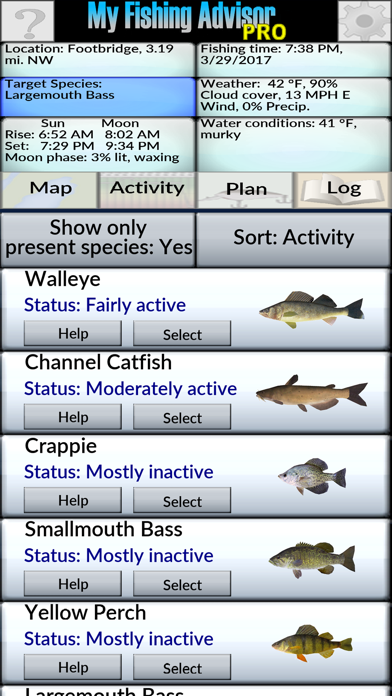
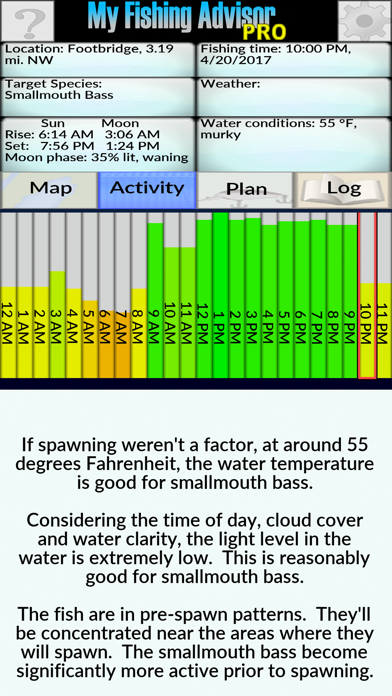
Fishing success isn't a question luck - it's about making the right decisions. Depending on the time of year, the location, the weather and water conditions, you need to pick the right structure, cover and water depth for your target species. Then you need to choose the right lure or bait and technique to catch those fish in that situation. This app will help you do just that. Like a fishing guide this app will consider many factors that affect fish behavior in order to predict where they will be and how actively they’ll be feeding. Version 3.0 is faster and more powerful than earlier versions, and has new features. Most functions are available in the free version, but there are some Pro Features for a small fee that serious anglers will want to unlock. Build your own collection of fishing spots and My Fishing Advisor will help you pick which ones are most promising at a given time. It will help with lure selection, and even details like the most appropriate rods, line, hook sizes and sinker weights. Beginners use My Fishing Advisor to take the frustration out of learning to fish and to find success much faster. Experts use My Fishing Advisor to find patterns they might otherwise overlook and to find and catch fish more consistently. Use My Fishing Advisor to log your fishing experiences - Track what you catch, the location and conditions and when and where you fished with the new fishing log feature. You can view your fishing log by date, by species, or view your log entries on a map. Register for backups and your logs and fishing spots will be backed up to the cloud so you can get your data back if you ever change devices. What’s new: • A completely overhauled user interface for faster,easier use • A detailed fishing log - keep track of what you caught where, when, and how • Help on many topics, from structure and cover to species and lure types, etc. • More features in the free version, including the full days fish activity forecast and creating new fishing plans • A new source of weather data, working not just in the US but also in Canada and other countries