
PC 용 Strongur: The Best Workout Log
- 카테고리: Health & Fitness
- 최근 업데이트: 2023-01-08
- 현재 버전: 10.1.1
- 파일 크기: 98.45 MB
- 개발자: Robert Frederick
- 호환성: 필요 Windows XP, Windows Vista, Windows 7, Windows 8, Windows 8.1 and Windows 10, Windows 11
PC에서 Strongur: The Best Workout Log 용 호환 APK 다운로드
| 다운로드 | 개발자 | 평점 | 점수 | 현재 버전 | 성인 랭킹 |
|---|---|---|---|---|---|
| ↓ PC용 APK 다운로드 | Robert Frederick | 1 | 5 | 10.1.1 | 4+ |
에뮬레이터의 중요성은 컴퓨터에서 안드로이드 환경을 흉내 내고 안드로이드 폰을 구입하지 않고도 안드로이드 앱을 설치하고 실행하는 것을 매우 쉽게 만들어주는 것입니다. 누가 당신이 두 세계를 즐길 수 없다고 말합니까? 우선 아래에있는 에뮬레이터 앱을 다운로드 할 수 있습니다.
A. Nox App . OR
B. Bluestacks App .
Bluestacks는 매우 대중적이므로 개인적으로 "B"옵션을 사용하는 것이 좋습니다. 문제가 발생하면 Google 또는 Naver.com에서 좋은 해결책을 찾을 수 있습니다.
Bluestacks.exe 또는 Nox.exe를 성공적으로 다운로드 한 경우 컴퓨터의 다운로드 폴더 또는 다운로드 한 파일을 일반적으로 저장하는 곳으로 이동하십시오.
찾으면 클릭하여 응용 프로그램을 설치하십시오. PC에서 설치 프로세스를 시작해야합니다.
다음을 클릭하여 EULA 라이센스 계약에 동의하십시오.
응용 프로그램을 설치하려면 화면 지시문을 따르십시오.
위 사항을 올바르게 수행하면 소프트웨어가 성공적으로 설치됩니다.
이제 설치 한 에뮬레이터 애플리케이션을 열고 검색 창을 찾으십시오. 지금 입력하십시오. - Strongur: The Best Workout Log 앱을 쉽게 볼 수 있습니다. 그것을 클릭하십시오. 응용 프로그램 창이 열리고 에뮬레이터 소프트웨어에 응용 프로그램이 표시됩니다. 설치 버튼을 누르면 응용 프로그램이 다운로드되기 시작합니다. 이제 우리는 모두 끝났습니다.
그런 다음 "모든 앱"아이콘이 표시됩니다.
클릭하면 설치된 모든 응용 프로그램이 포함 된 페이지로 이동합니다.
당신은 Strongur: The Best Workout Log 상. 그것을 클릭하고 응용 프로그램 사용을 시작하십시오.
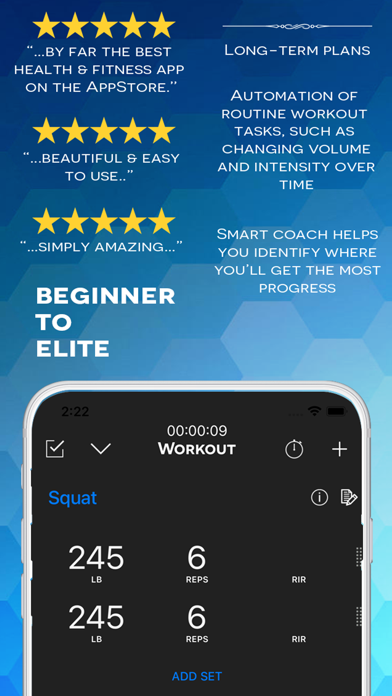
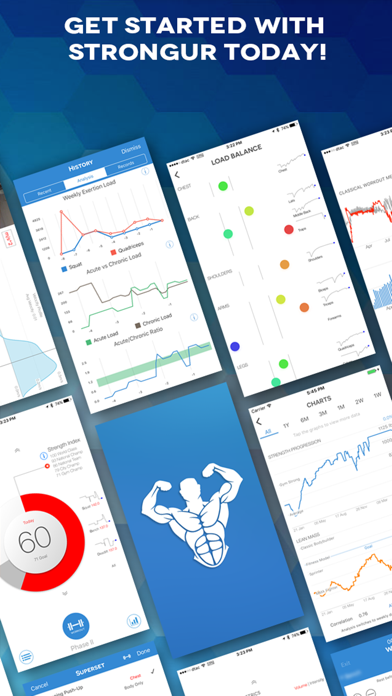
THIS IS A TOOLBOX to help you with your progression, not just a workout app. If your goal is to expand and reach new levels, this is the app for you. Here’s what people are saying about it: “An outstanding app with an incredible amount of knowledge and thought behind it. The app does far more than offer strength programs for you to follow. It will acquaint you with the hows and whys of training – giving you what you need to build a solid understanding of how to workout effectively. Absolutely recommended for anyone who is looking to make significant gains in their strength.” “I don't normally write reviews but this is by far the best strength and weight training app on the App Store. I have never looked or felt stronger! Detailed information on how to get started and in many aspects of training with charts to track your progression. Will say it again excellent app and a must have for anyone wanting to get in great shape. Best Strength App by Far.” “I can't say enough good things about this program. If you follow the program, you WILL make progress. The workouts are brutal, relentless, and effective. Great app!” Select one of the built-in workout routines to keep it simple or go all out and design your own system. Whether you want to focus on bodybuilding or strength, this app has you covered. ---- HIGHLIGHTS ---- *track workouts in greater precision than any other app (sets, reps, weight, effort, rest intervals, tempo, daily body fat, and daily body weight). *provides you detailed insights and feedback through multiple types of graphs, some also not available on any other app. *gives you the absolute best workouts. *help you establish realistic targets for muscle mass as it relates to strength. Popular routines like 5/3/1, Starting Strength, and Stronglifts are easy to use with this app. Don't see the exact workout routine you were looking for? Make one. Want to share it with friends/clients? Upload it through the app so others can use your routine. Fast-track Progress Complete app access and the full package of workout analytics is available for $9.99/month, $24.99/3 months, or $99.99/year (prices may vary by territory) within the Strongur iOS mobile application. You can subscribe and pay through your iTunes account. Payment will be charged to iTunes account at confirmation of purchase. Your subscription will automatically renew unless canceled at least 24 hours before the end of the current period. Your account will be charged for renewal within 24 hours prior to the end of the current period. Subscriptions may be managed by the user and auto-renew may be turned off after purchase by going to the 'Manage Subscription' page in settings. Any unused portion of a free trial period, if offered, will be forfeited when the user purchases a subscription to that publication, where applicable. The subscription will renew at the same cost. After you complete a workout, the next workout will automatically adjust (weight/rep/set increments and decrements) to respond to performance levels in the previous workout. That means workout tracking and body tracking couldn't be simpler. Single tap to create a new workout, single tap to save what you did — done. Privacy & Terms here: http://www.strongur.io/privacy-terms/ Strongur also supports Apple’s Health app. Realistic targets keep you on track. Statistical analysis has shown that a beginner can expect a strength gain of about 30% in the first 90 days. Additional gains in strength are gradual and due to an interplay between neuromuscular improvements and hypertrophy. A 5'9" (1.75m) man can expect to gain about 15 lb (7kg) of muscle in the first year. Expect 3-5 years to reach your natural maximum. These are your targets. Feel free to smash through them.