PC 용 Absolute RC Plane Simulator
- 카테고리: Games
- 최근 업데이트: 2026-09-09
- 현재 버전: 3.66
- 파일 크기: 156.81 MB
- 개발자: Happy Bytes LLC
- 호환성: 필요 Windows XP, Windows Vista, Windows 7, Windows 8, Windows 8.1 and Windows 10, Windows 11
PC에서 Absolute RC Plane Simulator 용 호환 APK 다운로드
| 다운로드 | 개발자 | 평점 | 점수 | 현재 버전 | 성인 랭킹 |
|---|---|---|---|---|---|
| ↓ PC용 APK 다운로드 | Happy Bytes LLC | 2 | 1.5 | 3.66 | 4+ |
호환되는 PC 앱 또는 대안 확인
| 소프트웨어 | 다운로드 | 평점 | 개발자 |
|---|---|---|---|
| Absolute RC Plane Simulator |
PC 앱 받기 | 1.5/5 2 리뷰 1.5 |
Happy Bytes LLC |
에뮬레이터의 중요성은 컴퓨터에서 안드로이드 환경을 흉내 내고 안드로이드 폰을 구입하지 않고도 안드로이드 앱을 설치하고 실행하는 것을 매우 쉽게 만들어주는 것입니다. 누가 당신이 두 세계를 즐길 수 없다고 말합니까? 우선 아래에있는 에뮬레이터 앱을 다운로드 할 수 있습니다.
A. Nox App . OR
B. Bluestacks App .
Bluestacks는 매우 대중적이므로 개인적으로 "B"옵션을 사용하는 것이 좋습니다. 문제가 발생하면 Google 또는 Naver.com에서 좋은 해결책을 찾을 수 있습니다.
Bluestacks.exe 또는 Nox.exe를 성공적으로 다운로드 한 경우 컴퓨터의 다운로드 폴더 또는 다운로드 한 파일을 일반적으로 저장하는 곳으로 이동하십시오.
찾으면 클릭하여 응용 프로그램을 설치하십시오. PC에서 설치 프로세스를 시작해야합니다.
다음을 클릭하여 EULA 라이센스 계약에 동의하십시오.
응용 프로그램을 설치하려면 화면 지시문을 따르십시오.
위 사항을 올바르게 수행하면 소프트웨어가 성공적으로 설치됩니다.
이제 설치 한 에뮬레이터 애플리케이션을 열고 검색 창을 찾으십시오. 지금 입력하십시오. - Absolute RC Plane Simulator 앱을 쉽게 볼 수 있습니다. 그것을 클릭하십시오. 응용 프로그램 창이 열리고 에뮬레이터 소프트웨어에 응용 프로그램이 표시됩니다. 설치 버튼을 누르면 응용 프로그램이 다운로드되기 시작합니다. 이제 우리는 모두 끝났습니다.
그런 다음 "모든 앱"아이콘이 표시됩니다.
클릭하면 설치된 모든 응용 프로그램이 포함 된 페이지로 이동합니다.
당신은 Absolute RC Plane Simulator 상. 그것을 클릭하고 응용 프로그램 사용을 시작하십시오.
Mac OS 에서 Absolute RC Plane Simulator 다운로드
| 다운로드 | 개발자 | 점수 | 현재 버전 | 성인 랭킹 |
|---|---|---|---|---|
| ₩3,900 - Mac 에서 다운로드 | Happy Bytes LLC | 1.5 |
3.66 | 4+ |
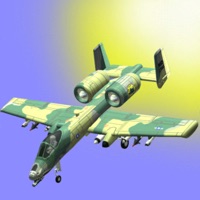
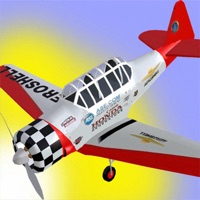
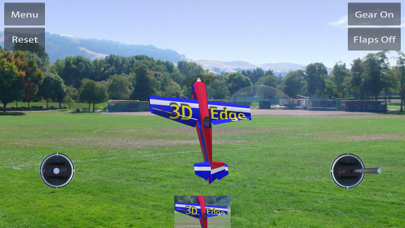
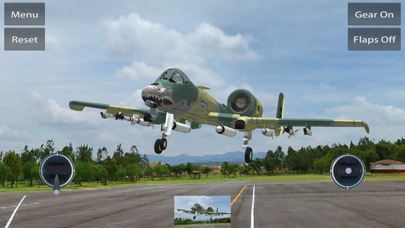
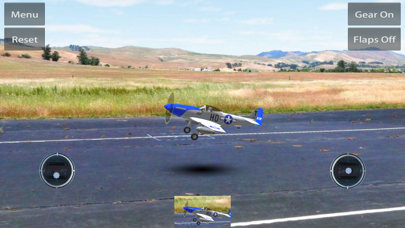
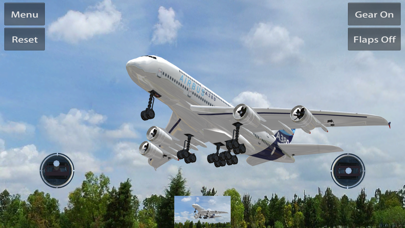
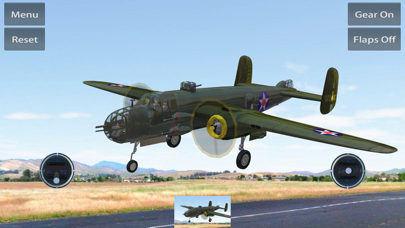
This Professional RC Simulator is a must have for anyone flying RC. The models fly like real RC planes, and can be used to learn to fly and to improve your flying. A lot of fun for not much money! Any plane crash cost many times more, and you will be able to fly in the sim no matter what is the weather outside! Get 12 models and 3 landscapes with this value pack edition of our Absolute RC Plane Sim, for big savings compared to buying them one by one. In addition to the included content, you can still buy extra models if needed. As free bonus, we added free helicopters, RC boats and RC cars. The following models are included: Planes: Advantage (Trainer) Aquila Low Wing Sport Model AT-6 Harvard (Low Wing Intermediate) P-51 Mustang (War bird scale - Intermediate-Advanced) A-10 Warthog (Electric fan scale - Advanced) Helicopter and Drones: Model CX Coaxial Helicopter Bell 47 Scale Model Racing Drone Quadcopter Boats and Cars Rebel Boat Easy Cat Catamaran Rage 2WD Car Lego Car Included free landscapes in this version: : Osage Park Tangamanga Island Fliers Please try our full featured professional RC flight simulator ClearView for PC here: http://rcflightsim.com - see the video of ClearView bellow. Notes: 1. This is not a game. You are controlling flying RC models that reacts like real flying models. It takes some time to learn, and again, do not expect "arcade" style controls. 2. The onscreen control sticks are just indicators! They are made small so they do not obscure the screen. *** You do not need to keep your fingers on them *** Sliding your finger anywhere on the right screen half affects the right control stick , the same for the left screen part - sliding finger there moves the left control stick. We suggest selecting beginner settings at first few days before you can comfortably progress further. 3. iPad 1 users should not purchase extra landscapes, due to lack of memory. Getting extra planes is OK.