PC 용 Enterra Poker Calculator
- 카테고리: Productivity
- 최근 업데이트: 2018-08-23
- 현재 버전: 2.5.1
- 파일 크기: 53.97 MB
- 개발자: Enterra, Inc.
- 호환성: 필요 Windows XP, Windows Vista, Windows 7, Windows 8, Windows 8.1 and Windows 10, Windows 11


PC에서 Enterra Poker Calculator 용 호환 APK 다운로드
| 다운로드 | 개발자 | 평점 | 점수 | 현재 버전 | 성인 랭킹 |
|---|---|---|---|---|---|
| ↓ PC용 APK 다운로드 | Enterra, Inc. | 115 | 4.85217 | 2.5.1 | 4+ |
호환되는 PC 앱 또는 대안 확인
| 소프트웨어 | 다운로드 | 평점 | 개발자 |
|---|---|---|---|
| Enterra Poker Calculator |
PC 앱 받기 | 4.85217/5 115 리뷰 4.85217 |
Enterra, Inc. |
에뮬레이터의 중요성은 컴퓨터에서 안드로이드 환경을 흉내 내고 안드로이드 폰을 구입하지 않고도 안드로이드 앱을 설치하고 실행하는 것을 매우 쉽게 만들어주는 것입니다. 누가 당신이 두 세계를 즐길 수 없다고 말합니까? 우선 아래에있는 에뮬레이터 앱을 다운로드 할 수 있습니다.
A. Nox App . OR
B. Bluestacks App .
Bluestacks는 매우 대중적이므로 개인적으로 "B"옵션을 사용하는 것이 좋습니다. 문제가 발생하면 Google 또는 Naver.com에서 좋은 해결책을 찾을 수 있습니다.
Bluestacks.exe 또는 Nox.exe를 성공적으로 다운로드 한 경우 컴퓨터의 다운로드 폴더 또는 다운로드 한 파일을 일반적으로 저장하는 곳으로 이동하십시오.
찾으면 클릭하여 응용 프로그램을 설치하십시오. PC에서 설치 프로세스를 시작해야합니다.
다음을 클릭하여 EULA 라이센스 계약에 동의하십시오.
응용 프로그램을 설치하려면 화면 지시문을 따르십시오.
위 사항을 올바르게 수행하면 소프트웨어가 성공적으로 설치됩니다.
이제 설치 한 에뮬레이터 애플리케이션을 열고 검색 창을 찾으십시오. 지금 입력하십시오. - Enterra Poker Calculator 앱을 쉽게 볼 수 있습니다. 그것을 클릭하십시오. 응용 프로그램 창이 열리고 에뮬레이터 소프트웨어에 응용 프로그램이 표시됩니다. 설치 버튼을 누르면 응용 프로그램이 다운로드되기 시작합니다. 이제 우리는 모두 끝났습니다.
그런 다음 "모든 앱"아이콘이 표시됩니다.
클릭하면 설치된 모든 응용 프로그램이 포함 된 페이지로 이동합니다.
당신은 Enterra Poker Calculator 상. 그것을 클릭하고 응용 프로그램 사용을 시작하십시오.
Mac OS 에서 Enterra Poker Calculator 다운로드
| 다운로드 | 개발자 | 점수 | 현재 버전 | 성인 랭킹 |
|---|---|---|---|---|
| 무료 - Mac 에서 다운로드 | Enterra, Inc. | 4.85217 |
2.5.1 | 4+ |
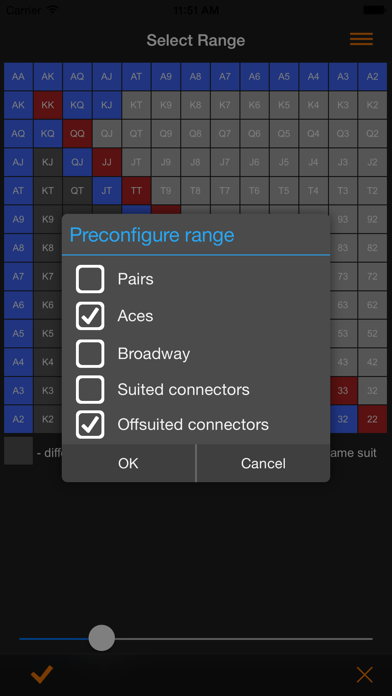
Probably, the most useful tool for those who want to succeed in poker. Use Poker Calculator to estimate your chances to win a game, get a certain hand or to compare your chances with opponents' probability to win. Why use Poker Calculator? ∙ Voice cards input saves time and helps you stay focused on a game. ∙ The most popular poker games are supported: Hold’em, Omaha, Omaha Hi-Low, 5-Card Omaha. ∙ Hand history lets you see cards and winning chances for a saved game. ∙ Instant winning chance estimation on any poker game stage from pre-flop to river. ∙ Preset and manual opponents diapasons and up to ten players at the table. ∙ EV and equity estimation to control the financial outcome of a poker game. Free Poker Calculator is extremely helpful for a beginner poker fans because it helps them to find out more about the game mathematics. Expert players will have a lot of pleasure mastering the specific skills like working with card diapasons and learning the EV. To get ultra-effect use other Enterra, Inc. poker applications: free Enterra Poker game to check the skills at the table, and free Poker Timer app to organize your own poker tournaments.