
PC 용 Dreamboard App
- 카테고리: Health & Fitness
- 최근 업데이트: 2022-04-11
- 현재 버전: 3.0.3
- 파일 크기: 21.15 MB
- 개발자: Dreamboard Inc
- 호환성: 필요 Windows XP, Windows Vista, Windows 7, Windows 8, Windows 8.1 and Windows 10, Windows 11


PC에서 Dreamboard App 용 호환 APK 다운로드
| 다운로드 | 개발자 | 평점 | 점수 | 현재 버전 | 성인 랭킹 |
|---|---|---|---|---|---|
| ↓ PC용 APK 다운로드 | Dreamboard Inc | 1 | 2 | 3.0.3 | 4+ |
에뮬레이터의 중요성은 컴퓨터에서 안드로이드 환경을 흉내 내고 안드로이드 폰을 구입하지 않고도 안드로이드 앱을 설치하고 실행하는 것을 매우 쉽게 만들어주는 것입니다. 누가 당신이 두 세계를 즐길 수 없다고 말합니까? 우선 아래에있는 에뮬레이터 앱을 다운로드 할 수 있습니다.
A. Nox App . OR
B. Bluestacks App .
Bluestacks는 매우 대중적이므로 개인적으로 "B"옵션을 사용하는 것이 좋습니다. 문제가 발생하면 Google 또는 Naver.com에서 좋은 해결책을 찾을 수 있습니다.
Bluestacks.exe 또는 Nox.exe를 성공적으로 다운로드 한 경우 컴퓨터의 다운로드 폴더 또는 다운로드 한 파일을 일반적으로 저장하는 곳으로 이동하십시오.
찾으면 클릭하여 응용 프로그램을 설치하십시오. PC에서 설치 프로세스를 시작해야합니다.
다음을 클릭하여 EULA 라이센스 계약에 동의하십시오.
응용 프로그램을 설치하려면 화면 지시문을 따르십시오.
위 사항을 올바르게 수행하면 소프트웨어가 성공적으로 설치됩니다.
이제 설치 한 에뮬레이터 애플리케이션을 열고 검색 창을 찾으십시오. 지금 입력하십시오. - Dreamboard App 앱을 쉽게 볼 수 있습니다. 그것을 클릭하십시오. 응용 프로그램 창이 열리고 에뮬레이터 소프트웨어에 응용 프로그램이 표시됩니다. 설치 버튼을 누르면 응용 프로그램이 다운로드되기 시작합니다. 이제 우리는 모두 끝났습니다.
그런 다음 "모든 앱"아이콘이 표시됩니다.
클릭하면 설치된 모든 응용 프로그램이 포함 된 페이지로 이동합니다.
당신은 Dreamboard App 상. 그것을 클릭하고 응용 프로그램 사용을 시작하십시오.
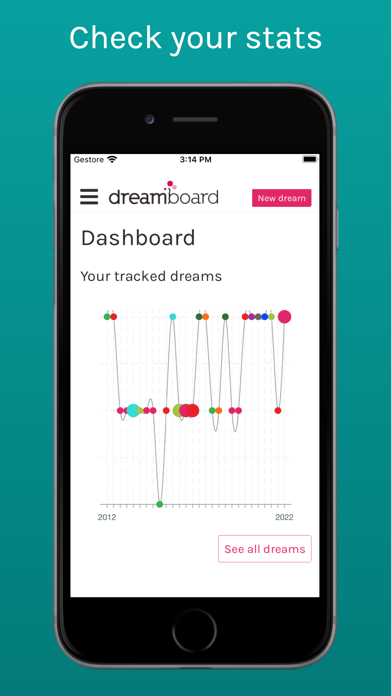
Dreamboard mobile and web application is a unique, simple and fun way to safely and securely track and log your dreams. Designed in collaboration with world leading Psychologists, Dreamboard is much more than a simple dream diary. * Dreamboard is a dream journal that allow you to track, analyze & record your dreams. Dreamboard gives you the ability to record and allow self interpretation of lucid dreams and nightmares, with sleep tracker analysis. * By allowing you to record emotions and feelings, along with the narration from your nightly dream story, you start to build a complimentary picture that is free from the bias that impacts us in our daily waking life. ▶ With Dreamboard you can: * Record your Dreams in seconds Simple input icons and options allow you to save and review all your dream sequences quickly when you wake up. *Allows you to enter in more detail your complete dream story now or later. * Browse your Dream journal Save and store your complete dream sequences then search and sort by title date or similarities over time from both mobile device and web. * Analyze and Track your dreams Observe and reflect on mood and emotional trends over time by clicking on the dream graph so you can start to develop a better and deeper understanding of how your dreams fit in to your everyday life. ▶ Features: - keep track of your pleasant and unpleasant dreams - write down the narration, for future use - more than a diary, an analytical tool for dreams, mood and emotions - record data - 100% free, secure ▶ A NEW Dreamboard Thanks to you Dreamboard has grown beyond its initial expectations and so the second major upgrade deals with improving with stability, security and speed for our users all over the world. Happy dreaming!


