
PC 용 ServeSpeed
- 카테고리: Sports
- 최근 업데이트: 2015-03-02
- 현재 버전: 3.2
- 파일 크기: 14.85 MB
- 개발자: TrackByte
- 호환성: 필요 Windows XP, Windows Vista, Windows 7, Windows 8, Windows 8.1 and Windows 10, Windows 11
에뮬레이터의 중요성은 컴퓨터에서 안드로이드 환경을 흉내 내고 안드로이드 폰을 구입하지 않고도 안드로이드 앱을 설치하고 실행하는 것을 매우 쉽게 만들어주는 것입니다. 누가 당신이 두 세계를 즐길 수 없다고 말합니까? 우선 아래에있는 에뮬레이터 앱을 다운로드 할 수 있습니다.
A. Nox App . OR
B. Bluestacks App .
Bluestacks는 매우 대중적이므로 개인적으로 "B"옵션을 사용하는 것이 좋습니다. 문제가 발생하면 Google 또는 Naver.com에서 좋은 해결책을 찾을 수 있습니다.
Bluestacks.exe 또는 Nox.exe를 성공적으로 다운로드 한 경우 컴퓨터의 다운로드 폴더 또는 다운로드 한 파일을 일반적으로 저장하는 곳으로 이동하십시오.
찾으면 클릭하여 응용 프로그램을 설치하십시오. PC에서 설치 프로세스를 시작해야합니다.
다음을 클릭하여 EULA 라이센스 계약에 동의하십시오.
응용 프로그램을 설치하려면 화면 지시문을 따르십시오.
위 사항을 올바르게 수행하면 소프트웨어가 성공적으로 설치됩니다.
이제 설치 한 에뮬레이터 애플리케이션을 열고 검색 창을 찾으십시오. 지금 입력하십시오. - ServeSpeed 앱을 쉽게 볼 수 있습니다. 그것을 클릭하십시오. 응용 프로그램 창이 열리고 에뮬레이터 소프트웨어에 응용 프로그램이 표시됩니다. 설치 버튼을 누르면 응용 프로그램이 다운로드되기 시작합니다. 이제 우리는 모두 끝났습니다.
그런 다음 "모든 앱"아이콘이 표시됩니다.
클릭하면 설치된 모든 응용 프로그램이 포함 된 페이지로 이동합니다.
당신은 ServeSpeed 상. 그것을 클릭하고 응용 프로그램 사용을 시작하십시오.
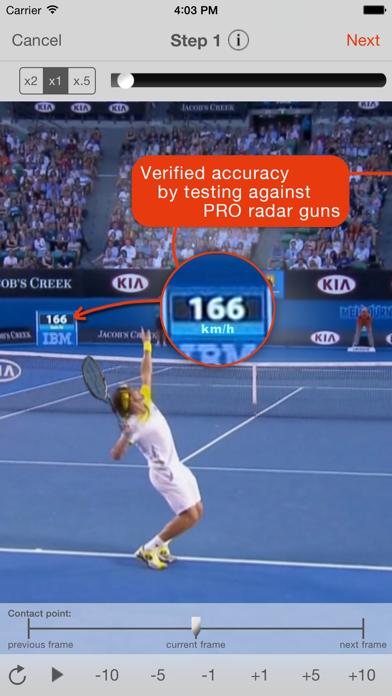
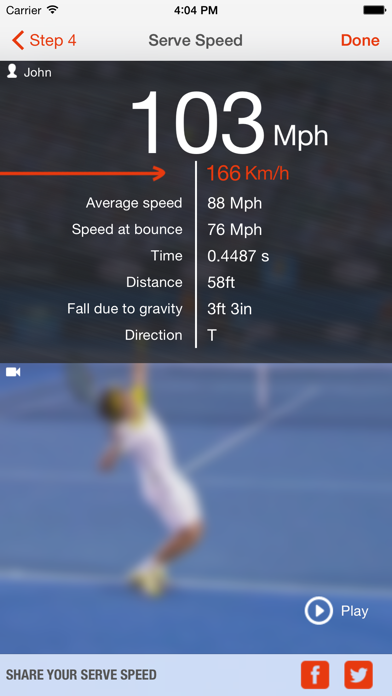
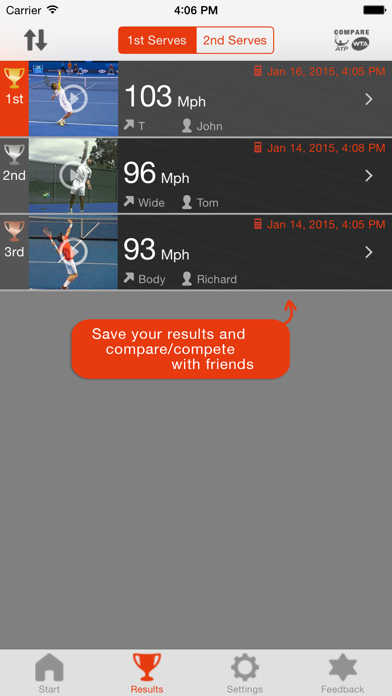
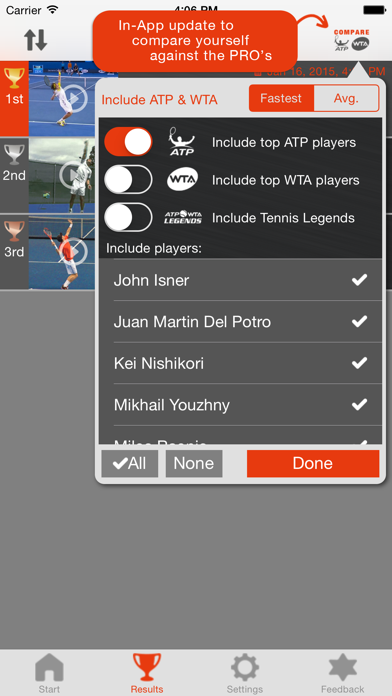
Calculate the initial speed of your tennis serve as shown on TV! √ Calculates both Mph and Km/h √ Record your serve at 240 FPS in HD quality! √ Also calculates/tracks the time, distance, average speed, speed at bounce and direction. √ Save results (keep track of history), compete against your friends and track your improvements over time! √ Add multiple players and calculate the speed of your friends and opponents! √ Save videos including the speed of each serve, analyze them in slow motion or frame-by-frame, and get instant feedback. ***** In-App update to compare yourself against the professional tennis players like Roger Federer, Rafael Nadal, Serena Williams, Pete Sampras and many other top ATP/WTA players and Tennis Legends. ***** Gain the privilege that formerly only the PRO’s could enjoy in their radar gun-equipped environment. Test results made at the Australian Open: 2nd serve Novak Djokovic, Professional radar gun 156Km/h, ServeSpeed App 158Km/h 1st serve David Ferrer, Professional radar gun 197Km/h, ServeSpeed App 197Km/h 1st serve Victoria Azarenka, Professional radar gun 159Km/h, ServeSpeed App 156Km/h The idea for this App originated from the Tennis Warehouse Community where more than 750 people up voted for this App to be made. This App has been created with dedication and passion to improve the most powerful skill a tennis player can have: ‘the serve’. It uses advanced algorithms to calculate the initial speed (ISS), which corresponds to the speed shown on TV. The calculation is based on the position from where the ball was hit ‘till its landing location inside the service box. Holding in account the player’s height and most important the travel time of the ball. Taking advantage of the iPhone’s great camera, this App allows you to record your serve at 240 FPS (frames per second) that provides the best precision! Using a simple 4 step intuitive interface, which includes the graphical representation of the court with a moving scale that will further enhance the precision of data entry, you can calculate the serve speed within seconds. There’s a free feature in this app that allows you to save your serve videos including the speed and date. This will help you to keep track of your serve’s history, making it easier to review and compare them to your opponents. Please feel free to contact us for any comments or concerns regarding this App.


