PC 용 A trip to the moon
- 카테고리: Book
- 최근 업데이트: 2023-07-13
- 현재 버전: 1.4.4
- 파일 크기: 182.47 MB
- 개발자: Digital Taps
- 호환성: 필요 Windows XP, Windows Vista, Windows 7, Windows 8, Windows 8.1 and Windows 10, Windows 11

PC에서 A trip to the moon 용 호환 APK 다운로드
| 다운로드 | 개발자 | 평점 | 점수 | 현재 버전 | 성인 랭킹 |
|---|---|---|---|---|---|
| ↓ PC용 APK 다운로드 | Digital Taps | 0 | 0 | 1.4.4 | 4+ |
에뮬레이터의 중요성은 컴퓨터에서 안드로이드 환경을 흉내 내고 안드로이드 폰을 구입하지 않고도 안드로이드 앱을 설치하고 실행하는 것을 매우 쉽게 만들어주는 것입니다. 누가 당신이 두 세계를 즐길 수 없다고 말합니까? 우선 아래에있는 에뮬레이터 앱을 다운로드 할 수 있습니다.
A. Nox App . OR
B. Bluestacks App .
Bluestacks는 매우 대중적이므로 개인적으로 "B"옵션을 사용하는 것이 좋습니다. 문제가 발생하면 Google 또는 Naver.com에서 좋은 해결책을 찾을 수 있습니다.
Bluestacks.exe 또는 Nox.exe를 성공적으로 다운로드 한 경우 컴퓨터의 다운로드 폴더 또는 다운로드 한 파일을 일반적으로 저장하는 곳으로 이동하십시오.
찾으면 클릭하여 응용 프로그램을 설치하십시오. PC에서 설치 프로세스를 시작해야합니다.
다음을 클릭하여 EULA 라이센스 계약에 동의하십시오.
응용 프로그램을 설치하려면 화면 지시문을 따르십시오.
위 사항을 올바르게 수행하면 소프트웨어가 성공적으로 설치됩니다.
이제 설치 한 에뮬레이터 애플리케이션을 열고 검색 창을 찾으십시오. 지금 입력하십시오. - A trip to the moon 앱을 쉽게 볼 수 있습니다. 그것을 클릭하십시오. 응용 프로그램 창이 열리고 에뮬레이터 소프트웨어에 응용 프로그램이 표시됩니다. 설치 버튼을 누르면 응용 프로그램이 다운로드되기 시작합니다. 이제 우리는 모두 끝났습니다.
그런 다음 "모든 앱"아이콘이 표시됩니다.
클릭하면 설치된 모든 응용 프로그램이 포함 된 페이지로 이동합니다.
당신은 A trip to the moon 상. 그것을 클릭하고 응용 프로그램 사용을 시작하십시오.
Mac OS 에서 A trip to the moon 다운로드
| 다운로드 | 개발자 | 점수 | 현재 버전 | 성인 랭킹 |
|---|---|---|---|---|
| ₩2,200 - Mac 에서 다운로드 | Digital Taps | 0 |
1.4.4 | 4+ |
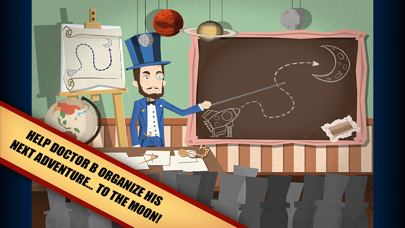
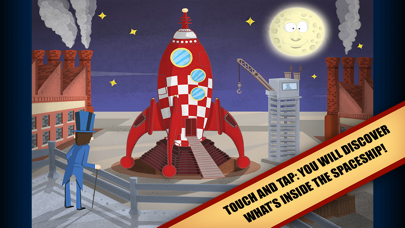
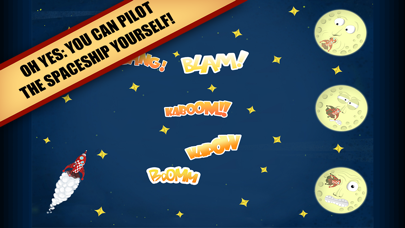
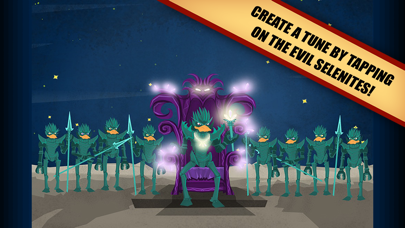
This Digital Taps app will take you to a land that men have always dreamed of: the Moon! Inspired by Jules Vernes’ books and by the amazing vintage movie Trip to the Moon by Georges Méliès, this is a sci-fi digital tale for kids, loaded with special effects and geeky quotes. And so...let the magic begin: jump on board and let Dr Barbenfouillis and his odd and funny crew lead you towards this new interactive journey! The spaceship is ready, hurry up! Special features: • For kids aged 6-8 years old • Fun and easy to use and play! • Read and/or listen to the tale in English, Italian, French, Spanish, Portoghese and Chinese • It also sports a special feature that lets you decide how to combine text and voice over languages. • Wanna double the fun? Record the fairytale with your own voice, or that of your friends or even mom and dad’s. • Be amazed by the colorful graphics and by the funny faces of all of the characters • Interactions are here, there and everywhere: use your fingers, swipe, scroll and shake your device to discover them all. • Drive Doctor B’s spaceship towards the moon but...be careful the sky is full of meteorites! • Use the contextual help tool, and make sure you don’t miss anything • It works on "airplane mode" too • Possibility of turning the voice-over on / off. And now ... fasten your seat belts and let the adventure begin! Dottor B. and his crew can’t wait to play with you! Did you like A Trip to the Moon? Then why don’t you download all our apps, they are super fun!