PC 용 Los Angeles Subway Maps
- 카테고리: Travel
- 최근 업데이트: 2026-09-02
- 현재 버전: 3.2.2
- 파일 크기: 11.01 MB
- 개발자: Mapway Limited
- 호환성: 필요 Windows XP, Windows Vista, Windows 7, Windows 8, Windows 8.1 and Windows 10, Windows 11



PC에서 Los Angeles Subway Maps 용 호환 APK 다운로드
| 다운로드 | 개발자 | 평점 | 점수 | 현재 버전 | 성인 랭킹 |
|---|---|---|---|---|---|
| ↓ PC용 APK 다운로드 | Mapway Limited | 4 | 4.25 | 3.2.2 | 4+ |
호환되는 PC 앱 또는 대안 확인
| 소프트웨어 | 다운로드 | 평점 | 개발자 |
|---|---|---|---|
| Los Angeles Subway Maps |
PC 앱 받기 | 4.25/5 4 리뷰 4.25 |
Mapway Limited |
에뮬레이터의 중요성은 컴퓨터에서 안드로이드 환경을 흉내 내고 안드로이드 폰을 구입하지 않고도 안드로이드 앱을 설치하고 실행하는 것을 매우 쉽게 만들어주는 것입니다. 누가 당신이 두 세계를 즐길 수 없다고 말합니까? 우선 아래에있는 에뮬레이터 앱을 다운로드 할 수 있습니다.
A. Nox App . OR
B. Bluestacks App .
Bluestacks는 매우 대중적이므로 개인적으로 "B"옵션을 사용하는 것이 좋습니다. 문제가 발생하면 Google 또는 Naver.com에서 좋은 해결책을 찾을 수 있습니다.
Bluestacks.exe 또는 Nox.exe를 성공적으로 다운로드 한 경우 컴퓨터의 다운로드 폴더 또는 다운로드 한 파일을 일반적으로 저장하는 곳으로 이동하십시오.
찾으면 클릭하여 응용 프로그램을 설치하십시오. PC에서 설치 프로세스를 시작해야합니다.
다음을 클릭하여 EULA 라이센스 계약에 동의하십시오.
응용 프로그램을 설치하려면 화면 지시문을 따르십시오.
위 사항을 올바르게 수행하면 소프트웨어가 성공적으로 설치됩니다.
이제 설치 한 에뮬레이터 애플리케이션을 열고 검색 창을 찾으십시오. 지금 입력하십시오. - Los Angeles Subway Maps 앱을 쉽게 볼 수 있습니다. 그것을 클릭하십시오. 응용 프로그램 창이 열리고 에뮬레이터 소프트웨어에 응용 프로그램이 표시됩니다. 설치 버튼을 누르면 응용 프로그램이 다운로드되기 시작합니다. 이제 우리는 모두 끝났습니다.
그런 다음 "모든 앱"아이콘이 표시됩니다.
클릭하면 설치된 모든 응용 프로그램이 포함 된 페이지로 이동합니다.
당신은 Los Angeles Subway Maps 상. 그것을 클릭하고 응용 프로그램 사용을 시작하십시오.
Mac OS 에서 Los Angeles Subway Maps 다운로드
| 다운로드 | 개발자 | 점수 | 현재 버전 | 성인 랭킹 |
|---|---|---|---|---|
| 무료 - Mac 에서 다운로드 | Mapway Limited | 4.25 |
3.2.2 | 4+ |
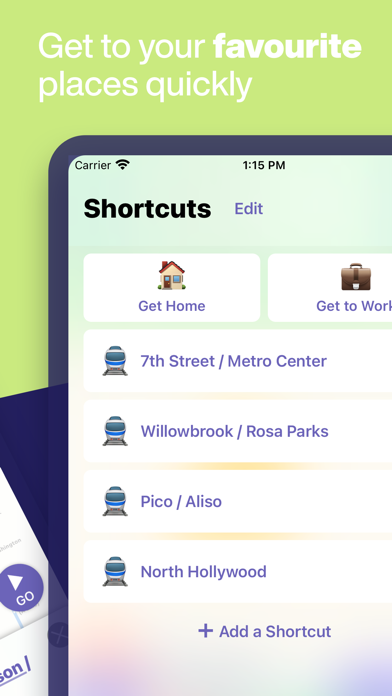
Disclaimer: This is an independent, unofficial application and is not affiliated with, or endorsed, sponsored, licensed, or approved by, the Los Angeles County Metropolitan Transportation Authority (LA Metro). Plan journeys across Los Angeles with easy-to-use transit maps, route planning, station information, and useful travel tools for everyday riders and visitors. Explore Los Angeles-area public transportation with a simple journey planner designed to help you find routes, understand your trip, and move around the city with confidence. KEY FEATURES • INTERACTIVE TRANSIT MAPS Browse transit maps and view your planned journey directly on the map. • JOURNEY PLANNER Choose your starting point and destination to find a suitable route across Los Angeles. • OFFLINE ACCESS Use supported maps and journey-planning features even when an internet connection is unavailable. • STATION SEARCH Quickly find stations and stops when preparing for your trip. • STEP-BY-STEP JOURNEY INFORMATION Follow clear route details from your starting point to your destination. • SAVE YOUR FAVORITES Save frequently used places and stations for faster access. • DEPARTURE INFORMATION View available departure information to help decide when to travel. TRANSIT COVERAGE This app provides information for Los Angeles-area public transportation and may include information relating to LA Metro bus and rail services. Any reference to LA Metro is used only to identify transit coverage and does not imply affiliation, endorsement, sponsorship, licensing, approval, or partnership. DATA SOURCE DISCLOSURE Transit information used by this app may include publicly available route, stop, schedule, service alert, and/or real-time information relating to Los Angeles-area transit services. Data source: https://developer.metro.net/gtfs-schedule-data/ The transit data is used in accordance with the applicable provider terms and licenses. LA Metro does not endorse or sponsor this app. INDEPENDENT APP NOTICE This application is independently developed and operated. It is not an official application of the Los Angeles County Metropolitan Transportation Authority and is not connected with LA Metro. SUBSCRIPTIONS Optional premium features may be available through an in-app subscription or one-time purchase. Pricing and availability are shown in the app and may vary by country or region. Subscriptions automatically renew unless auto-renewal is turned off at least 24 hours before the end of the current subscription period. Subscription management is available through your Apple Account settings. Privacy Policy: https://mapway.ai/lametroios/privacy Terms of Use: https://mapway.ai/lametroios/terms