
PC 용 coolAltitude
- 카테고리: Navigation
- 최근 업데이트: 2026-09-01
- 현재 버전: 4.6
- 파일 크기: 18.55 MB
- 개발자: SilkIdea s.r.o.
- 호환성: 필요 Windows XP, Windows Vista, Windows 7, Windows 8, Windows 8.1 and Windows 10, Windows 11



PC에서 coolAltitude 용 호환 APK 다운로드
| 다운로드 | 개발자 | 평점 | 점수 | 현재 버전 | 성인 랭킹 |
|---|---|---|---|---|---|
| ↓ PC용 APK 다운로드 | SilkIdea s.r.o. | 0 | 0 | 4.6 | 4+ |
에뮬레이터의 중요성은 컴퓨터에서 안드로이드 환경을 흉내 내고 안드로이드 폰을 구입하지 않고도 안드로이드 앱을 설치하고 실행하는 것을 매우 쉽게 만들어주는 것입니다. 누가 당신이 두 세계를 즐길 수 없다고 말합니까? 우선 아래에있는 에뮬레이터 앱을 다운로드 할 수 있습니다.
A. Nox App . OR
B. Bluestacks App .
Bluestacks는 매우 대중적이므로 개인적으로 "B"옵션을 사용하는 것이 좋습니다. 문제가 발생하면 Google 또는 Naver.com에서 좋은 해결책을 찾을 수 있습니다.
Bluestacks.exe 또는 Nox.exe를 성공적으로 다운로드 한 경우 컴퓨터의 다운로드 폴더 또는 다운로드 한 파일을 일반적으로 저장하는 곳으로 이동하십시오.
찾으면 클릭하여 응용 프로그램을 설치하십시오. PC에서 설치 프로세스를 시작해야합니다.
다음을 클릭하여 EULA 라이센스 계약에 동의하십시오.
응용 프로그램을 설치하려면 화면 지시문을 따르십시오.
위 사항을 올바르게 수행하면 소프트웨어가 성공적으로 설치됩니다.
이제 설치 한 에뮬레이터 애플리케이션을 열고 검색 창을 찾으십시오. 지금 입력하십시오. - coolAltitude 앱을 쉽게 볼 수 있습니다. 그것을 클릭하십시오. 응용 프로그램 창이 열리고 에뮬레이터 소프트웨어에 응용 프로그램이 표시됩니다. 설치 버튼을 누르면 응용 프로그램이 다운로드되기 시작합니다. 이제 우리는 모두 끝났습니다.
그런 다음 "모든 앱"아이콘이 표시됩니다.
클릭하면 설치된 모든 응용 프로그램이 포함 된 페이지로 이동합니다.
당신은 coolAltitude 상. 그것을 클릭하고 응용 프로그램 사용을 시작하십시오.
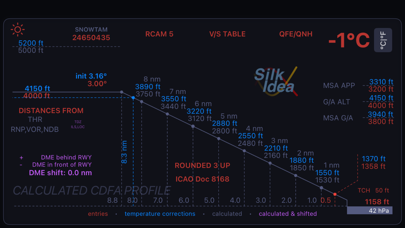
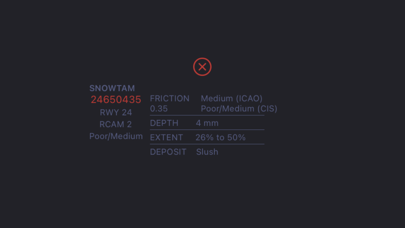
coolAltitude is a professional aviation tool and calculator for IFR pilots operating in cold-weather conditions. It assists with temperature corrections during instrument approaches and integrates weather, runway and de-/anti-icing data into a single, clear workflow. Designed to reduce workload and improve situational awareness during flight preparation, coolAltitude focuses on accuracy, clarity and operational usability. Some advanced features require a paid subscription. -------------------------------- What coolAltitude does • Calculates temperature-corrected altitudes for ILS (CAT I), RNAV/GNSS, VOR and NDB approaches • Requires minimal data entry, using consistent color coding for immediate interpretation • Displays corrected altitudes along the entire approach profile at relevant DME distances • Supports flight path angle (FPA) calculations for FPA-enabled aircraft • Provides vertical speed reference tables (corrected and uncorrected) for various ground speeds • Includes QNH to QFE conversion tables with temperature corrections -------------------------------- Integrated weather and runway information • Live METAR interaction with automatic propagation of relevant values, including temperature (requires subscription) • SNOWTAM decoding with braking action information • RCAM (Runway Condition Assessment Matrix) based on ICAO GRF • Support for DME shift, including threshold, touchdown zone and displaced DME references -------------------------------- De-/Anti-icing support (requires subscription) • FAA Holdover Time (HOT) Guidelines for multiple fluid types and manufacturers • Integrated HOT countdown timer to track minimum and maximum recommended holdover times • Reference tables supporting assessment of snowfall intensity • Structured storage and sharing of airport-specific de-/anti-icing procedures -------------------------------- Saved and shared data (requires subscription) • Save and reload approach presets for individual airports and procedures • Share verified, structured operational data with other users • Local override of shared data when required -------------------------------- Built for professional use coolAltitude is built by pilots, for pilots. It is designed to support decision-making during high-workload phases without replacing approved procedures. -------------------------------- Important notice coolAltitude is an advisory tool only. It is not certified for operational use and does not replace approved documentation. Use in flight operations requires approval and operation as part of the operator’s Electronic Flight Bag (EFB) in accordance with applicable regulations. -------------------------------- coolAltitude does not replace your procedures. It helps you apply them correctly, even on the coldest days. -------------------------------- Terms of Use: https://www.apple.com/legal/internet-services/itunes/dev/stdeula/


