
PC 용 Remodel AI - Home Room Design
- 카테고리: Graphics & Design
- 최근 업데이트: 2026-08-19
- 현재 버전: 0.9.21
- 파일 크기: 184.43 MB
- 개발자: Yajun Yang
- 호환성: 필요 Windows XP, Windows Vista, Windows 7, Windows 8, Windows 8.1 and Windows 10, Windows 11

PC에서 Remodel AI - Home Room Design 용 호환 APK 다운로드
| 다운로드 | 개발자 | 평점 | 점수 | 현재 버전 | 성인 랭킹 |
|---|---|---|---|---|---|
| ↓ PC용 APK 다운로드 | Yajun Yang | 4 | 4.75 | 0.9.21 | 17+ |
에뮬레이터의 중요성은 컴퓨터에서 안드로이드 환경을 흉내 내고 안드로이드 폰을 구입하지 않고도 안드로이드 앱을 설치하고 실행하는 것을 매우 쉽게 만들어주는 것입니다. 누가 당신이 두 세계를 즐길 수 없다고 말합니까? 우선 아래에있는 에뮬레이터 앱을 다운로드 할 수 있습니다.
A. Nox App . OR
B. Bluestacks App .
Bluestacks는 매우 대중적이므로 개인적으로 "B"옵션을 사용하는 것이 좋습니다. 문제가 발생하면 Google 또는 Naver.com에서 좋은 해결책을 찾을 수 있습니다.
Bluestacks.exe 또는 Nox.exe를 성공적으로 다운로드 한 경우 컴퓨터의 다운로드 폴더 또는 다운로드 한 파일을 일반적으로 저장하는 곳으로 이동하십시오.
찾으면 클릭하여 응용 프로그램을 설치하십시오. PC에서 설치 프로세스를 시작해야합니다.
다음을 클릭하여 EULA 라이센스 계약에 동의하십시오.
응용 프로그램을 설치하려면 화면 지시문을 따르십시오.
위 사항을 올바르게 수행하면 소프트웨어가 성공적으로 설치됩니다.
이제 설치 한 에뮬레이터 애플리케이션을 열고 검색 창을 찾으십시오. 지금 입력하십시오. - Remodel AI - Home Room Design 앱을 쉽게 볼 수 있습니다. 그것을 클릭하십시오. 응용 프로그램 창이 열리고 에뮬레이터 소프트웨어에 응용 프로그램이 표시됩니다. 설치 버튼을 누르면 응용 프로그램이 다운로드되기 시작합니다. 이제 우리는 모두 끝났습니다.
그런 다음 "모든 앱"아이콘이 표시됩니다.
클릭하면 설치된 모든 응용 프로그램이 포함 된 페이지로 이동합니다.
당신은 Remodel AI - Home Room Design 상. 그것을 클릭하고 응용 프로그램 사용을 시작하십시오.
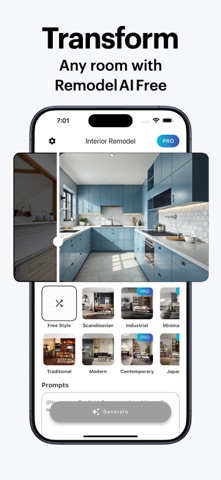
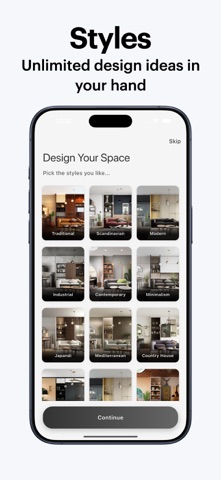
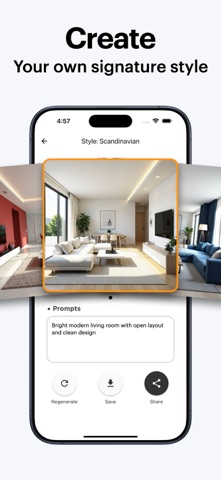
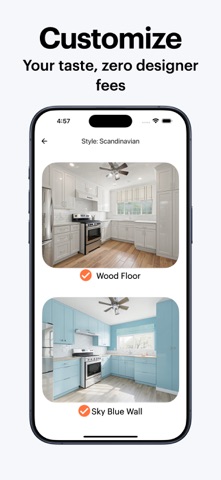
Remodel AI transforms any room photo into a professional interior design in seconds. Upload a photo of your kitchen, bathroom, living room, bedroom, or any space and see it redesigned with AI — no design skills needed. Whether you're planning a home renovation, remodeling your house, or just exploring home design ideas, Remodel AI is the easiest way to visualize your dream home before spending a dollar. 8 AI Design Tools in One App Interior Redesign — Choose from 27+ styles including Modern, Scandinavian, Farmhouse, Coastal, Japandi, and more. See your room transformed instantly. Exterior Home Design — Refresh your home's curb appeal with a new facade, siding, or trim style. Garden & Landscape Design — Reimagine your backyard, front yard, or patio with AI-powered landscape ideas. Virtual Staging — Furnish empty rooms for real estate listings or to visualize furniture layout before buying. New Flooring — Preview hardwood, marble, tile, herringbone, and more in your actual room. Wall Paint Colors — Try paint colors from your phone. See how sage green, navy, or any shade looks on your walls before you commit. Object Removal — Clean up clutter, remove old furniture, or clear out unwanted items from your photos. Furniture Replacement — Swap individual pieces without moving anything. Replace your sofa, light fixture, or dining table in one tap. Why Homeowners Love Remodel AI - Save up to 95% compared to hiring an interior designer - See photorealistic results in seconds, not weeks - Compare 27+ design styles side by side - Share designs with family, roommates, or contractors Room Planner for Every Space Kitchen remodel, bathroom design, bedroom makeover, living room refresh, office redesign — works with any room type. Free to try. Some style packs and tools available through in-app subscription.


