PC 용 AR Drawing Sketch: Trace Draw
- 카테고리: Graphics & Design
- 최근 업데이트: 2026-09-17
- 현재 버전: 7.2.2
- 파일 크기: 57.94 MB
- 개발자: Ketanbhai Khokhani
- 호환성: 필요 Windows XP, Windows Vista, Windows 7, Windows 8, Windows 8.1 and Windows 10, Windows 11



PC에서 AR Drawing Sketch: Trace Draw 용 호환 APK 다운로드
| 다운로드 | 개발자 | 평점 | 점수 | 현재 버전 | 성인 랭킹 |
|---|---|---|---|---|---|
| ↓ PC용 APK 다운로드 | Ketanbhai Khokhani | 60 | 4.46666 | 7.2.2 | 17+ |
호환되는 PC 앱 또는 대안 확인
| 소프트웨어 | 다운로드 | 평점 | 개발자 |
|---|---|---|---|
| AR Drawing Sketch |
PC 앱 받기 | 4.46666/5 60 리뷰 4.46666 |
Ketanbhai Khokhani |
에뮬레이터의 중요성은 컴퓨터에서 안드로이드 환경을 흉내 내고 안드로이드 폰을 구입하지 않고도 안드로이드 앱을 설치하고 실행하는 것을 매우 쉽게 만들어주는 것입니다. 누가 당신이 두 세계를 즐길 수 없다고 말합니까? 우선 아래에있는 에뮬레이터 앱을 다운로드 할 수 있습니다.
A. Nox App . OR
B. Bluestacks App .
Bluestacks는 매우 대중적이므로 개인적으로 "B"옵션을 사용하는 것이 좋습니다. 문제가 발생하면 Google 또는 Naver.com에서 좋은 해결책을 찾을 수 있습니다.
Bluestacks.exe 또는 Nox.exe를 성공적으로 다운로드 한 경우 컴퓨터의 다운로드 폴더 또는 다운로드 한 파일을 일반적으로 저장하는 곳으로 이동하십시오.
찾으면 클릭하여 응용 프로그램을 설치하십시오. PC에서 설치 프로세스를 시작해야합니다.
다음을 클릭하여 EULA 라이센스 계약에 동의하십시오.
응용 프로그램을 설치하려면 화면 지시문을 따르십시오.
위 사항을 올바르게 수행하면 소프트웨어가 성공적으로 설치됩니다.
이제 설치 한 에뮬레이터 애플리케이션을 열고 검색 창을 찾으십시오. 지금 입력하십시오. - AR Drawing Sketch: Trace Draw 앱을 쉽게 볼 수 있습니다. 그것을 클릭하십시오. 응용 프로그램 창이 열리고 에뮬레이터 소프트웨어에 응용 프로그램이 표시됩니다. 설치 버튼을 누르면 응용 프로그램이 다운로드되기 시작합니다. 이제 우리는 모두 끝났습니다.
그런 다음 "모든 앱"아이콘이 표시됩니다.
클릭하면 설치된 모든 응용 프로그램이 포함 된 페이지로 이동합니다.
당신은 AR Drawing Sketch: Trace Draw 상. 그것을 클릭하고 응용 프로그램 사용을 시작하십시오.
Mac OS 에서 AR Drawing Sketch 다운로드
| 다운로드 | 개발자 | 점수 | 현재 버전 | 성인 랭킹 |
|---|---|---|---|---|
| 무료 - Mac 에서 다운로드 | Ketanbhai Khokhani | 4.46666 |
7.2.2 | 17+ |
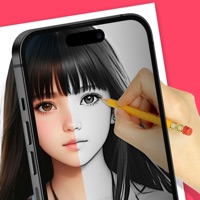
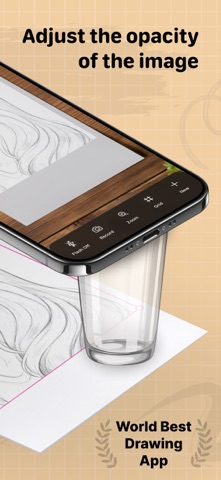
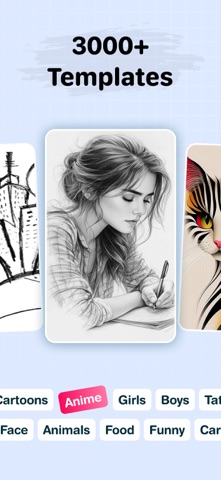
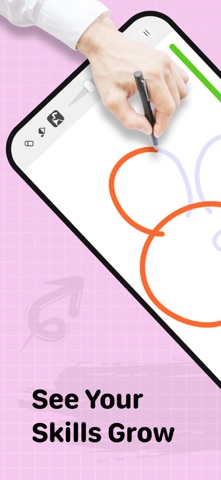
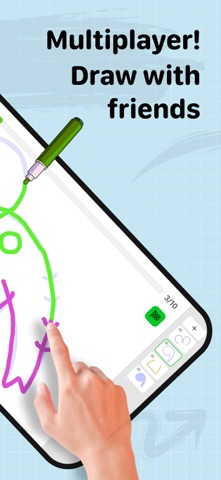
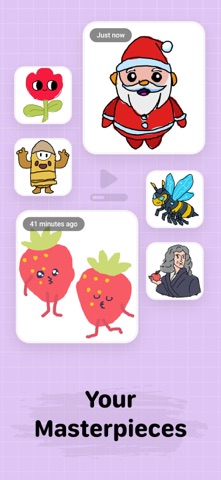
Introducing the new and improved AR Sketch Drawing, now enhanced with powerful learning features of guided drawing to offer the ultimate drawing experience for artists of all levels. Augmented Reality Drawing Meets Guided Learning AR Sketch Drawing’s core strength—using your phone’s camera to project traceable images onto real-world surfaces—remains at the heart of the app. Now, it’s supercharged with Guided, step-by-step tutorials and real-time feedback. Whether you're tracing anime characters, sketching animals, or exploring creative templates, you'll receive guidance and performance evaluations to help you improve. Guided drawing becomes your personal drawing coach. It helps you learn to draw through a fun, game-like experience while analyzing your progress. How is it different from other apps? * It tracks your drawing accuracy • It assesses the quality of your strokes • Well-structured lessons that combine a little theory with plenty of practice • More than just line tracing – try skill-based trainers with instant feedback Beginners can build strong fundamentals and improve gradually. Experienced artists can use this as a daily warm-up to refine and sharpen their skills. It’s a true Drawing guide: - Engage your creative muscles! -It’s interactive, motivating, and enjoyable. AR Sketch Drawing app is a tool that allows users to take a photograph or image and trace over it to create a sketch or drawing. It typically has features such as adjustable line thickness, different brush styles, and an eraser tool. To use the app, the user first selects an image to trace or takes a new photograph. Place phone about 1 feet above and look into the phone and draw on paper. So how does it work? * Select an image from the app or gallery and apply a filter to create a traceable image. After that, you will see that image on the camera screen with transparency & you have to put drawing paper or book anything on which you want to trace and draw. Your image will not appear on paper but a transparent image with camera so that you can trace it on paper. * Draw on paper by looking at the phone with a transparent image. * Select any image and convert it to a tracing image. AR Sketch Drawing Premium Subscription: * With AR Sketch Drawing Premium Subscription, you will have access to all premium features like get access for drawing lessons, explore more creative images with an Ads-Free experience. * AR Sketch Drawing Premium Subscription is billed monthly and annually at the rate corresponding to the selected plan. * Payment will be charged to iTunes Account at confirmation of purchase. * Subscription automatically renews unless auto-renew is turned off at least 24-hours before * Any unused portion of a free trial period, if offered, will be forfeited when the user purchases a subscription to that publication, where applicable. Key Features * AR Tracing: Project images onto paper using your camera and trace with precision. * 2,500+ Guided Lessons: Learn to draw with bite-sized tutorials covering doodling, sketching, painting, and handwriting. * Stroke Evaluation: Receive instant feedback on line accuracy and stroke quality to track your progress. * Creative Templates: Access a vast library of traceable images, including animals, cars, nature, and more. * Apple Pencil Support: Enhance your digital drawing experience on iPad. * Stress-Free Learning: Enjoy a game-like, relaxing environment suitable for beginners and pros alike. Terms of Use :- https://drawtraceandsketch.blogspot.com/2026/02/ar-drawing-ar-sketch.html Privacy Policy :- https://drawtraceandsketch.blogspot.com/2023/06/draw-trace-draw-trace-sketch-app.html


