
PC 용 Messenger Duo for Whats Web
- 카테고리: Social Networking
- 최근 업데이트: 2023-09-20
- 현재 버전: 1.1
- 파일 크기: 22.66 MB
- 개발자: Tech Forest
- 호환성: 필요 Windows XP, Windows Vista, Windows 7, Windows 8, Windows 8.1 and Windows 10, Windows 11



PC에서 Messenger Duo for Whats Web 용 호환 APK 다운로드
| 다운로드 | 개발자 | 평점 | 점수 | 현재 버전 | 성인 랭킹 |
|---|---|---|---|---|---|
| ↓ PC용 APK 다운로드 | Tech Forest | 1 | 5 | 1.1 | 4+ |
에뮬레이터의 중요성은 컴퓨터에서 안드로이드 환경을 흉내 내고 안드로이드 폰을 구입하지 않고도 안드로이드 앱을 설치하고 실행하는 것을 매우 쉽게 만들어주는 것입니다. 누가 당신이 두 세계를 즐길 수 없다고 말합니까? 우선 아래에있는 에뮬레이터 앱을 다운로드 할 수 있습니다.
A. Nox App . OR
B. Bluestacks App .
Bluestacks는 매우 대중적이므로 개인적으로 "B"옵션을 사용하는 것이 좋습니다. 문제가 발생하면 Google 또는 Naver.com에서 좋은 해결책을 찾을 수 있습니다.
Bluestacks.exe 또는 Nox.exe를 성공적으로 다운로드 한 경우 컴퓨터의 다운로드 폴더 또는 다운로드 한 파일을 일반적으로 저장하는 곳으로 이동하십시오.
찾으면 클릭하여 응용 프로그램을 설치하십시오. PC에서 설치 프로세스를 시작해야합니다.
다음을 클릭하여 EULA 라이센스 계약에 동의하십시오.
응용 프로그램을 설치하려면 화면 지시문을 따르십시오.
위 사항을 올바르게 수행하면 소프트웨어가 성공적으로 설치됩니다.
이제 설치 한 에뮬레이터 애플리케이션을 열고 검색 창을 찾으십시오. 지금 입력하십시오. - Messenger Duo for Whats Web 앱을 쉽게 볼 수 있습니다. 그것을 클릭하십시오. 응용 프로그램 창이 열리고 에뮬레이터 소프트웨어에 응용 프로그램이 표시됩니다. 설치 버튼을 누르면 응용 프로그램이 다운로드되기 시작합니다. 이제 우리는 모두 끝났습니다.
그런 다음 "모든 앱"아이콘이 표시됩니다.
클릭하면 설치된 모든 응용 프로그램이 포함 된 페이지로 이동합니다.
당신은 Messenger Duo for Whats Web 상. 그것을 클릭하고 응용 프로그램 사용을 시작하십시오.
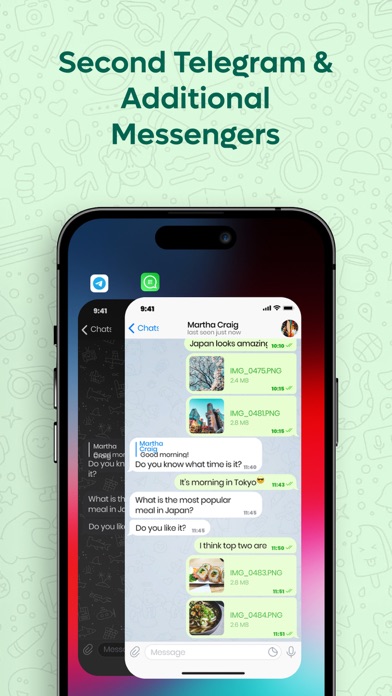
The Messenger Duo for Whats Web app enables you to operate both your WhatsApp and WhatsApp Business accounts on your iPhone or iPad, either simultaneously or using the same account across different devices. You can utilize this app to log in to multiple WhatsApp accounts on a single device simultaneously, or log in to the same account on multiple devices. Simply scan the WhatsApp QR code, and you can swiftly and effortlessly establish connections to manage several accounts. This ensures that your personal and professional spheres remain separate, preventing any interference between your life and work. No more need for phone lines! Accessing your messages takes just a matter of seconds. All you have to do is scan the QR code. To utilize this app, it's essential for your phone to maintain an active internet connection. Messenger Duo for Whats Web serves as an unofficial tool tailored for WhatsApp and Telegram Messenger users. This app is created by an independent developer and has no official ties, partnerships, authorizations, endorsements, or direct connections with WhatsApp LLC, its subsidiaries, or affiliated entities. The usage of this app aligns with the "fair use" principles and functions within those established guidelines. Main features: Dual Messenger: Capitalize on the dual chat functionality, granting you the luxury of a secondary WhatsApp and Telegram Messenger. Sign in to a dual account on one device at the same time or sign in to the same account on multiple devices. Chat Management: Effortlessly organize your chats, creating a clear distinction between your professional and personal interactions. To use the Messenger Duo for Whats Web app you must subscribe weekly, monthly, or yearly. Subscription prices may vary by location and all subscriptions are automatically renewed. You can cancel your subscriptions by entering:http://support.apple.com/en-us/HT202039 Privacy policy: https://sites.google.com/view/messengerduoforwhatsweb/privacypolicy Terms of Use: https://sites.google.com/view/messengerduoforwhatsweb/terms-conditions


