PC 용 AI Cleaner : Clear Storage
- 카테고리: Utilities
- 최근 업데이트: 2026-02-23
- 현재 버전: 1.1.5
- 파일 크기: 113.78 MB
- 개발자: Helikanon Ltd.
- 호환성: 필요 Windows XP, Windows Vista, Windows 7, Windows 8, Windows 8.1 and Windows 10, Windows 11




PC에서 AI Cleaner : Clear Storage 용 호환 APK 다운로드
| 다운로드 | 개발자 | 평점 | 점수 | 현재 버전 | 성인 랭킹 |
|---|---|---|---|---|---|
| ↓ PC용 APK 다운로드 | Helikanon Ltd. | 3 | 4.33333 | 1.1.5 | 4+ |
에뮬레이터의 중요성은 컴퓨터에서 안드로이드 환경을 흉내 내고 안드로이드 폰을 구입하지 않고도 안드로이드 앱을 설치하고 실행하는 것을 매우 쉽게 만들어주는 것입니다. 누가 당신이 두 세계를 즐길 수 없다고 말합니까? 우선 아래에있는 에뮬레이터 앱을 다운로드 할 수 있습니다.
A. Nox App . OR
B. Bluestacks App .
Bluestacks는 매우 대중적이므로 개인적으로 "B"옵션을 사용하는 것이 좋습니다. 문제가 발생하면 Google 또는 Naver.com에서 좋은 해결책을 찾을 수 있습니다.
Bluestacks.exe 또는 Nox.exe를 성공적으로 다운로드 한 경우 컴퓨터의 다운로드 폴더 또는 다운로드 한 파일을 일반적으로 저장하는 곳으로 이동하십시오.
찾으면 클릭하여 응용 프로그램을 설치하십시오. PC에서 설치 프로세스를 시작해야합니다.
다음을 클릭하여 EULA 라이센스 계약에 동의하십시오.
응용 프로그램을 설치하려면 화면 지시문을 따르십시오.
위 사항을 올바르게 수행하면 소프트웨어가 성공적으로 설치됩니다.
이제 설치 한 에뮬레이터 애플리케이션을 열고 검색 창을 찾으십시오. 지금 입력하십시오. - AI Cleaner : Clear Storage 앱을 쉽게 볼 수 있습니다. 그것을 클릭하십시오. 응용 프로그램 창이 열리고 에뮬레이터 소프트웨어에 응용 프로그램이 표시됩니다. 설치 버튼을 누르면 응용 프로그램이 다운로드되기 시작합니다. 이제 우리는 모두 끝났습니다.
그런 다음 "모든 앱"아이콘이 표시됩니다.
클릭하면 설치된 모든 응용 프로그램이 포함 된 페이지로 이동합니다.
당신은 AI Cleaner : Clear Storage 상. 그것을 클릭하고 응용 프로그램 사용을 시작하십시오.
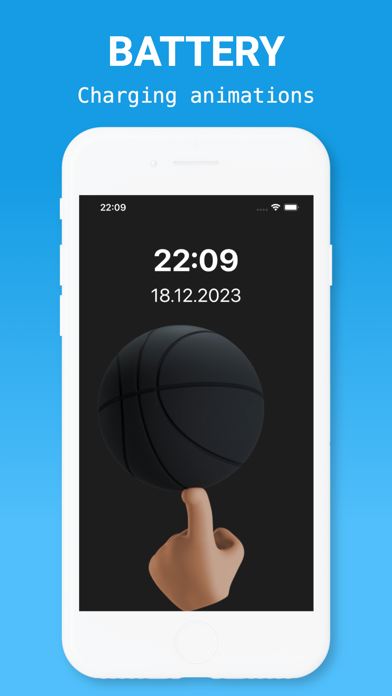
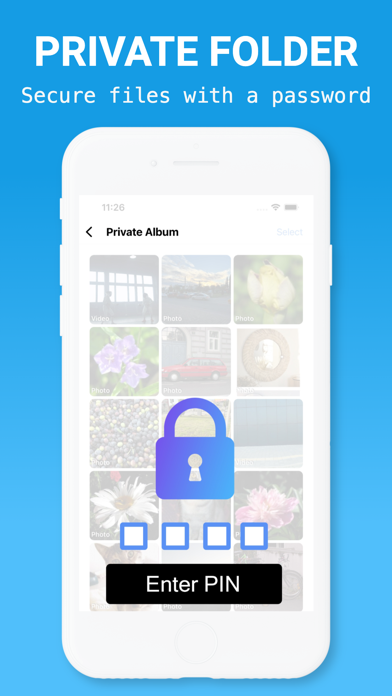
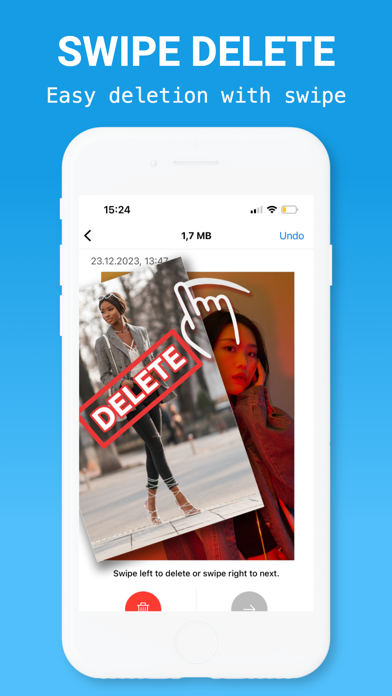
StorageCare easily finds similar photos, duplicate photos, similar videos, large videos and duplicate contacts from your phone storage and clean up them in one-click. StorageCare allows you to easily clean your storage space without getting bored. DELETE UNWANTED PHOTOS QUICKLY Swipe left — to delete of unwanted photos/duplicates Swipe right — keep photo and go to next StorageCare Features: - One-Click Smart Clean: Free up your iphone storage space with a single click - Clean up Similar Photos: Find similar photos and clean storage smartly with one-click. - Video Compression: Compress videos in your phone's storage without losing quality - Swipe Delete: You can quickly clean your photos or videos by swiping left or right. Swipe left to get rid of unwanted photos/duplicates or swipe right to keep important photos that you don't want to delete from iPhone storage. - Cleanup iPhone Useless Photos: Quickly detect duplicate photos, screenshots, photos with text on them, blurry photos, live photos and delete them with one click. - Trash Bin: You can move the photos or videos you want to delete to the trash and delete them whenever you want. - Manage Contacts: StorageCare easily merge duplicate contacts on your phone. View and edit contacts with missing information in your contacts. Also, make a backup of your contacts whenever you want to prevent any data loss. - Secret Folder: You can move your photos, videos and contacts to a secret folder protected with a password and only you can see them. - Widgets: Add widgets to your home screen to monitor the status of your iPhone storage and give you suggestions on what can be cleaned up. - Offline works : You don’t need an internet connection to use StorageCare. - Battery Charging Animations. We often take screenshots to keep notes or remember, and download photos and videos sent to us through other applications. Therefore, after a while, these photos and videos that we do not use on our phones take up a lot of space. StorageCare prevents your phone from becoming a pile of garbage and allows you to easily clean all unnecessary photos and videos from your iPhone storage. Terms of Use: https://helikanon.com/ios_apps/wallpaper/terms.html Privacy Policy: https://helikanon.com/ios_apps/wallpaper/privacy_policy.html