
PC 용 Flow Nodes
- 카테고리: Graphics & Design
- 최근 업데이트: 2026-11-04
- 현재 버전: 27.4.0
- 파일 크기: 260.37 MB
- 개발자: Anton Heestand
- 호환성: 필요 Windows XP, Windows Vista, Windows 7, Windows 8, Windows 8.1 and Windows 10, Windows 11


PC에서 Flow Nodes 용 호환 APK 다운로드
| 다운로드 | 개발자 | 평점 | 점수 | 현재 버전 | 성인 랭킹 |
|---|---|---|---|---|---|
| ↓ PC용 APK 다운로드 | Anton Heestand | 1 | 3 | 27.4.0 | 4+ |
에뮬레이터의 중요성은 컴퓨터에서 안드로이드 환경을 흉내 내고 안드로이드 폰을 구입하지 않고도 안드로이드 앱을 설치하고 실행하는 것을 매우 쉽게 만들어주는 것입니다. 누가 당신이 두 세계를 즐길 수 없다고 말합니까? 우선 아래에있는 에뮬레이터 앱을 다운로드 할 수 있습니다.
A. Nox App . OR
B. Bluestacks App .
Bluestacks는 매우 대중적이므로 개인적으로 "B"옵션을 사용하는 것이 좋습니다. 문제가 발생하면 Google 또는 Naver.com에서 좋은 해결책을 찾을 수 있습니다.
Bluestacks.exe 또는 Nox.exe를 성공적으로 다운로드 한 경우 컴퓨터의 다운로드 폴더 또는 다운로드 한 파일을 일반적으로 저장하는 곳으로 이동하십시오.
찾으면 클릭하여 응용 프로그램을 설치하십시오. PC에서 설치 프로세스를 시작해야합니다.
다음을 클릭하여 EULA 라이센스 계약에 동의하십시오.
응용 프로그램을 설치하려면 화면 지시문을 따르십시오.
위 사항을 올바르게 수행하면 소프트웨어가 성공적으로 설치됩니다.
이제 설치 한 에뮬레이터 애플리케이션을 열고 검색 창을 찾으십시오. 지금 입력하십시오. - Flow Nodes 앱을 쉽게 볼 수 있습니다. 그것을 클릭하십시오. 응용 프로그램 창이 열리고 에뮬레이터 소프트웨어에 응용 프로그램이 표시됩니다. 설치 버튼을 누르면 응용 프로그램이 다운로드되기 시작합니다. 이제 우리는 모두 끝났습니다.
그런 다음 "모든 앱"아이콘이 표시됩니다.
클릭하면 설치된 모든 응용 프로그램이 포함 된 페이지로 이동합니다.
당신은 Flow Nodes 상. 그것을 클릭하고 응용 프로그램 사용을 시작하십시오.
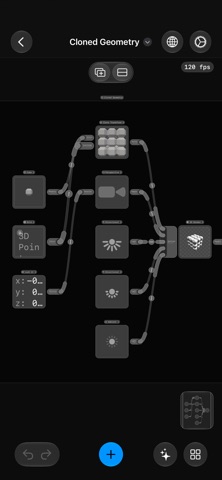
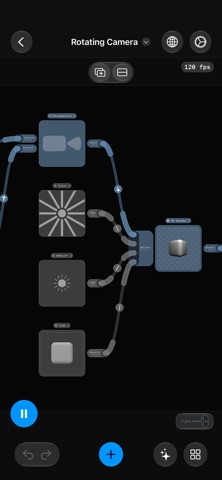
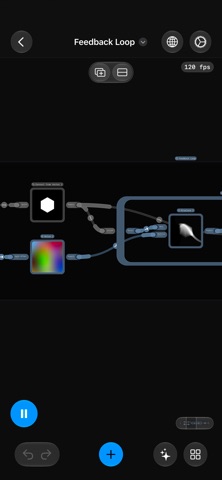
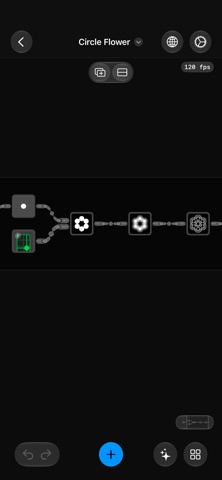
Flow Nodes is a visual programming app for building live graphics, video effects, 3D scenes, and custom interfaces — just connect nodes, no code required. Start from ready-made presets in Discover, follow built-in tutorials, or build from scratch. Combine image processing, video, animation, math, networking, and UI with realtime inputs like camera, microphone, motion sensors, body, hand and face tracking, MIDI, OSC, and NDI. Built for realtime creation. Nodes arrange themselves as you connect them. Search and add nodes quickly, edit properties in the inspector, animate with a keyframe timeline, and reuse flows inside other flows. Organize projects in folders, split the canvas into tabs and panes, and navigate with a mini-map and live previews. Import and export images (including HDR), video, and 3D assets, record any output to video, and AirPlay content over Wi-Fi or HDMI. On supported devices, Apple Intelligence helps you understand and edit flows: read node docs, review connections, and use chat to create, connect, and update nodes with natural language. Automate flows with Shortcuts. Node Features - AI nodes for image generation, Image Playground, and chat - Live video: camera, background removal, chroma key, and text detection - Body, hand, and face tracking - Video playback, frame sampling, and recording - Keyframe timeline with bezier curves - OSC, MIDI, NDI, and network requests for realtime control - 3D rendering of geometry, particle fields, and Gaussian splats - Cameras, lights, projectors, and 360° equirectangular and cube map tools - Vector and geometry tools: shapes, clones, extrude, lathe, and transforms - UI nodes: buttons, sliders, labels, text fields, grids, stacks, and overlays - JavaScript and Metal shader nodes for custom logic and effects - Sensors: motion, microphone, location, game controllers, and haptics - Data and state: typed values, lists, maps, math, time, and signals Some nodes require Pro Nodes access. Your flows sync across devices with iCloud. Privacy Policy https://flownodes.app/privacy-policy.html Terms of Use https://flownodes.app/terms-of-use.html


