개발자 설명
View the world as if seen through thermal vision. Create bold visuals with thermal camera palettes, night vision camera enhancements, and infrared camera moods for photos and videos record on the spot or edit what you already shot. Switch looks instantly, fine-tune intensity and contrast, and bring out hidden character in city nights, moody interiors, neon streets, and outdoor adventures.
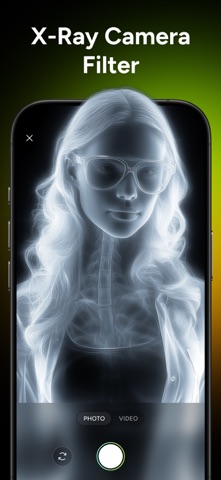
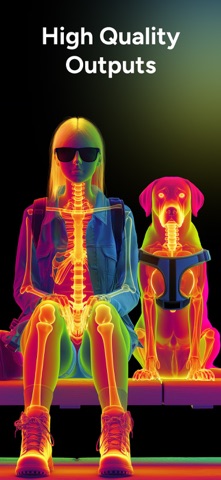
Go from cool, heat-mapped color to crisp low-light clarity in a tap. The thermal camera look maps scene intensity into vivid palettes (Fire, Iron, Arctic, Viridis) that make subjects pop in both photos and videos. The night vision camera mode lifts shadows, reduces noise, and preserves detail so evening walks and dim rooms look clean and cinematic—again for photos and videos. Prefer something futuristic? The xray camera effect adds high-contrast, edge-focused visuals for striking silhouettes and graphic style across photos and videos. And when you want ethereal tones, the infrared camera vibe delivers dramatic monochrome and false-color moods that stand out on social.
Everything works live with real-time preview, so you can compose confidently before you hit record—or apply the effects later to clips and shots you already have. Adjust exposure, gamma, sharpness, and hue, then export high-quality results with metadata intact. Whether you’re capturing fresh video or crafting a standout photo from your gallery, you’ll get consistent, eye-catching results in seconds.
Ready to push your creativity further day or night? Explore thermal camera, night vision camera, xray camera, and infrared camera looks in one streamlined toolkit for both photos and videos.
What you can do:
- Thermal Camera Filter: Map intensity and contrast into vivid palettes for that signature thermal heat camera aesthetic—great for highlighting subjects in both photos and videos.
- Night Vision Camera Filter: Reveal details in dark scenes with smart exposure, denoise, and contrast controls—perfect for camping, city nights, and indoor low light. Works for photos and videos.
- X-Ray Camera Filter: Add striking high-contrast, edge-focused effects for a futuristic vibe (visual filters only).
Style, clarity, and control in one:
- Photo & Video modes everywhere: Every effect is built to shine on photos and videos—switch without changing apps.
- Live preview: See your look before you shoot with responsive, real-time controls.
- Pro palettes & looks: Fire, Iron, Arctic, Viridis, Monochrome, and more to dial in your thermal camera or infrared camera vibe.
- Manual + smart controls: ISO, shutter, focus peaking, zebras, histogram, and adaptive denoise for confident low-light shooting like a night vision camera.
- Stabilized video: Smoother handheld clips in tough lighting.
- High-quality exports: Preserve detail with high-bitrate video and crisp stills, including metadata.
The app uses advanced image processing, low-light enhancement, and color mapping to produce thermal camera, night vision camera, and infrared camera inspired visuals. Results depend on your scene and device capabilities. Visual effects like X-Ray/UV are artistic filters.
Note: These are vision effects and enhancements. They don’t see through objects, walls, or clothing and shouldn’t be used for safety-critical tasks.
Privacy Policy: https://kupertinolabs.com/privacy-policy
Terms of Use: https://kupertinolabs.com/terms-of-use