
PC 용 Ping VPN – Fast & Secure
- 카테고리: Utilities
- 최근 업데이트: 2026-10-07
- 현재 버전: 1.0.6
- 파일 크기: 173.43 MB
- 개발자: EdgeFlow Technology Limited
- 호환성: 필요 Windows XP, Windows Vista, Windows 7, Windows 8, Windows 8.1 and Windows 10, Windows 11
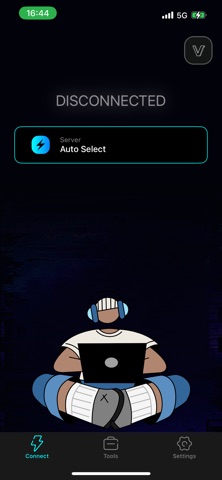
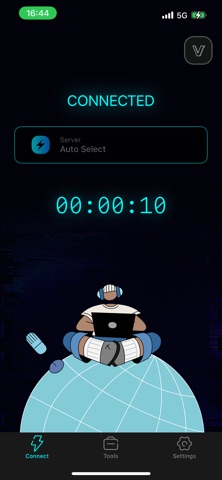
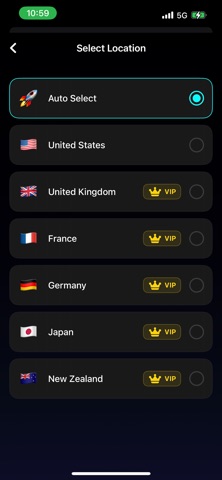
PC에서 Ping VPN – Fast & Secure 용 호환 APK 다운로드
| 다운로드 | 개발자 | 평점 | 점수 | 현재 버전 | 성인 랭킹 |
|---|---|---|---|---|---|
| ↓ PC용 APK 다운로드 | EdgeFlow Technology Limited | 1 | 5 | 1.0.6 | 17+ |
에뮬레이터의 중요성은 컴퓨터에서 안드로이드 환경을 흉내 내고 안드로이드 폰을 구입하지 않고도 안드로이드 앱을 설치하고 실행하는 것을 매우 쉽게 만들어주는 것입니다. 누가 당신이 두 세계를 즐길 수 없다고 말합니까? 우선 아래에있는 에뮬레이터 앱을 다운로드 할 수 있습니다.
A. Nox App . OR
B. Bluestacks App .
Bluestacks는 매우 대중적이므로 개인적으로 "B"옵션을 사용하는 것이 좋습니다. 문제가 발생하면 Google 또는 Naver.com에서 좋은 해결책을 찾을 수 있습니다.
Bluestacks.exe 또는 Nox.exe를 성공적으로 다운로드 한 경우 컴퓨터의 다운로드 폴더 또는 다운로드 한 파일을 일반적으로 저장하는 곳으로 이동하십시오.
찾으면 클릭하여 응용 프로그램을 설치하십시오. PC에서 설치 프로세스를 시작해야합니다.
다음을 클릭하여 EULA 라이센스 계약에 동의하십시오.
응용 프로그램을 설치하려면 화면 지시문을 따르십시오.
위 사항을 올바르게 수행하면 소프트웨어가 성공적으로 설치됩니다.
이제 설치 한 에뮬레이터 애플리케이션을 열고 검색 창을 찾으십시오. 지금 입력하십시오. - Ping VPN – Fast & Secure 앱을 쉽게 볼 수 있습니다. 그것을 클릭하십시오. 응용 프로그램 창이 열리고 에뮬레이터 소프트웨어에 응용 프로그램이 표시됩니다. 설치 버튼을 누르면 응용 프로그램이 다운로드되기 시작합니다. 이제 우리는 모두 끝났습니다.
그런 다음 "모든 앱"아이콘이 표시됩니다.
클릭하면 설치된 모든 응용 프로그램이 포함 된 페이지로 이동합니다.
당신은 Ping VPN – Fast & Secure 상. 그것을 클릭하고 응용 프로그램 사용을 시작하십시오.
Mac OS 에서 Ping VPN 다운로드
| 다운로드 | 개발자 | 점수 | 현재 버전 | 성인 랭킹 |
|---|---|---|---|---|
| 무료 - Mac 에서 다운로드 | EdgeFlow Technology Limited | 5 |
1.0.6 | 17+ |
VPN Planet 2026 A lightweight, high-speed privacy protection VPN. It achieves secure network connections with minimal operation, providing core support for public Wi-Fi protection, daily privacy safeguarding, and stable cross-network access. It balances convenience and security, adapting to legal network usage needs in various scenarios. Core Features One-Click High-Speed Connection No complex setup. A streamlined process establishes a secure connection instantly, enabling quick privacy protection. Encrypted Tunnel Protection Builds an encrypted transmission channel for network traffic, safeguarding online data on public or shared networks. DNS Leak Prevention Avoids common network path exposure issues, comprehensively strengthening connection privacy. Stable Session Experience Supports seamless switching between Wi-Fi and mobile networks, reducing disconnections and lag during network changes. Smart Routing Intelligently matches optimal routes, balancing connection speed and stability for different network environments. Clear Status Display Simple indicators show connection and protection status, making network security conditions intuitive. Safe Usage Tips Before using public networks, connect to VPN first, then open sensitive apps (e.g., online banking, work tools). Confirm "Connected" status before proceeding. Enable two-factor authentication for important accounts, update device systems regularly, stay alert to phishing attempts and unfamiliar links, and implement multi-layered device security. ▶ No account registration required; no personally identifiable information collected. ▶ Only non-personal usage data is collected to optimize app performance. Data is not sold or shared with third parties. ▶ User-customized data is stored locally and fully deleted upon app uninstallation, ensuring complete user control. Important Notes This product only protects network transmission path privacy and does not guarantee complete anonymity. Websites may still identify users via login details, cookies, etc. Connection speed may be affected by encryption transmission and network environment, which is normal. If unable to connect, try switching networks or restarting the router. VPN regulations vary by region. Users must comply with local laws. This product is intended solely for legal privacy and security protection scenarios. The app is intended for users aged 13 and above. Users under 13 require parental consent. Privacy Policy Official Privacy Agreement: https://nbvpnfast.xyz/p.html Term of User: https://www.apple.com/legal/internet-services/itunes/dev/stdeula


