
PC 용 TinyWow: PDF Scanner Converter
- 카테고리: Business
- 최근 업데이트: 2026-09-21
- 현재 버전: 1.5
- 파일 크기: 19.71 MB
- 개발자: Harendra Chilwal
- 호환성: 필요 Windows XP, Windows Vista, Windows 7, Windows 8, Windows 8.1 and Windows 10, Windows 11



PC에서 TinyWow: PDF Scanner Converter 용 호환 APK 다운로드
| 다운로드 | 개발자 | 평점 | 점수 | 현재 버전 | 성인 랭킹 |
|---|---|---|---|---|---|
| ↓ PC용 APK 다운로드 | Harendra Chilwal | 1 | 5 | 1.5 | 4+ |
에뮬레이터의 중요성은 컴퓨터에서 안드로이드 환경을 흉내 내고 안드로이드 폰을 구입하지 않고도 안드로이드 앱을 설치하고 실행하는 것을 매우 쉽게 만들어주는 것입니다. 누가 당신이 두 세계를 즐길 수 없다고 말합니까? 우선 아래에있는 에뮬레이터 앱을 다운로드 할 수 있습니다.
A. Nox App . OR
B. Bluestacks App .
Bluestacks는 매우 대중적이므로 개인적으로 "B"옵션을 사용하는 것이 좋습니다. 문제가 발생하면 Google 또는 Naver.com에서 좋은 해결책을 찾을 수 있습니다.
Bluestacks.exe 또는 Nox.exe를 성공적으로 다운로드 한 경우 컴퓨터의 다운로드 폴더 또는 다운로드 한 파일을 일반적으로 저장하는 곳으로 이동하십시오.
찾으면 클릭하여 응용 프로그램을 설치하십시오. PC에서 설치 프로세스를 시작해야합니다.
다음을 클릭하여 EULA 라이센스 계약에 동의하십시오.
응용 프로그램을 설치하려면 화면 지시문을 따르십시오.
위 사항을 올바르게 수행하면 소프트웨어가 성공적으로 설치됩니다.
이제 설치 한 에뮬레이터 애플리케이션을 열고 검색 창을 찾으십시오. 지금 입력하십시오. - TinyWow: PDF Scanner Converter 앱을 쉽게 볼 수 있습니다. 그것을 클릭하십시오. 응용 프로그램 창이 열리고 에뮬레이터 소프트웨어에 응용 프로그램이 표시됩니다. 설치 버튼을 누르면 응용 프로그램이 다운로드되기 시작합니다. 이제 우리는 모두 끝났습니다.
그런 다음 "모든 앱"아이콘이 표시됩니다.
클릭하면 설치된 모든 응용 프로그램이 포함 된 페이지로 이동합니다.
당신은 TinyWow: PDF Scanner Converter 상. 그것을 클릭하고 응용 프로그램 사용을 시작하십시오.
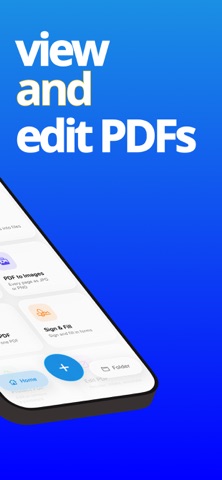
Every file tool you actually need, in one fast app — and every one of them runs on your iPhone. Scan a receipt, sign a contract, shrink a video that won't send, turn a HEIC into a JPG that opens anywhere, or pull the text off a photo. TinyWow does it in seconds, without uploading anything. ► WITH TINYWOW, YOU CAN: SCAN AND CREATE PDFs • Scan documents with your camera — edges found and straightened automatically • Turn JPG, PNG and HEIC photos into one clean PDF • Save any page as a JPG or PNG image SIGN AND FILL FORMS • Sign contracts with your own signature — no printer, no scanner • Fill out forms right on your phone • Draw your signature once and reuse it anywhere MERGE, SPLIT, EDIT AND PROTECT • Merge PDFs into one file, or split one into several • Reorder, rotate and annotate pages • Add or remove a password on any file MAKE FILES SMALL ENOUGH TO SEND • Shrink a PDF, a photo or a video until it fits past email and chat limits • Scale a photo down to fit an upload limit FIX PHOTOS FAST • Convert HEIC to JPG or PNG • Cut the subject out and remove the background • Copy the text out of any photo or scan — no retyping WORK WITH VIDEO • Trim a clip to the part that matters • Convert MOV to MP4 • Save just the sound as an audio file • Turn a clip into a GIF EVERYTHING STAYS ON YOUR IPHONE Nothing is uploaded, nothing waits on a server, nothing is stored outside your device. It all works offline — on a plane, on the subway, anywhere with no signal at all. Made for students, freelancers and anyone whose paperwork — or camera roll — won't wait. — TinyWow is free to use with a daily allowance of tool runs. TinyWow Pro unlocks unlimited runs plus signing, password protection, background removal, and video trimming, conversion, audio and GIF export. Subscriptions renew automatically unless cancelled at least 24 hours before the end of the current period, and can be managed in your App Store account settings. Terms of Use: https://harendrachilwal.com/terms-and-conditions/ Privacy Policy: https://harendrachilwal.com/privacy-policy/


