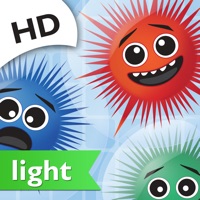
PC 용 Spiky HD Light
- 카테고리: Games
- 최근 업데이트: 2013-08-23
- 현재 버전: 1.0.0
- 파일 크기: 60.03 MB
- 개발자: Yumasoft Inc.
- 호환성: 필요 Windows XP, Windows Vista, Windows 7, Windows 8, Windows 8.1 and Windows 10, Windows 11
PC에서 Spiky HD Light 용 호환 APK 다운로드
| 다운로드 | 개발자 | 평점 | 점수 | 현재 버전 | 성인 랭킹 |
|---|---|---|---|---|---|
| ↓ PC용 APK 다운로드 | Yumasoft Inc. | 0 | 1.0.0 | 4+ |
에뮬레이터의 중요성은 컴퓨터에서 안드로이드 환경을 흉내 내고 안드로이드 폰을 구입하지 않고도 안드로이드 앱을 설치하고 실행하는 것을 매우 쉽게 만들어주는 것입니다. 누가 당신이 두 세계를 즐길 수 없다고 말합니까? 우선 아래에있는 에뮬레이터 앱을 다운로드 할 수 있습니다.
A. Nox App . OR
B. Bluestacks App .
Bluestacks는 매우 대중적이므로 개인적으로 "B"옵션을 사용하는 것이 좋습니다. 문제가 발생하면 Google 또는 Naver.com에서 좋은 해결책을 찾을 수 있습니다.
Bluestacks.exe 또는 Nox.exe를 성공적으로 다운로드 한 경우 컴퓨터의 다운로드 폴더 또는 다운로드 한 파일을 일반적으로 저장하는 곳으로 이동하십시오.
찾으면 클릭하여 응용 프로그램을 설치하십시오. PC에서 설치 프로세스를 시작해야합니다.
다음을 클릭하여 EULA 라이센스 계약에 동의하십시오.
응용 프로그램을 설치하려면 화면 지시문을 따르십시오.
위 사항을 올바르게 수행하면 소프트웨어가 성공적으로 설치됩니다.
이제 설치 한 에뮬레이터 애플리케이션을 열고 검색 창을 찾으십시오. 지금 입력하십시오. - Spiky HD Light 앱을 쉽게 볼 수 있습니다. 그것을 클릭하십시오. 응용 프로그램 창이 열리고 에뮬레이터 소프트웨어에 응용 프로그램이 표시됩니다. 설치 버튼을 누르면 응용 프로그램이 다운로드되기 시작합니다. 이제 우리는 모두 끝났습니다.
그런 다음 "모든 앱"아이콘이 표시됩니다.
클릭하면 설치된 모든 응용 프로그램이 포함 된 페이지로 이동합니다.
당신은 Spiky HD Light 상. 그것을 클릭하고 응용 프로그램 사용을 시작하십시오.
Hurry! You have to protect your house from an ALIEN attack! Grab whatever object you can find to chase these monsters away! Use anything in sight to defend yourself! Who cares if you happen to burn down the living room after throwing a flaming log? This is YOUR house and only YOU have the right to destroy it. If you want to slow down a little and make the game easier, you can purchase the Double Weapon! Double Weapon is a one-time in-app purchase in Spiky that gives unlimited use of instruments to destroy monsters on any level you like. In addition to the Double Weapon, Spiky now offers special stuff for Spikies! Create a special theme for your Spiky game – Christmas Time, University Life, or your own personalized theme! Play, create, and enjoy! First 7 levels are free to play! You can unlock more levels if you like the game! FEATURES: •12 incredible levels •55 instruments for getting rid of monsters •Interactive environment •Amazing realistic representation •Easy controls, challenging game play •Compete against members of your family How to play: Tilt device to move spikies left or right, tap instruments to shoot. ITunes reviews "Spiky is way too cute. My kids just love this app. Not only cute but addictive too. My kids jumped right on and started playing and haven't stoped yet. Now maybe sometime mommy can get a turn ;)". "Life pressure is not released, this app just to satisfy my needs.. Damage can be hard, don't worry about the consequences.. I like it". "This game is so cute. My kids had so much fun throwing objects at the little spikeys which move pretty fast. The animation is good and the premise of the game is simple and easy for kids to follow without supervision". "Very fun and addictive, smooth graphics and gameplay. Thx to devs!". "Gotta love Spiky. You can hit him by throwing everyday household stuff. Be careful not to start a fire!". Important message for parents: This game may include the option to make in-app purchases. The person in charge of payment should always be consulted before making any purchases.


