
PC 용 Steps+
- 카테고리: Health & Fitness
- 최근 업데이트: 2026-10-26
- 현재 버전: 3.3.1
- 파일 크기: 9.91 MB
- 개발자: Kenneth Ackerson
- 호환성: 필요 Windows XP, Windows Vista, Windows 7, Windows 8, Windows 8.1 and Windows 10, Windows 11
PC에서 Steps+ 용 호환 APK 다운로드
| 다운로드 | 개발자 | 평점 | 점수 | 현재 버전 | 성인 랭킹 |
|---|---|---|---|---|---|
| ↓ PC용 APK 다운로드 | Kenneth Ackerson | 19 | 4.57895 | 3.3.1 | 4+ |
에뮬레이터의 중요성은 컴퓨터에서 안드로이드 환경을 흉내 내고 안드로이드 폰을 구입하지 않고도 안드로이드 앱을 설치하고 실행하는 것을 매우 쉽게 만들어주는 것입니다. 누가 당신이 두 세계를 즐길 수 없다고 말합니까? 우선 아래에있는 에뮬레이터 앱을 다운로드 할 수 있습니다.
A. Nox App . OR
B. Bluestacks App .
Bluestacks는 매우 대중적이므로 개인적으로 "B"옵션을 사용하는 것이 좋습니다. 문제가 발생하면 Google 또는 Naver.com에서 좋은 해결책을 찾을 수 있습니다.
Bluestacks.exe 또는 Nox.exe를 성공적으로 다운로드 한 경우 컴퓨터의 다운로드 폴더 또는 다운로드 한 파일을 일반적으로 저장하는 곳으로 이동하십시오.
찾으면 클릭하여 응용 프로그램을 설치하십시오. PC에서 설치 프로세스를 시작해야합니다.
다음을 클릭하여 EULA 라이센스 계약에 동의하십시오.
응용 프로그램을 설치하려면 화면 지시문을 따르십시오.
위 사항을 올바르게 수행하면 소프트웨어가 성공적으로 설치됩니다.
이제 설치 한 에뮬레이터 애플리케이션을 열고 검색 창을 찾으십시오. 지금 입력하십시오. - Steps+ 앱을 쉽게 볼 수 있습니다. 그것을 클릭하십시오. 응용 프로그램 창이 열리고 에뮬레이터 소프트웨어에 응용 프로그램이 표시됩니다. 설치 버튼을 누르면 응용 프로그램이 다운로드되기 시작합니다. 이제 우리는 모두 끝났습니다.
그런 다음 "모든 앱"아이콘이 표시됩니다.
클릭하면 설치된 모든 응용 프로그램이 포함 된 페이지로 이동합니다.
당신은 Steps+ 상. 그것을 클릭하고 응용 프로그램 사용을 시작하십시오.
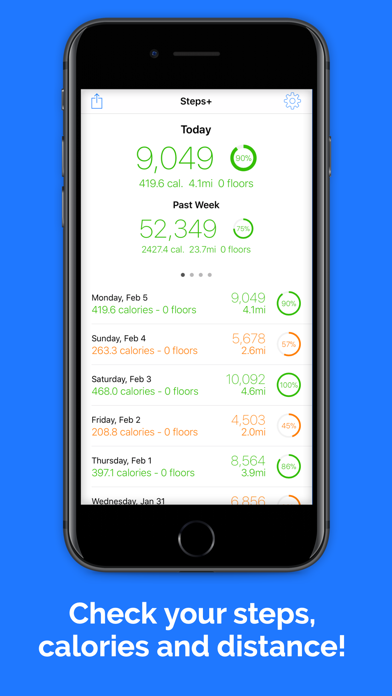
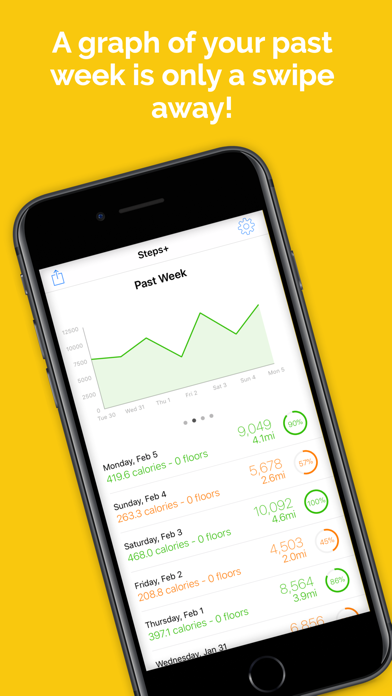
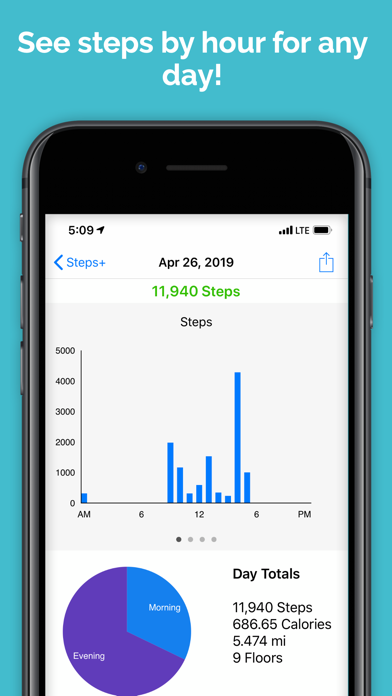
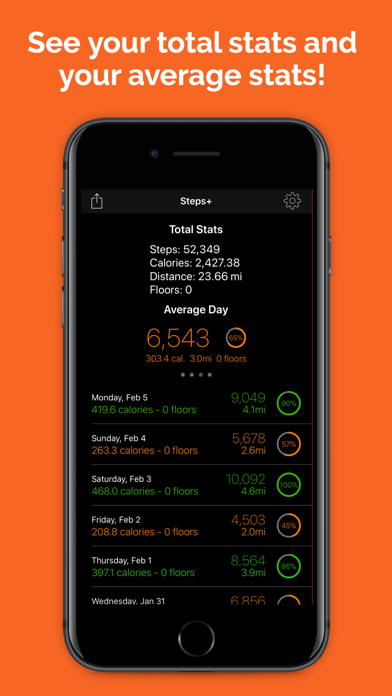
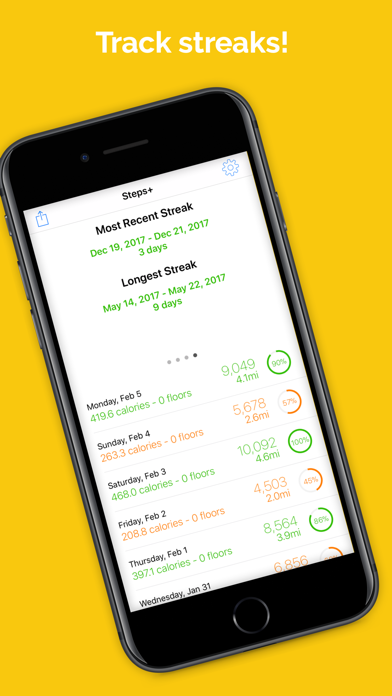
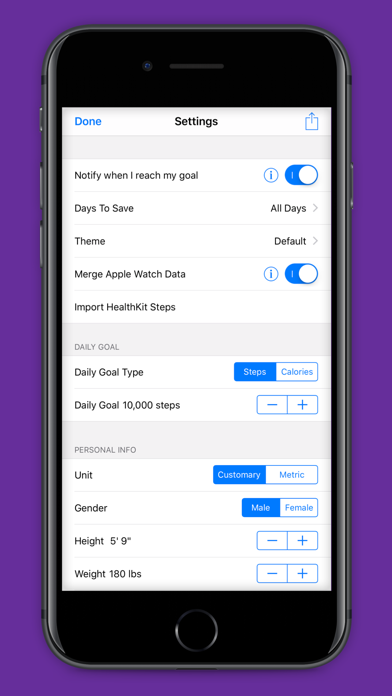
Steps+ uses the step counting functionality of your iPhone without draining your iPhone battery. Steps+ is the best and most efficient and smart pedometer app for iOS! With Steps+, you can track step counts daily and for the past week, as well as many other data points such as calorie, distance, and floors (on supported devices). You also can merge your Apple Watch steps so you get credit for all your steps whether or not you are carrying your phone! Also, Steps+ allows you set a daily goal of either amount of steps or calories. You're then shown how you progressed toward your goal on any given day, or the current week. Steps+ allows you to get notifications for when you reach your goal. In addition, you can view your step data in a nice chart that shows the last week's worth of steps. Steps+ also integrates with the Health application and allows you to bring in your step history, so you don't have to worry about not having access to your total step history. Additional features: - Today widget for quick access to today's stats - Share any day's data by tapping on a day. - View the hourly stats for the past week. In addition, all days you can view the hourly stats on, you always will be able to forever. - You can choose to automatically remove saved days after 30 or 90 days. - Data export. (Export your step, calorie, and distance data to a CSV) - Themes! For more information on the Terms of Use for Steps+: http://thepearapps.com/stepsterms.html