
PC 용 Compress PDF Pro Edition
- 카테고리: Business
- 최근 업데이트: 2026-03-31
- 현재 버전: 2.0
- 파일 크기: 2.50 MB
- 개발자: PDF Technologies, Inc.
- 호환성: 필요 Windows XP, Windows Vista, Windows 7, Windows 8, Windows 8.1 and Windows 10, Windows 11
PC에서 Compress PDF Pro Edition 용 호환 APK 다운로드
| 다운로드 | 개발자 | 평점 | 점수 | 현재 버전 | 성인 랭킹 |
|---|---|---|---|---|---|
| ↓ PC용 APK 다운로드 | PDF Technologies, Inc. | 0 | 0 | 2.0 | 4+ |
호환되는 PC 앱 또는 대안 확인
| 소프트웨어 | 다운로드 | 평점 | 개발자 |
|---|---|---|---|
| Compress PDF Pro Edition |
PC 앱 받기 | 0/5 0 리뷰 0 |
PDF Technologies, Inc. |
에뮬레이터의 중요성은 컴퓨터에서 안드로이드 환경을 흉내 내고 안드로이드 폰을 구입하지 않고도 안드로이드 앱을 설치하고 실행하는 것을 매우 쉽게 만들어주는 것입니다. 누가 당신이 두 세계를 즐길 수 없다고 말합니까? 우선 아래에있는 에뮬레이터 앱을 다운로드 할 수 있습니다.
A. Nox App . OR
B. Bluestacks App .
Bluestacks는 매우 대중적이므로 개인적으로 "B"옵션을 사용하는 것이 좋습니다. 문제가 발생하면 Google 또는 Naver.com에서 좋은 해결책을 찾을 수 있습니다.
Bluestacks.exe 또는 Nox.exe를 성공적으로 다운로드 한 경우 컴퓨터의 다운로드 폴더 또는 다운로드 한 파일을 일반적으로 저장하는 곳으로 이동하십시오.
찾으면 클릭하여 응용 프로그램을 설치하십시오. PC에서 설치 프로세스를 시작해야합니다.
다음을 클릭하여 EULA 라이센스 계약에 동의하십시오.
응용 프로그램을 설치하려면 화면 지시문을 따르십시오.
위 사항을 올바르게 수행하면 소프트웨어가 성공적으로 설치됩니다.
이제 설치 한 에뮬레이터 애플리케이션을 열고 검색 창을 찾으십시오. 지금 입력하십시오. - Compress PDF Pro Edition 앱을 쉽게 볼 수 있습니다. 그것을 클릭하십시오. 응용 프로그램 창이 열리고 에뮬레이터 소프트웨어에 응용 프로그램이 표시됩니다. 설치 버튼을 누르면 응용 프로그램이 다운로드되기 시작합니다. 이제 우리는 모두 끝났습니다.
그런 다음 "모든 앱"아이콘이 표시됩니다.
클릭하면 설치된 모든 응용 프로그램이 포함 된 페이지로 이동합니다.
당신은 Compress PDF Pro Edition 상. 그것을 클릭하고 응용 프로그램 사용을 시작하십시오.
Mac OS 에서 Compress PDF Pro Edition 다운로드
| 다운로드 | 개발자 | 점수 | 현재 버전 | 성인 랭킹 |
|---|---|---|---|---|
| ₩2,500 - Mac 에서 다운로드 | PDF Technologies, Inc. | 0 |
2.0 | 4+ |
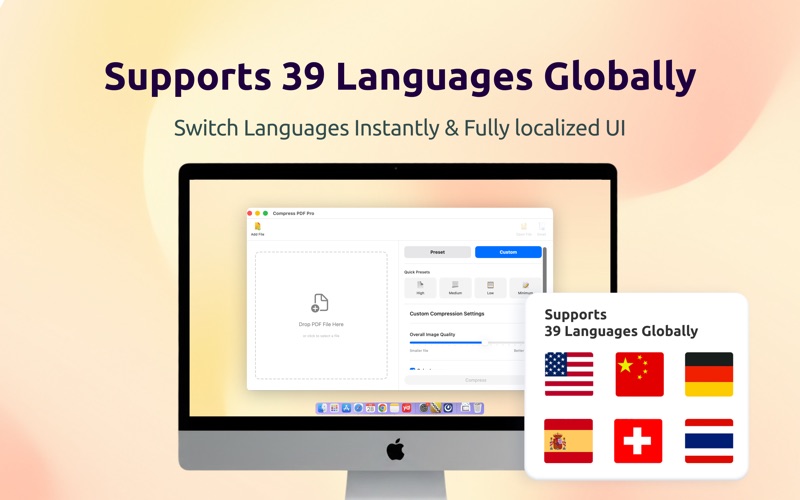
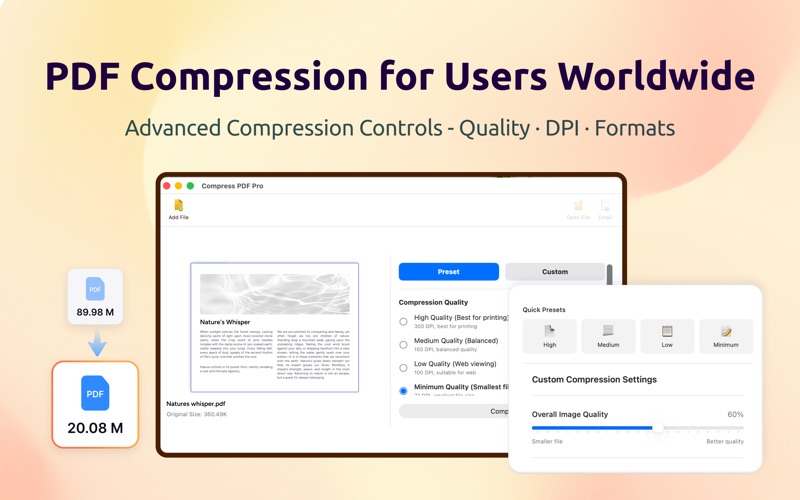
A Reliable and Fully Localized PDF Compression Tool for macOS Compress PDF Pro Edition 2.0 is a major update that transforms the app into a stable, fully localized, and globally accessible PDF compression solution. This release fixes critical build issues, enhances compression capabilities, and delivers a 100% localized user interface for users around the world. With support for 39 languages, runtime language switching, and enhanced PDF compression options, Compress PDF Pro Edition is designed to provide a smooth and native macOS experience for global users. Key Highlights Full Multilingual Support (39 Languages) - Supports 39 major languages across Asia, Europe, and other regions - Fully localized UI: buttons, menus, dialogs, and messages - Runtime language switching without restarting the app - Smart fallback to English when translations are missing Enhanced PDF Compression Options - Fully localized custom compression settings - Overall image quality control - Separate compression settings for color, grayscale, and monochrome images - DPI presets: 72, 96, 150, 200, 300 - Compression quality slider (0–100%) - Advanced optimizations: remove redundant objects, invalid bookmarks and links, font subsetting - Image compression formats: JPEG, JPEG2000, Flate - Quick presets: High / Medium / Low / Minimum quality New Language Settings Interface - Visual language list with native language names - Real-time search to quickly find languages - Clear indicator for the currently selected language - Quick access via menu or shortcut Cmd + Shift + L Stability & Reliability Improvements - Fixed 3 critical compilation errors - Successfully rebuilt the project from non-compilable to stable build - Improved compression results and overall reliability Subscription & Paid Features - Some advanced features require a Pro subscription - Subscription plans are available as lifetime or yearly options