PC 용 Swiped 2
- 카테고리: Games
- 최근 업데이트: 2016-04-11
- 현재 버전: 1.0.2
- 파일 크기: 37.19 MB
- 개발자: iGold Technologies
- 호환성: 필요 Windows XP, Windows Vista, Windows 7, Windows 8, Windows 8.1 and Windows 10, Windows 11



PC에서 Swiped 2 용 호환 APK 다운로드
| 다운로드 | 개발자 | 평점 | 점수 | 현재 버전 | 성인 랭킹 |
|---|---|---|---|---|---|
| ↓ PC용 APK 다운로드 | iGold Technologies | 0 | 0 | 1.0.2 | 4+ |
에뮬레이터의 중요성은 컴퓨터에서 안드로이드 환경을 흉내 내고 안드로이드 폰을 구입하지 않고도 안드로이드 앱을 설치하고 실행하는 것을 매우 쉽게 만들어주는 것입니다. 누가 당신이 두 세계를 즐길 수 없다고 말합니까? 우선 아래에있는 에뮬레이터 앱을 다운로드 할 수 있습니다.
A. Nox App . OR
B. Bluestacks App .
Bluestacks는 매우 대중적이므로 개인적으로 "B"옵션을 사용하는 것이 좋습니다. 문제가 발생하면 Google 또는 Naver.com에서 좋은 해결책을 찾을 수 있습니다.
Bluestacks.exe 또는 Nox.exe를 성공적으로 다운로드 한 경우 컴퓨터의 다운로드 폴더 또는 다운로드 한 파일을 일반적으로 저장하는 곳으로 이동하십시오.
찾으면 클릭하여 응용 프로그램을 설치하십시오. PC에서 설치 프로세스를 시작해야합니다.
다음을 클릭하여 EULA 라이센스 계약에 동의하십시오.
응용 프로그램을 설치하려면 화면 지시문을 따르십시오.
위 사항을 올바르게 수행하면 소프트웨어가 성공적으로 설치됩니다.
이제 설치 한 에뮬레이터 애플리케이션을 열고 검색 창을 찾으십시오. 지금 입력하십시오. - Swiped 2 앱을 쉽게 볼 수 있습니다. 그것을 클릭하십시오. 응용 프로그램 창이 열리고 에뮬레이터 소프트웨어에 응용 프로그램이 표시됩니다. 설치 버튼을 누르면 응용 프로그램이 다운로드되기 시작합니다. 이제 우리는 모두 끝났습니다.
그런 다음 "모든 앱"아이콘이 표시됩니다.
클릭하면 설치된 모든 응용 프로그램이 포함 된 페이지로 이동합니다.
당신은 Swiped 2 상. 그것을 클릭하고 응용 프로그램 사용을 시작하십시오.
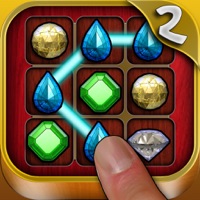
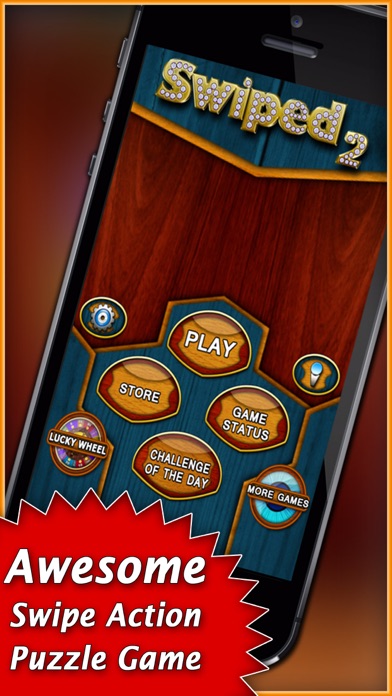
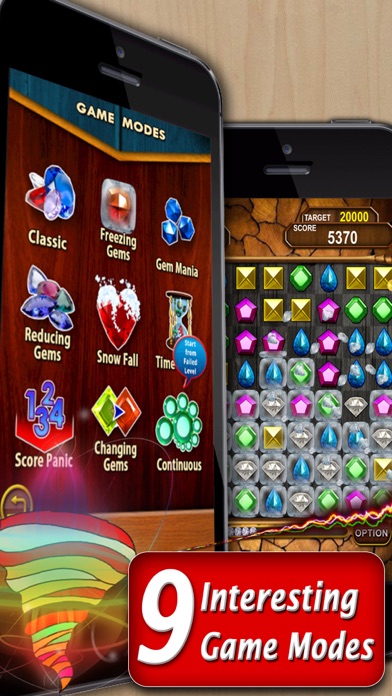
Superb gem swipe game with nine interesting game modes, new gem powers, challenges & lucky wheel! Swipe and make longest chains of similar gems in this challenging puzzle game with exciting special powers. Get daily free Lucky Wheel spins & play daily Challenges to win coins for unlocking gem powers. * Swiped 2 New Features * - 9 new Game Modes. - 8 Gem Powers. - Daily Challenges. - Daily Luckywheel spins. - Get free coins. - Continuous modes for all game modes. * Swiped 2 Game Facts * - Swiped is a very simple to learn swipe action based game for all touch screen mobile devices. - Each level is progressively challenging and very addictive. - Challenge your skills in 9 game modes with unlimited levels. - Excite gem powers by swiping over them along with similar gem chains. - Compete with thousands of players around the world. * Swiped Game Play * - Touch and swipe over similar gems to clear them. - In each swipe action, Longer the chain of gems, higher the score you will get. - Use special powers like Magician & Witch to get more points. - Play with strategy to form and swipe longer chains. Swiped 2 Game modes : * CLASSIC : Achieve the target in given time to complete each level. * GEM MANIA : Swipe the target no of displayed gems . * REDUCING GEMS: Achieve the target score before emptying the board. * FREEZING Gems: Avoid the frozen gems reaching the top. * TIMEATTACK : Tests your raw pattern swiping speed in 1 Min, 2 Min, 5 Min & 10 Min. * SNOW FALL : Clear the frozen gems before it reaches the bottom. * SCORE PANIC : Very dynamic fast paced game. * CHANGING GEMS: Swipe the changing target gems and achieve the score. * CONTINUOUS : Play all game modes from last failed level. CHALLENGE OF THE DAY : Play daily challenges in all game modes and win coins. * Other Features * - Awesome graphics with fluid animations. - Auto saving & loading supported for all game modes. - Plain Mode option to switch off special items. - All game modes have individual player ranking system based on the highest level/Score achieved. - Your rank naturally improves along with your skill as you play again and again, thats what makes Swiped so addictive. - Unlimited levels! It needs only your skill to crack a new level. Complexity of the game increases progressively from level to level.