
PC 용 The Sandbox EDU
- 카테고리: Education
- 최근 업데이트: 2014-11-06
- 현재 버전: 1.0
- 파일 크기: 99.03 MB
- 개발자: PIXOWL INC.
- 호환성: 필요 Windows XP, Windows Vista, Windows 7, Windows 8, Windows 8.1 and Windows 10, Windows 11



에뮬레이터의 중요성은 컴퓨터에서 안드로이드 환경을 흉내 내고 안드로이드 폰을 구입하지 않고도 안드로이드 앱을 설치하고 실행하는 것을 매우 쉽게 만들어주는 것입니다. 누가 당신이 두 세계를 즐길 수 없다고 말합니까? 우선 아래에있는 에뮬레이터 앱을 다운로드 할 수 있습니다.
A. Nox App . OR
B. Bluestacks App .
Bluestacks는 매우 대중적이므로 개인적으로 "B"옵션을 사용하는 것이 좋습니다. 문제가 발생하면 Google 또는 Naver.com에서 좋은 해결책을 찾을 수 있습니다.
Bluestacks.exe 또는 Nox.exe를 성공적으로 다운로드 한 경우 컴퓨터의 다운로드 폴더 또는 다운로드 한 파일을 일반적으로 저장하는 곳으로 이동하십시오.
찾으면 클릭하여 응용 프로그램을 설치하십시오. PC에서 설치 프로세스를 시작해야합니다.
다음을 클릭하여 EULA 라이센스 계약에 동의하십시오.
응용 프로그램을 설치하려면 화면 지시문을 따르십시오.
위 사항을 올바르게 수행하면 소프트웨어가 성공적으로 설치됩니다.
이제 설치 한 에뮬레이터 애플리케이션을 열고 검색 창을 찾으십시오. 지금 입력하십시오. - The Sandbox EDU 앱을 쉽게 볼 수 있습니다. 그것을 클릭하십시오. 응용 프로그램 창이 열리고 에뮬레이터 소프트웨어에 응용 프로그램이 표시됩니다. 설치 버튼을 누르면 응용 프로그램이 다운로드되기 시작합니다. 이제 우리는 모두 끝났습니다.
그런 다음 "모든 앱"아이콘이 표시됩니다.
클릭하면 설치된 모든 응용 프로그램이 포함 된 페이지로 이동합니다.
당신은 The Sandbox EDU 상. 그것을 클릭하고 응용 프로그램 사용을 시작하십시오.
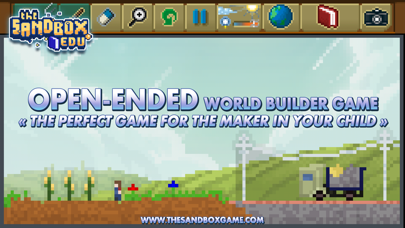
The Sandbox EDU is the perfect educational game for the “Maker” in you and your child. Specifically adapted for kids ages 6 to 12 and developed with classroom teachers as a complementary version of the popular game, The Sandbox (played by over 13 million people worldwide), The Sandbox EDU features original educative content supporting the experiential learning of science, technology, art and music! Your child can play, build and craft - whatever he/she wants - and learn to conduct scientific investigations and engineering design through inquiry-based problem solving in an open-ended world grounded by the laws of the universe. -= KEY FEATURES =- 1. Easy to install on your iPhone or iPad 2. Full Featured version with no additional in-app purchases or advertisements 3. 50+ lessons in Earth science ("Saving the EARTH"), lab science ("Inside the LAB"), electronic circuits ("Crazy Circuits"), pixel art ("Learn pixel ART") and music ("School of MUSIC") 4. Lessons designed with classroom teachers 5. Save and share your work in the online gallery 6. Explore 150+ elements in the open-ended CREATE mode -= WHAT CAN I LEARN WITH THE SANDBOX EDU? =- The Sandbox EDU can be used to support learning the following subjects: Environmental Science, Physics, Geology, Biology, Engineering, Mathematics, Electronics and Circuits, Pixel Art, Music, and Game Design. The Sandbox EDU promotes experiential learning, which is the process of making meaning from direct experience. Elemental interactions in the game serve as a foundation to enhance player understanding of the physical world. Some of the many reinforced concepts include: - Functions . Relationships between elements . Inputs and outputs for elementary reactions . Input/output machines - Chemistry experiments . States of matter: steam, water, ice . Water pollution: acid + water - Elemental reactions: climate change, pollution - Automated factories and clever contraptions with conveyor belts, lasers with many effects, pipes to move liquids, and led indicators. - Art projects . Pixel Art using 11 types of colored gems . Music using 5 different instruments: Piano, Guitar, Drums, Trumpet, Bass . Amazing light shows: with leds, metal and electrons, bright and bulbs, sensors that pulsate, and gamewall that changes colors. - Functional electronics projects with wireworld compliant rules (http://en.wikipedia.org/wiki/Wireworld) . Gates: and, or, xor, not, and more . More complex circuits: diodes, counters and memory - Probability/Random machines - Batteries — and battery chargers - Oil Lamps & Refineries - Operational Ecosystems: predator/prey relationships, habitats - Natural Phenomena: the water cycle, the weather system, erosion - Natural Disasters: volcanoes, earthquakes, tornados, tsunamis - Heat exchange: heating and cooling elements -= CRAFT, LEARN, PLAY AND SHARE! =- The open-ended nature of the game is reflected in the title. By enabling almost anyone to casually play and experiment with often advanced Science, Technology, Engineering, Art, and Math (STEAM) concepts, it is a learning simulator as much as it is a world-building game, rewarding critical thinking, problem-solving, and risk-taking self-direction on the part of the player. The Sandbox EDU is a game that allows your kid to directly interact with STEAM concepts by solving problems, responding to scenarios, constructing or deconstructing environments, creating art, designing machines, tinkering with the elements, creating condensation & evaporation, and anything else you can image a digital sandbox of elements and tools would you let you do. -- PRIVACY POLICY -- Privacy is an issue that we take very seriously. This is why we are making sure The Sandbox EDU is COPPA compliant to protect the privacy of you and your children. -- FOLLOW US -- Twitter: http://twitter.com/thesandboxgame Facebook: http://facebook.com/thesandboxgame