
PC 용 Volleyball Referee:
- 카테고리: Sports
- 최근 업데이트: 2018-12-30
- 현재 버전: 2.8
- 파일 크기: 9.28 MB
- 개발자: Dan Zrobok
- 호환성: 필요 Windows XP, Windows Vista, Windows 7, Windows 8, Windows 8.1 and Windows 10, Windows 11



PC에서 Volleyball Referee: 용 호환 APK 다운로드
| 다운로드 | 개발자 | 평점 | 점수 | 현재 버전 | 성인 랭킹 |
|---|---|---|---|---|---|
| ↓ PC용 APK 다운로드 | Dan Zrobok | 0 | 2.8 | 4+ |
에뮬레이터의 중요성은 컴퓨터에서 안드로이드 환경을 흉내 내고 안드로이드 폰을 구입하지 않고도 안드로이드 앱을 설치하고 실행하는 것을 매우 쉽게 만들어주는 것입니다. 누가 당신이 두 세계를 즐길 수 없다고 말합니까? 우선 아래에있는 에뮬레이터 앱을 다운로드 할 수 있습니다.
A. Nox App . OR
B. Bluestacks App .
Bluestacks는 매우 대중적이므로 개인적으로 "B"옵션을 사용하는 것이 좋습니다. 문제가 발생하면 Google 또는 Naver.com에서 좋은 해결책을 찾을 수 있습니다.
Bluestacks.exe 또는 Nox.exe를 성공적으로 다운로드 한 경우 컴퓨터의 다운로드 폴더 또는 다운로드 한 파일을 일반적으로 저장하는 곳으로 이동하십시오.
찾으면 클릭하여 응용 프로그램을 설치하십시오. PC에서 설치 프로세스를 시작해야합니다.
다음을 클릭하여 EULA 라이센스 계약에 동의하십시오.
응용 프로그램을 설치하려면 화면 지시문을 따르십시오.
위 사항을 올바르게 수행하면 소프트웨어가 성공적으로 설치됩니다.
이제 설치 한 에뮬레이터 애플리케이션을 열고 검색 창을 찾으십시오. 지금 입력하십시오. - Volleyball Referee: 앱을 쉽게 볼 수 있습니다. 그것을 클릭하십시오. 응용 프로그램 창이 열리고 에뮬레이터 소프트웨어에 응용 프로그램이 표시됩니다. 설치 버튼을 누르면 응용 프로그램이 다운로드되기 시작합니다. 이제 우리는 모두 끝났습니다.
그런 다음 "모든 앱"아이콘이 표시됩니다.
클릭하면 설치된 모든 응용 프로그램이 포함 된 페이지로 이동합니다.
당신은 Volleyball Referee: 상. 그것을 클릭하고 응용 프로그램 사용을 시작하십시오.
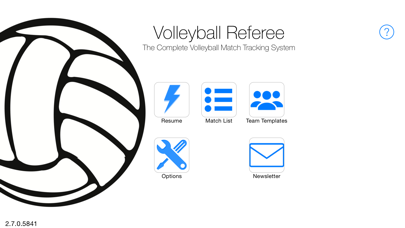
Volleyball Referee is the only Advanced Volleyball Scoreboard System in the store. Scorekeeping made so easy you can say goodbye to your pencil and paper forever. Referees: Simplify your job. Parents: Track your children's matches in detail. Spectators: Participate while your cheer on your team. == VOLLEYBALL FEATURES == - Score - Rosters - Rotations between 2-6 players - Dual Libero Support - Substitutions - Timeouts, Custom Duration & Technical Timeouts - Unlimited Sets & Matches - Sanctions - Player Names and Numbers (0 to 99) - Custom match length and duration - USAV Libero Serve Tracking - FIVB-like scoresheet generation - Point by Point game logs Any change can be undone with our full Undo and Redo support == ADVANCED TECHNOLOGY == - AirPlay and Video Out Support: Show matches on a TV set - Locally Broadcast your match via Bluetooth or Wifi (no data plan required) - Facebook & Twitter Integration for social sharing - Store and Apply Custom Team Templates with Rosters, Names and Colors - 'Score Display Mode' to easily display the score to spectators by flicking your wrist (which will make your phone turn upside down) and showing the screen. - Import / Export your matches via email and send them to your friends - Airdrop via 'Social Sharing' button in Match Control. Enable AirDrop on the source and destination devices to transfer a match. - Native iPhone6 and iPhone6 Plus screen sizes. You bought the larger screen, enjoy the extra screen real estate. - Standard Bluetooth Keyboard Support - No internet connection required, all matches are stored on your device. - Quick Scoreboard Today Widget for Notification Center that lets you scorekeep a match without having to open the app specifically. == DEMONSTRATION VIDEO == Watch a walk-through video at: https://www.youtube.com/watch?v=GATQPb-hukA == TRIAL VERSION == A feature limited version of this app is available for download at: https://itunes.apple.com/us/app/volleyball-scoreboard-free/id932240112?ls=1&mt=8 == DISCUSSION LIST == Join our discussion list to stay up to date on the latest features and tutorials: http://eepurl.com/5nA69