PC 용 iRoulette -PRO-
- 카테고리: Utilities
- 최근 업데이트: 2022-08-01
- 현재 버전: 15.1.2
- 파일 크기: 72.92 MB
- 개발자: D-FORCE Inc.
- 호환성: 필요 Windows XP, Windows Vista, Windows 7, Windows 8, Windows 8.1 and Windows 10, Windows 11

PC에서 iRoulette -PRO- 용 호환 APK 다운로드
| 다운로드 | 개발자 | 평점 | 점수 | 현재 버전 | 성인 랭킹 |
|---|---|---|---|---|---|
| ↓ PC용 APK 다운로드 | D-FORCE Inc. | 3 | 3 | 15.1.2 | 4+ |
에뮬레이터의 중요성은 컴퓨터에서 안드로이드 환경을 흉내 내고 안드로이드 폰을 구입하지 않고도 안드로이드 앱을 설치하고 실행하는 것을 매우 쉽게 만들어주는 것입니다. 누가 당신이 두 세계를 즐길 수 없다고 말합니까? 우선 아래에있는 에뮬레이터 앱을 다운로드 할 수 있습니다.
A. Nox App . OR
B. Bluestacks App .
Bluestacks는 매우 대중적이므로 개인적으로 "B"옵션을 사용하는 것이 좋습니다. 문제가 발생하면 Google 또는 Naver.com에서 좋은 해결책을 찾을 수 있습니다.
Bluestacks.exe 또는 Nox.exe를 성공적으로 다운로드 한 경우 컴퓨터의 다운로드 폴더 또는 다운로드 한 파일을 일반적으로 저장하는 곳으로 이동하십시오.
찾으면 클릭하여 응용 프로그램을 설치하십시오. PC에서 설치 프로세스를 시작해야합니다.
다음을 클릭하여 EULA 라이센스 계약에 동의하십시오.
응용 프로그램을 설치하려면 화면 지시문을 따르십시오.
위 사항을 올바르게 수행하면 소프트웨어가 성공적으로 설치됩니다.
이제 설치 한 에뮬레이터 애플리케이션을 열고 검색 창을 찾으십시오. 지금 입력하십시오. - iRoulette -PRO- 앱을 쉽게 볼 수 있습니다. 그것을 클릭하십시오. 응용 프로그램 창이 열리고 에뮬레이터 소프트웨어에 응용 프로그램이 표시됩니다. 설치 버튼을 누르면 응용 프로그램이 다운로드되기 시작합니다. 이제 우리는 모두 끝났습니다.
그런 다음 "모든 앱"아이콘이 표시됩니다.
클릭하면 설치된 모든 응용 프로그램이 포함 된 페이지로 이동합니다.
당신은 iRoulette -PRO- 상. 그것을 클릭하고 응용 프로그램 사용을 시작하십시오.
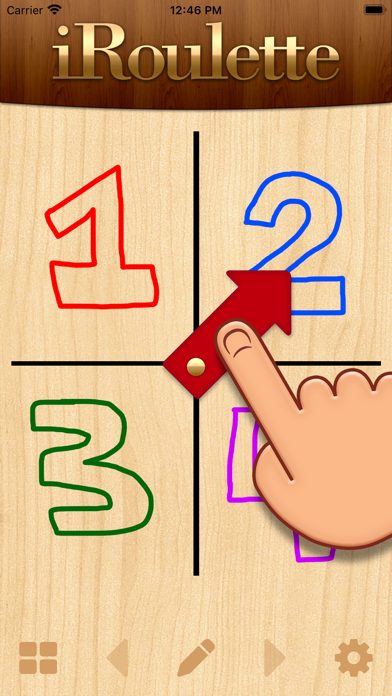
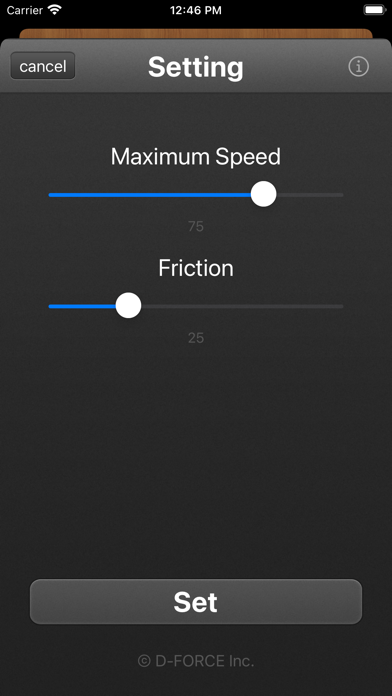
iRoulette is an app to help out with decisions that come up everyday. Using it is very easy and enjoyable! Simply use your finger to write your choices on the board and drag the red pointer in a spinning motion. When deciding what to eat for lunch, when deciding what movie to watch, when deciding on prizes at bingo tournaments, when deciding on pizza toppings, when deciding when to tell the person you like about your feelings, when deciding on a location for a date, when deciding what clothes to wear out today, when deciding on tonight’s dinner menu, when deciding what to eat next in a buffet, when deciding on a present for that special someone, when deciding the company’s next president, when deciding on a plan in the conference room, when deciding what order to visit things at Disneyland, and so on. This app is sure to be a huge help in all kinds of decision-making scenarios! Download it right now and get ready for your next decision. ======= Feature list ======= ●Roulette screen Flick the arrow vigorously to rotate Tap the right half of the upper title letter to rotate to the right Tap the left half of the upper title letter to rotate left You can hide the arrow by tapping the center pin (it will be easier to draw) Tool selectable (pen / straight line / square / circle / eraser) Color selectable The drawn roulette can be reset Roulette can be added to the collection (up to 10) ●Setting screen Maximum speed can be adjusted with the slider (1-100) Adjustable friction (1-100) ●Collection screen The state of the added roulette can be restored Collection images can be shared Collection images can be deleted ======= * This roulette app was created with the purpose of supporting decisions in various scenarios and bears no responsibility whatsoever for the results obtained based on those decisions. Please enjoy it within the scope of your own responsibility.