PC 용 8bit Painter - Pixel Art
- 카테고리: Entertainment
- 최근 업데이트: 2026-07-02
- 현재 버전: 2.7.2
- 파일 크기: 26.80 MB
- 개발자: Takayuki Miyagawa
- 호환성: 필요 Windows XP, Windows Vista, Windows 7, Windows 8, Windows 8.1 and Windows 10, Windows 11
PC에서 8bit Painter - Pixel Art 용 호환 APK 다운로드
| 다운로드 | 개발자 | 평점 | 점수 | 현재 버전 | 성인 랭킹 |
|---|---|---|---|---|---|
| ↓ PC용 APK 다운로드 | Takayuki Miyagawa | 1142 | 4.53327 | 2.7.2 | 4+ |
호환되는 PC 앱 또는 대안 확인
| 소프트웨어 | 다운로드 | 평점 | 개발자 |
|---|---|---|---|
| 8bit Painter |
PC 앱 받기 | 4.53327/5 1142 리뷰 4.53327 |
Takayuki Miyagawa |
에뮬레이터의 중요성은 컴퓨터에서 안드로이드 환경을 흉내 내고 안드로이드 폰을 구입하지 않고도 안드로이드 앱을 설치하고 실행하는 것을 매우 쉽게 만들어주는 것입니다. 누가 당신이 두 세계를 즐길 수 없다고 말합니까? 우선 아래에있는 에뮬레이터 앱을 다운로드 할 수 있습니다.
A. Nox App . OR
B. Bluestacks App .
Bluestacks는 매우 대중적이므로 개인적으로 "B"옵션을 사용하는 것이 좋습니다. 문제가 발생하면 Google 또는 Naver.com에서 좋은 해결책을 찾을 수 있습니다.
Bluestacks.exe 또는 Nox.exe를 성공적으로 다운로드 한 경우 컴퓨터의 다운로드 폴더 또는 다운로드 한 파일을 일반적으로 저장하는 곳으로 이동하십시오.
찾으면 클릭하여 응용 프로그램을 설치하십시오. PC에서 설치 프로세스를 시작해야합니다.
다음을 클릭하여 EULA 라이센스 계약에 동의하십시오.
응용 프로그램을 설치하려면 화면 지시문을 따르십시오.
위 사항을 올바르게 수행하면 소프트웨어가 성공적으로 설치됩니다.
이제 설치 한 에뮬레이터 애플리케이션을 열고 검색 창을 찾으십시오. 지금 입력하십시오. - 8bit Painter - Pixel Art 앱을 쉽게 볼 수 있습니다. 그것을 클릭하십시오. 응용 프로그램 창이 열리고 에뮬레이터 소프트웨어에 응용 프로그램이 표시됩니다. 설치 버튼을 누르면 응용 프로그램이 다운로드되기 시작합니다. 이제 우리는 모두 끝났습니다.
그런 다음 "모든 앱"아이콘이 표시됩니다.
클릭하면 설치된 모든 응용 프로그램이 포함 된 페이지로 이동합니다.
당신은 8bit Painter - Pixel Art 상. 그것을 클릭하고 응용 프로그램 사용을 시작하십시오.
Mac OS 에서 8bit Painter 다운로드
| 다운로드 | 개발자 | 점수 | 현재 버전 | 성인 랭킹 |
|---|---|---|---|---|
| 무료 - Mac 에서 다운로드 | Takayuki Miyagawa | 4.53327 |
2.7.2 | 4+ |
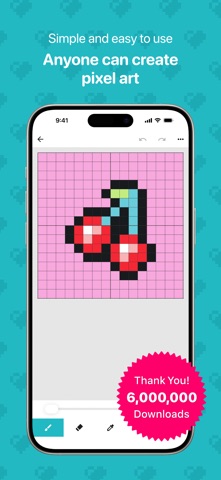
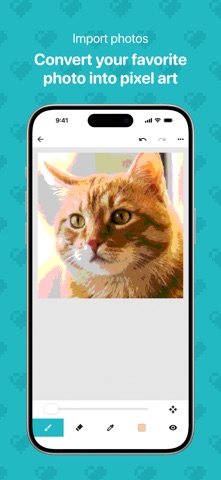
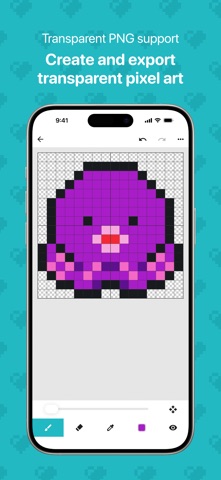
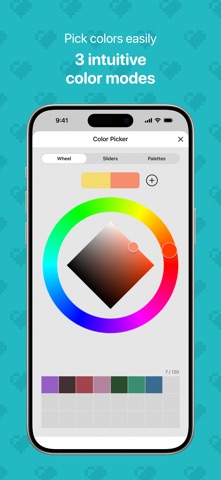
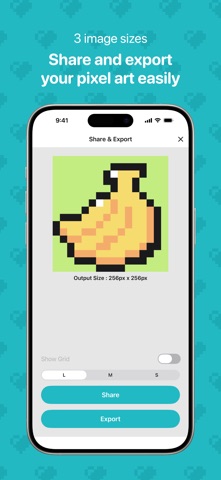
Over 6 million downloads! An easy-to-use app for creating pixel art and 8-bit style artwork. 8bit Painter is a simple pixel art drawing app that beginners can start enjoying right away. With intuitive controls, you can easily create pixel art for social media icons, game skins, illustrations, patterns, and more. It is also great for making designs for Perler beads, cross-stitch, knitting, and other handmade projects. Key Features - Simple controls that are easy for anyone to use - Clear, focused tools for creating pixel art - Perfect for beginners - Great for making social media icons and game skins - Import photos and convert them into pixel art - Choose colors intuitively with a color wheel, sliders, and palettes - Export transparent images in PNG format - Export and import your artwork data Canvas Sizes 16x16 / 24x24 / 32x32 / 48x48 / 64x64 / 96x96 / 128x128 / 160x160 / 192x192 Choose the right canvas size for your project, from small social media icons to detailed pixel art and craft patterns. Image Import Import your favorite photos and automatically convert them into pixel art. It is also useful for creating social media icons, game skins, and pixel art assets. Color Selection Choose a base color with the color wheel, then fine-tune it with sliders or HEX input. You can also pick colors quickly from preset palettes, or save frequently used colors to your custom color palette for reuse. Artwork Data Management Export artwork data saved in your Gallery from the Settings screen, and import it again when needed. This is helpful for keeping your pixel art safe, preparing for a device change, or reinstalling the app. Artwork Storage - The initial artwork storage limit is 30 artworks - Expand the limit up to 600 artworks by watching rewarded video ads or purchasing the Remove Ads add-on Image Export - Choose from 3 export sizes - Supports transparent PNG images - Useful for social media posts, game skins, and exporting assets Remove Ads Add-On - Hides all ads - Expands the artwork storage limit to 600 artworks - Can be restored after reinstalling the app - One-time purchase How to Expand Your Storage Limit - Each rewarded video ad you watch increases your artwork storage limit by 5 artworks, up to 600 - Purchasing the Remove Ads add-on expands your artwork storage limit to 600 artworks Recommended For - Anyone who wants to start creating pixel art - People who want to make their own social media icons - Anyone who wants to create game skins easily - People making designs for Perler beads or cross-stitch - People designing knitting patterns or handmade projects - Anyone who wants to turn photos into pixel art - People looking for a simple pixel art editor - Anyone who wants to manage their artwork data and keep using the app over time Enjoy creating pixel art and 8-bit style artwork with 8bit Painter!


