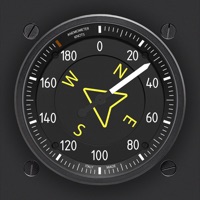
PC 용 Anemometer: Wind speed
- 카테고리: Weather
- 최근 업데이트: 2026-10-31
- 현재 버전: 3.1
- 파일 크기: 174.64 MB
- 개발자: Elton Nallbati
- 호환성: 필요 Windows XP, Windows Vista, Windows 7, Windows 8, Windows 8.1 and Windows 10, Windows 11


PC에서 Anemometer: Wind speed 용 호환 APK 다운로드
| 다운로드 | 개발자 | 평점 | 점수 | 현재 버전 | 성인 랭킹 |
|---|---|---|---|---|---|
| ↓ PC용 APK 다운로드 | Elton Nallbati | 0 | 0 | 3.1 | 4+ |
에뮬레이터의 중요성은 컴퓨터에서 안드로이드 환경을 흉내 내고 안드로이드 폰을 구입하지 않고도 안드로이드 앱을 설치하고 실행하는 것을 매우 쉽게 만들어주는 것입니다. 누가 당신이 두 세계를 즐길 수 없다고 말합니까? 우선 아래에있는 에뮬레이터 앱을 다운로드 할 수 있습니다.
A. Nox App . OR
B. Bluestacks App .
Bluestacks는 매우 대중적이므로 개인적으로 "B"옵션을 사용하는 것이 좋습니다. 문제가 발생하면 Google 또는 Naver.com에서 좋은 해결책을 찾을 수 있습니다.
Bluestacks.exe 또는 Nox.exe를 성공적으로 다운로드 한 경우 컴퓨터의 다운로드 폴더 또는 다운로드 한 파일을 일반적으로 저장하는 곳으로 이동하십시오.
찾으면 클릭하여 응용 프로그램을 설치하십시오. PC에서 설치 프로세스를 시작해야합니다.
다음을 클릭하여 EULA 라이센스 계약에 동의하십시오.
응용 프로그램을 설치하려면 화면 지시문을 따르십시오.
위 사항을 올바르게 수행하면 소프트웨어가 성공적으로 설치됩니다.
이제 설치 한 에뮬레이터 애플리케이션을 열고 검색 창을 찾으십시오. 지금 입력하십시오. - Anemometer: Wind speed 앱을 쉽게 볼 수 있습니다. 그것을 클릭하십시오. 응용 프로그램 창이 열리고 에뮬레이터 소프트웨어에 응용 프로그램이 표시됩니다. 설치 버튼을 누르면 응용 프로그램이 다운로드되기 시작합니다. 이제 우리는 모두 끝났습니다.
그런 다음 "모든 앱"아이콘이 표시됩니다.
클릭하면 설치된 모든 응용 프로그램이 포함 된 페이지로 이동합니다.
당신은 Anemometer: Wind speed 상. 그것을 클릭하고 응용 프로그램 사용을 시작하십시오.
How strong is the wind where you are? With Anemometer, you can check wind speed, gust intensity and the direction the wind is coming from, all on one screen with a built-in compass. Whether you're planning a sailing trip, a fishing outing or a day outdoors, Anemometer helps you keep track of wind conditions at your current location or your favorite places. WIND AT A GLANCE • Current wind speed and gusts, clearly shown side by side. • Wind origin shown as a compass direction and in degrees. • Built-in compass that follows your device's orientation. • Five measurement units: km/h, mph, m/s, knots and the Beaufort scale. • Weather conditions and time of the latest update. FORECASTS AND INTERACTIVE CHARTS (PRO) See how the wind is expected to change throughout the day and over the coming days: • Hourly wind forecasts for up to 3 days. • Easy-to-read charts for wind speed and gusts. • Hourly details for speed, gusts and wind direction. • Compare different days at the same time of day. • Daily minimum and maximum wind speeds and peak gust. YOUR LOCATIONS • Check wind conditions at your current location. • Search for other places and save them as favorites. • Switch quickly between locations. • iCloud support. A REDESIGNED EXPERIENCE • Modern, intuitive interface optimized for iPhone and iPad. • Portrait and landscape orientation support. • New compass accuracy checks and calibration guidance. Wind and gust data are provided by a weather service; they are not measured directly by an anemometer sensor in your device. Actual local conditions may differ from forecasts. SUPPORT Need help? Contact us at [email protected] Website: www.lionsapp.com