
PC 용 .Decluster
- 카테고리: Games
- 최근 업데이트: 2019-02-01
- 현재 버전: 2.3.1
- 파일 크기: 54.28 MB
- 개발자: MASAYUKI ITO
- 호환성: 필요 Windows XP, Windows Vista, Windows 7, Windows 8, Windows 8.1 and Windows 10, Windows 11



에뮬레이터의 중요성은 컴퓨터에서 안드로이드 환경을 흉내 내고 안드로이드 폰을 구입하지 않고도 안드로이드 앱을 설치하고 실행하는 것을 매우 쉽게 만들어주는 것입니다. 누가 당신이 두 세계를 즐길 수 없다고 말합니까? 우선 아래에있는 에뮬레이터 앱을 다운로드 할 수 있습니다.
A. Nox App . OR
B. Bluestacks App .
Bluestacks는 매우 대중적이므로 개인적으로 "B"옵션을 사용하는 것이 좋습니다. 문제가 발생하면 Google 또는 Naver.com에서 좋은 해결책을 찾을 수 있습니다.
Bluestacks.exe 또는 Nox.exe를 성공적으로 다운로드 한 경우 컴퓨터의 다운로드 폴더 또는 다운로드 한 파일을 일반적으로 저장하는 곳으로 이동하십시오.
찾으면 클릭하여 응용 프로그램을 설치하십시오. PC에서 설치 프로세스를 시작해야합니다.
다음을 클릭하여 EULA 라이센스 계약에 동의하십시오.
응용 프로그램을 설치하려면 화면 지시문을 따르십시오.
위 사항을 올바르게 수행하면 소프트웨어가 성공적으로 설치됩니다.
이제 설치 한 에뮬레이터 애플리케이션을 열고 검색 창을 찾으십시오. 지금 입력하십시오. - .Decluster 앱을 쉽게 볼 수 있습니다. 그것을 클릭하십시오. 응용 프로그램 창이 열리고 에뮬레이터 소프트웨어에 응용 프로그램이 표시됩니다. 설치 버튼을 누르면 응용 프로그램이 다운로드되기 시작합니다. 이제 우리는 모두 끝났습니다.
그런 다음 "모든 앱"아이콘이 표시됩니다.
클릭하면 설치된 모든 응용 프로그램이 포함 된 페이지로 이동합니다.
당신은 .Decluster 상. 그것을 클릭하고 응용 프로그램 사용을 시작하십시오.
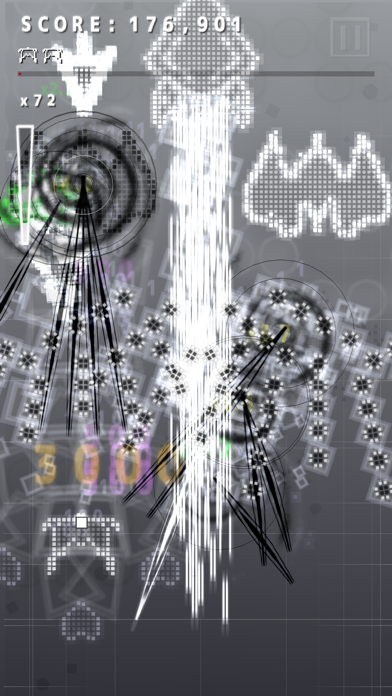
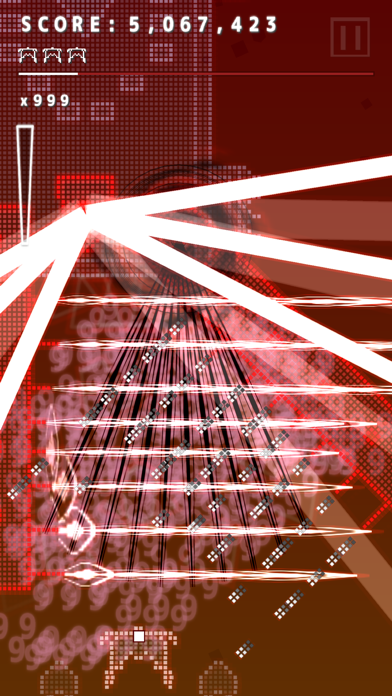
Simple controls and simple graphics. A mass of bullets and enemies. All you need is just to dodge and to fire. Enjoy your bullet-hell life. #################################### # DEVICE REQUIREMENTS # # iPhone 5 or later # iPad Air or later #################################### .Decluster (dot decluster) is a vertically scrolling 2D shooter game (shmup). The controls you need are just two. To move your ship and to fire the homing laser. Because it is designed for mobile devices, you can control easily on the iPhone / iPad. Slide your finger anywhere on the screen to move your ship. The relative touch movement is adopted. And tap second finger to fire the homing laser. Basic shots are automatic. The homing laser is powerful activity and is also a key to surviving. The homing laser requires the gauge of it at least 1 Lv. The moment the homing laser was fired, bullets around your ship are canceled and get cancel bonuses. This is so important. Don't forget it. The player's unhitting box is very small. It is displayed as a white rectangle in the center of the ship. And when a lot of bullets appear, the game-speed gets slowdown. Therefor you can keep surviving more than meets the eye. Four different difficulties. From beginner to expert. The novice difficulty has some benefits from the start. Extra options and extra lives. If you are beginner fun of shooter, the novice difficulty is a good choice. In the settings, you can adjust the size of game view and you can also adjust the touch sensitivity for slide control. If it is hard to see the screen because of your finger, or you have incongruous with the slide control, then try to adjust them. From version 2.0.1, the boss battle mode was added. HOW TO PLAY ======================================== ## Basics - Slide one finger to move the Player. - The Player automatically fires. ## Homing Laser - Tap second finger to fire the Homing Laser. - The Homing Laser will target at the nearest Enemy. ## Homing Laser Gauge - The Homing Laser can be fired when the gauge is enough. - The gauge is filled by shooting enemies or collecting items. ## Homing Laser Tips - The moment the Homing Laser was fired, bullets around the Player are canceled. - And cancel bonuses are obtained. ## Homing Laser Tips+ - The more gauge is the larger cancel range. - The more bullets are canceled, the more bonuses are obtained. ## Items - Collect items to obtain score and fill the Homing Laser Gauge. - Option items are alternately switched to each other every 5 sec. ## Tips - The higher bonuses are obtained by faster destroy enemies. - Additional bonuses by the Homing Laser. - Extra life every 3,000,000 pt. #################################### # DEVICE REQUIREMENTS # # iPhone 5 or later # iPad Air or later ####################################


