PC 용 Pinnable+, Pins & Art Maker
- 카테고리: Social Networking
- 최근 업데이트: 2023-06-09
- 현재 버전: 5.0
- 파일 크기: 45.74 MB
- 개발자: Excel Heritage Group, Inc.
- 호환성: 필요 Windows XP, Windows Vista, Windows 7, Windows 8, Windows 8.1 and Windows 10, Windows 11


PC에서 Pinnable+, Pins & Art Maker 용 호환 APK 다운로드
| 다운로드 | 개발자 | 평점 | 점수 | 현재 버전 | 성인 랭킹 |
|---|---|---|---|---|---|
| ↓ PC용 APK 다운로드 | Excel Heritage Group, Inc. | 0 | 0 | 5.0 | 17+ |
호환되는 PC 앱 또는 대안 확인
| 소프트웨어 | 다운로드 | 평점 | 개발자 |
|---|---|---|---|
| Pinnable+, Pins & Art Maker |
PC 앱 받기 | 0/5 0 리뷰 0 |
Excel Heritage Group, Inc. |
에뮬레이터의 중요성은 컴퓨터에서 안드로이드 환경을 흉내 내고 안드로이드 폰을 구입하지 않고도 안드로이드 앱을 설치하고 실행하는 것을 매우 쉽게 만들어주는 것입니다. 누가 당신이 두 세계를 즐길 수 없다고 말합니까? 우선 아래에있는 에뮬레이터 앱을 다운로드 할 수 있습니다.
A. Nox App . OR
B. Bluestacks App .
Bluestacks는 매우 대중적이므로 개인적으로 "B"옵션을 사용하는 것이 좋습니다. 문제가 발생하면 Google 또는 Naver.com에서 좋은 해결책을 찾을 수 있습니다.
Bluestacks.exe 또는 Nox.exe를 성공적으로 다운로드 한 경우 컴퓨터의 다운로드 폴더 또는 다운로드 한 파일을 일반적으로 저장하는 곳으로 이동하십시오.
찾으면 클릭하여 응용 프로그램을 설치하십시오. PC에서 설치 프로세스를 시작해야합니다.
다음을 클릭하여 EULA 라이센스 계약에 동의하십시오.
응용 프로그램을 설치하려면 화면 지시문을 따르십시오.
위 사항을 올바르게 수행하면 소프트웨어가 성공적으로 설치됩니다.
이제 설치 한 에뮬레이터 애플리케이션을 열고 검색 창을 찾으십시오. 지금 입력하십시오. - Pinnable+, Pins & Art Maker 앱을 쉽게 볼 수 있습니다. 그것을 클릭하십시오. 응용 프로그램 창이 열리고 에뮬레이터 소프트웨어에 응용 프로그램이 표시됩니다. 설치 버튼을 누르면 응용 프로그램이 다운로드되기 시작합니다. 이제 우리는 모두 끝났습니다.
그런 다음 "모든 앱"아이콘이 표시됩니다.
클릭하면 설치된 모든 응용 프로그램이 포함 된 페이지로 이동합니다.
당신은 Pinnable+, Pins & Art Maker 상. 그것을 클릭하고 응용 프로그램 사용을 시작하십시오.
Mac OS 에서 Pinnable+, Pins & Art Maker 다운로드
| 다운로드 | 개발자 | 점수 | 현재 버전 | 성인 랭킹 |
|---|---|---|---|---|
| ₩4,900 - Mac 에서 다운로드 | Excel Heritage Group, Inc. | 0 |
5.0 | 17+ |
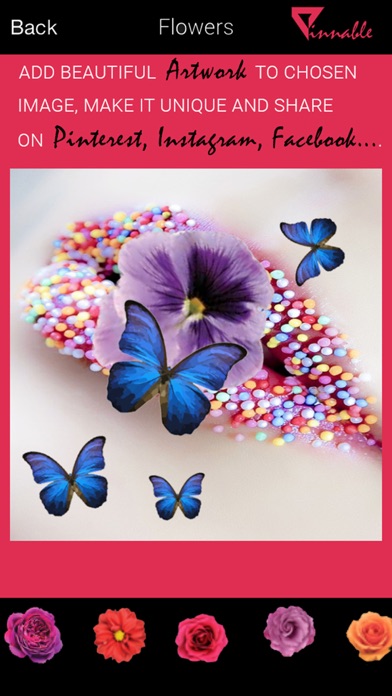
1,700,000개 이상의 무료 고품질 퍼블릭 도메인 사진, 이미지, 벡터 및 일러스트레이션. 귀속 없이 개인적 또는 상업적 용도로 사용하십시오. Pinnable+의 사용하기 쉬운 사진 편집 도구로 사진을 편집하세요. 카메라 필터, 배경 미세 조정 및 사전 설정으로 이미지를 수정하여 신속하게 조정을 추가하십시오. PINNABLE+를 사용하여 저작권이 없는 이미지 찾기 • 저작권이 없는 1,700,000개 이상의 이미지, 벡터 및 일러스트레이션 컬렉션 • 무료 사용 • 저작권 없음 Pinnable+로 이미지 및 사진 편집 • Pinnable+의 내장 사진 편집기는 보다 정교한 프로그램의 기능을 제공하지만 사용이 매우 쉽습니다. • 완벽한 모양을 위해 밝기, 대비, 채도를 조정합니다. • 미적 필터 및 효과로 스타일 적용 • 사진에 텍스트 추가 • 아름다운 아트워크(스티커, 프레임, 나비, 배너, 꽃, 모서리, 유령, 이모티콘…)를 사용하여 최종 마무리 소셜 미디어에 Pinnable+ 사용 • 아름다운 Pinterest 및 Instagram 게시물 디자인 • Facebook 게시물 및 Facebook 커버 만들기 • Twitter 배너 및 Youtube 썸네일 디자인 • 모든 소셜 미디어 사용을 위한 카드, 초대장 및 포스터 만들기 Pinnable Plus is a public domain photos repository and image editing tool, all in one place! Add the perfect attention-grabbing texts, stickers and effects to over 1,700,000 stunning cost free, royalty free, attribution free images! Edit them for commercial use, or just for fun and share on all social platforms, they are free of any copyrights! Pinnable Plus has an amazing collection of images and vectors to choose from, and it's easy editing tool for non-designers. It allows you to quickly and easily create a great, high quality images for your Pinterest boards, Facebook and Twitter feeds or Instagram. Featuring: • Collection of Over 1,700,000 Attribution Free Images, Vectors and Illustrations - Did we mention FREE? Free to use, free of copyrights, free period (.) • Artwork - Choose from a delightful collection of stickers, emoticons, flowers, butterflies, ghosts (yes, ghosts!) to add onto your photos. • Bokeh Collection - Hearts or circles, that is the question! One or another (or maybe squares), it's guaranteed to add a stunning look to your photos. • Photo Filters - Apply one of our gorgeous photo filters, get that special look! • Photo Effects - Adjust the brightness, saturation, contrast, blur, and exposure of your pictures. • Drawing Tool - Perfect for those who want to draw some rough notes, instructions, captions & more on their pics. • Typography - Choose from a wonderful collection of fonts,and easily resize, rotate, and/or adjust the opacity. • Frames - Perfect shapes to frame your perfect photos, as a cherry on the top. We hope you like our app, and have lots of fun with it. Please, send us your suggestions if there are some other things you would like to see in the app: we can't promise 100% that we will add them all, but we'll try our best to incorporate as many as possible in future releases.