
PC 용 Crazy Wheel: Color Switch Job
- 카테고리: Photo & Video
- 최근 업데이트: 2026-07-06
- 현재 버전: 2.5
- 파일 크기: 23.33 MB
- 개발자: Chintan Shah
- 호환성: 필요 Windows XP, Windows Vista, Windows 7, Windows 8, Windows 8.1 and Windows 10, Windows 11


PC에서 Crazy Wheel: Color Switch Job 용 호환 APK 다운로드
| 다운로드 | 개발자 | 평점 | 점수 | 현재 버전 | 성인 랭킹 |
|---|---|---|---|---|---|
| ↓ PC용 APK 다운로드 | Chintan Shah | 1 | 5 | 2.5 | 4+ |
에뮬레이터의 중요성은 컴퓨터에서 안드로이드 환경을 흉내 내고 안드로이드 폰을 구입하지 않고도 안드로이드 앱을 설치하고 실행하는 것을 매우 쉽게 만들어주는 것입니다. 누가 당신이 두 세계를 즐길 수 없다고 말합니까? 우선 아래에있는 에뮬레이터 앱을 다운로드 할 수 있습니다.
A. Nox App . OR
B. Bluestacks App .
Bluestacks는 매우 대중적이므로 개인적으로 "B"옵션을 사용하는 것이 좋습니다. 문제가 발생하면 Google 또는 Naver.com에서 좋은 해결책을 찾을 수 있습니다.
Bluestacks.exe 또는 Nox.exe를 성공적으로 다운로드 한 경우 컴퓨터의 다운로드 폴더 또는 다운로드 한 파일을 일반적으로 저장하는 곳으로 이동하십시오.
찾으면 클릭하여 응용 프로그램을 설치하십시오. PC에서 설치 프로세스를 시작해야합니다.
다음을 클릭하여 EULA 라이센스 계약에 동의하십시오.
응용 프로그램을 설치하려면 화면 지시문을 따르십시오.
위 사항을 올바르게 수행하면 소프트웨어가 성공적으로 설치됩니다.
이제 설치 한 에뮬레이터 애플리케이션을 열고 검색 창을 찾으십시오. 지금 입력하십시오. - Crazy Wheel: Color Switch Job 앱을 쉽게 볼 수 있습니다. 그것을 클릭하십시오. 응용 프로그램 창이 열리고 에뮬레이터 소프트웨어에 응용 프로그램이 표시됩니다. 설치 버튼을 누르면 응용 프로그램이 다운로드되기 시작합니다. 이제 우리는 모두 끝났습니다.
그런 다음 "모든 앱"아이콘이 표시됩니다.
클릭하면 설치된 모든 응용 프로그램이 포함 된 페이지로 이동합니다.
당신은 Crazy Wheel: Color Switch Job 상. 그것을 클릭하고 응용 프로그램 사용을 시작하십시오.
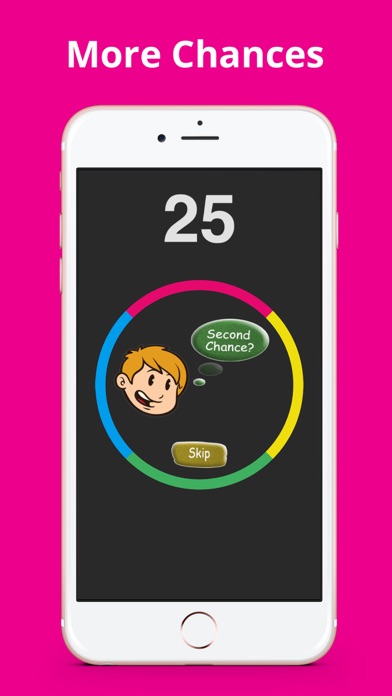
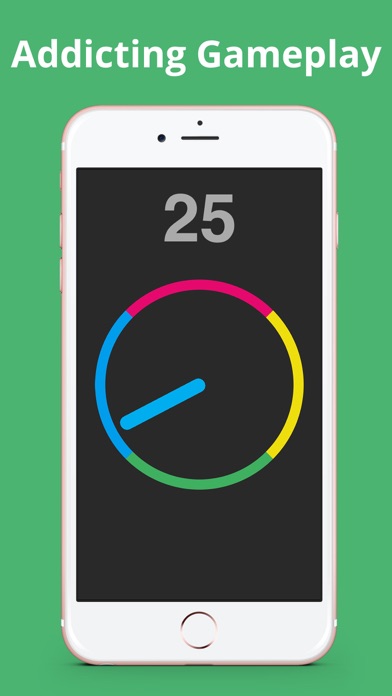
Get ready to test your speed, focus, and reflexes in Crazy Wheel: Color Rush, an addictive hyper-casual game designed to keep you engaged for hours. Spin the wheel, match the colors, and survive as long as possible in this fast-paced arcade experience. It may look simple at first, but as the speed increases, the challenge becomes intense. One wrong move and the game is over. Stay focused, react quickly, and master the art of color switching. How to Play • Tap to switch the color of the wheel • Match the wheel color with incoming obstacles • React quickly to survive longer • Beat your high score and challenge yourself Simple controls combined with challenging gameplay make it easy to start but difficult to master. Features • Vibrant neon-style graphics with smooth animations • Fast-paced gameplay that becomes more challenging over time • Improves reflexes, focus, and reaction time • Endless gameplay mode with no limits • Easy to learn mechanics suitable for all players • Optimized for iPhone and iPad devices • Free to play anytime, anywhere Why You Will Love Crazy Wheel If you enjoy color switch games, reflex challenges, or hyper-casual arcade experiences, this game is built for you. It offers quick and engaging sessions that fit perfectly into your daily routine. Crazy Wheel is more than just a game. It challenges your timing, precision, and concentration while delivering a fun and competitive experience. Perfect For • Casual gamers looking for quick entertainment • Players who enjoy reflex and timing-based challenges • Fans of arcade and color-matching games • Anyone who enjoys addictive endless gameplay Challenge Yourself How long can you survive? Can you beat your highest score? Do you have the reflexes to keep up? Download now and put your skills to the test. Stay Connected We regularly update the game with improvements, new features, and performance enhancements. Your feedback helps us make the experience even better. Please rate the game and share your suggestions. Premium Features Remove ads Privacy First Your privacy matters. Documents are never stored on our servers and are processed only on your device or with the cloud service you choose. Crazy Wheel does not sell or share personal data. Terms of Service / EULA: https://brainvire-mobileapp.notion.site/Terms-Conditions-3309ba6d0bf8805fa3fcfcbd84748369?source=copy_link Privacy Policy: https://brainvire-mobileapp.notion.site/Privacy-Policy-3309ba6d0bf880b990e0eedc5346f131?source=copy_link