
PC 용 Parrot Teleprompter
- 카테고리: Photo & Video
- 최근 업데이트: 2024-06-28
- 현재 버전: 3.0.12
- 파일 크기: 17.02 MB
- 개발자: The Padcaster, LLC
- 호환성: 필요 Windows XP, Windows Vista, Windows 7, Windows 8, Windows 8.1 and Windows 10, Windows 11



PC에서 Parrot Teleprompter 용 호환 APK 다운로드
| 다운로드 | 개발자 | 평점 | 점수 | 현재 버전 | 성인 랭킹 |
|---|---|---|---|---|---|
| ↓ PC용 APK 다운로드 | The Padcaster, LLC | 6 | 4 | 3.0.12 | 4+ |
에뮬레이터의 중요성은 컴퓨터에서 안드로이드 환경을 흉내 내고 안드로이드 폰을 구입하지 않고도 안드로이드 앱을 설치하고 실행하는 것을 매우 쉽게 만들어주는 것입니다. 누가 당신이 두 세계를 즐길 수 없다고 말합니까? 우선 아래에있는 에뮬레이터 앱을 다운로드 할 수 있습니다.
A. Nox App . OR
B. Bluestacks App .
Bluestacks는 매우 대중적이므로 개인적으로 "B"옵션을 사용하는 것이 좋습니다. 문제가 발생하면 Google 또는 Naver.com에서 좋은 해결책을 찾을 수 있습니다.
Bluestacks.exe 또는 Nox.exe를 성공적으로 다운로드 한 경우 컴퓨터의 다운로드 폴더 또는 다운로드 한 파일을 일반적으로 저장하는 곳으로 이동하십시오.
찾으면 클릭하여 응용 프로그램을 설치하십시오. PC에서 설치 프로세스를 시작해야합니다.
다음을 클릭하여 EULA 라이센스 계약에 동의하십시오.
응용 프로그램을 설치하려면 화면 지시문을 따르십시오.
위 사항을 올바르게 수행하면 소프트웨어가 성공적으로 설치됩니다.
이제 설치 한 에뮬레이터 애플리케이션을 열고 검색 창을 찾으십시오. 지금 입력하십시오. - Parrot Teleprompter 앱을 쉽게 볼 수 있습니다. 그것을 클릭하십시오. 응용 프로그램 창이 열리고 에뮬레이터 소프트웨어에 응용 프로그램이 표시됩니다. 설치 버튼을 누르면 응용 프로그램이 다운로드되기 시작합니다. 이제 우리는 모두 끝났습니다.
그런 다음 "모든 앱"아이콘이 표시됩니다.
클릭하면 설치된 모든 응용 프로그램이 포함 된 페이지로 이동합니다.
당신은 Parrot Teleprompter 상. 그것을 클릭하고 응용 프로그램 사용을 시작하십시오.
Mac OS 에서 Parrot Teleprompter 다운로드
| 다운로드 | 개발자 | 점수 | 현재 버전 | 성인 랭킹 |
|---|---|---|---|---|
| 무료 - Mac 에서 다운로드 | The Padcaster, LLC | 4 |
3.0.12 | 4+ |
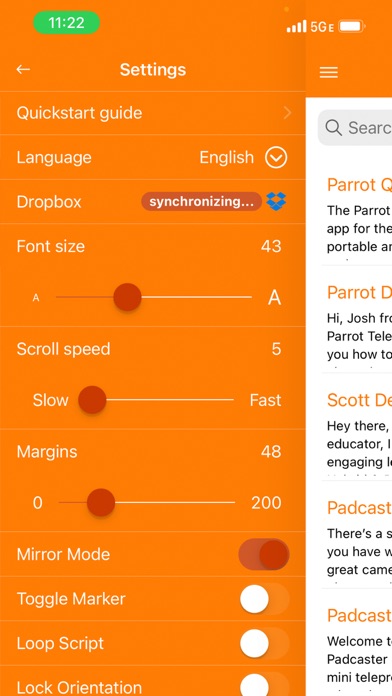
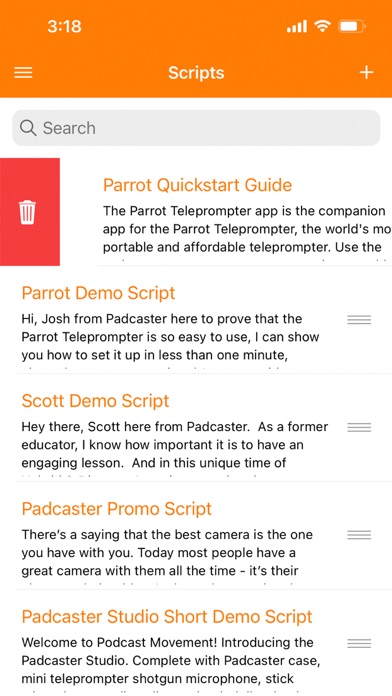
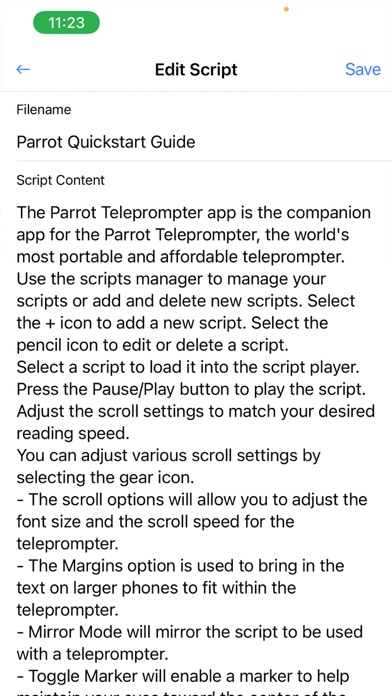
The Parrot Teleprompter app is easy to use, and has all the top requested features for turning your smartphone into a high end professional teleprompter. It was designed to be used by itself on a smartphone, tablet - or run it on your M1 or M2 Mac directly to an external monitor with the Parrot Pro Teleprompter Here are just a few things you can do with the Parrot Teleprompter app: - Scroll scripts in landscape, portrait and mirror mode - Control scroll speed - Change text size - Jump forward or backward - Add toggle marker to focus your eye on specific lines of text - Adjust the foreground and background colors for easy visibility - Directly type and edit your scripts within the app or connect to you Drop Box account (Supports .txt files) - Remote control functionality (With additional Parrot Pro Teleprompter remote accessory (included with the Parrot Pro Teleprompter) or sold separately HERE (link: https://padcaster.com/products/parrot-remote?variant=12364300812374) - Unlimited number of scripts - Loop script setting and more to simplify your production The patented Parrot Pro Teleprompter is the worlds most portable and affordable teleprompter! Use it in your home studio or take it anywhere you need to film your next video. If you have ever tried to memorize lines for a video, then you know how challenging it can be. Teleprompters display a script in front of the camera so the actor can read their lines and maintain eye contact with the audience. Until now teleprompters have been reserved for large budget productions often costing thousands of dollars each. The Parrot Pro teleprompter is a professional quality teleprompter at an affordable price that still delivers a professional quality experience. Combined with virtually any smartphone, the Parrot Pro Teleprompter will take any script and scroll it in front of you so you no longer need to worry about what to say on camera. It's innovative design removes all the unnecessary components which allows you to mount the Parrot teleprompter directly to a standard DSLR or digital camcorder lens, or mount to any support with a standard 1/4-20 thread. It's compact size makes it easy to throw in your camera bag and take it wherever you go for your next interview, on location news report, documentary, video blog, podcast, corporate video, video tutorial, or speech.


