
PC 용 PGP Everywhere
- 카테고리: Utilities
- 최근 업데이트: 2019-11-15
- 현재 버전: 4.3.1
- 파일 크기: 43.71 MB
- 개발자: Future Spin Software, LLC
- 호환성: 필요 Windows XP, Windows Vista, Windows 7, Windows 8, Windows 8.1 and Windows 10, Windows 11


PC에서 PGP Everywhere 용 호환 APK 다운로드
| 다운로드 | 개발자 | 평점 | 점수 | 현재 버전 | 성인 랭킹 |
|---|---|---|---|---|---|
| ↓ PC용 APK 다운로드 | Future Spin Software, LLC | 1 | 1 | 4.3.1 | 4+ |
에뮬레이터의 중요성은 컴퓨터에서 안드로이드 환경을 흉내 내고 안드로이드 폰을 구입하지 않고도 안드로이드 앱을 설치하고 실행하는 것을 매우 쉽게 만들어주는 것입니다. 누가 당신이 두 세계를 즐길 수 없다고 말합니까? 우선 아래에있는 에뮬레이터 앱을 다운로드 할 수 있습니다.
A. Nox App . OR
B. Bluestacks App .
Bluestacks는 매우 대중적이므로 개인적으로 "B"옵션을 사용하는 것이 좋습니다. 문제가 발생하면 Google 또는 Naver.com에서 좋은 해결책을 찾을 수 있습니다.
Bluestacks.exe 또는 Nox.exe를 성공적으로 다운로드 한 경우 컴퓨터의 다운로드 폴더 또는 다운로드 한 파일을 일반적으로 저장하는 곳으로 이동하십시오.
찾으면 클릭하여 응용 프로그램을 설치하십시오. PC에서 설치 프로세스를 시작해야합니다.
다음을 클릭하여 EULA 라이센스 계약에 동의하십시오.
응용 프로그램을 설치하려면 화면 지시문을 따르십시오.
위 사항을 올바르게 수행하면 소프트웨어가 성공적으로 설치됩니다.
이제 설치 한 에뮬레이터 애플리케이션을 열고 검색 창을 찾으십시오. 지금 입력하십시오. - PGP Everywhere 앱을 쉽게 볼 수 있습니다. 그것을 클릭하십시오. 응용 프로그램 창이 열리고 에뮬레이터 소프트웨어에 응용 프로그램이 표시됩니다. 설치 버튼을 누르면 응용 프로그램이 다운로드되기 시작합니다. 이제 우리는 모두 끝났습니다.
그런 다음 "모든 앱"아이콘이 표시됩니다.
클릭하면 설치된 모든 응용 프로그램이 포함 된 페이지로 이동합니다.
당신은 PGP Everywhere 상. 그것을 클릭하고 응용 프로그램 사용을 시작하십시오.
Mac OS 에서 PGP Everywhere 다운로드
| 다운로드 | 개발자 | 점수 | 현재 버전 | 성인 랭킹 |
|---|---|---|---|---|
| ₩5,900 - Mac 에서 다운로드 | Future Spin Software, LLC | 1 |
4.3.1 | 4+ |
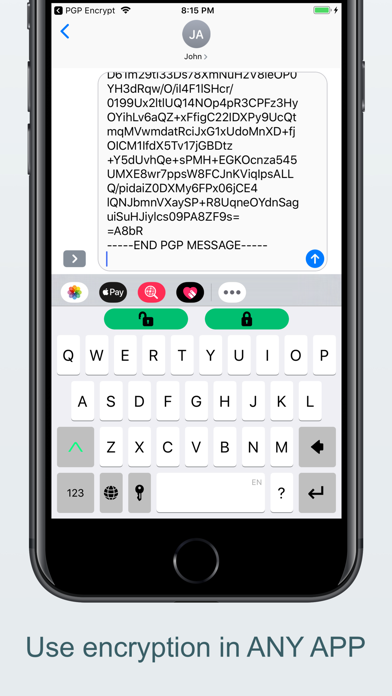
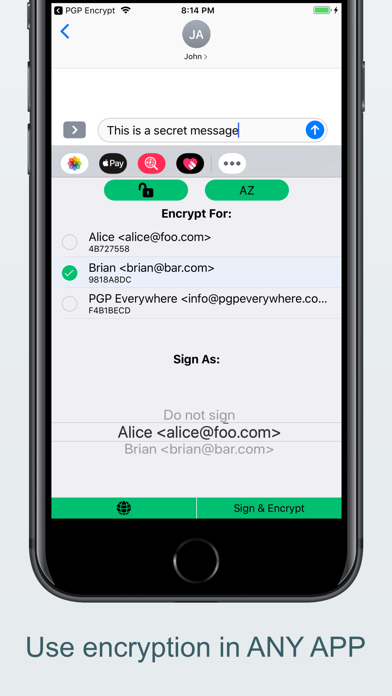
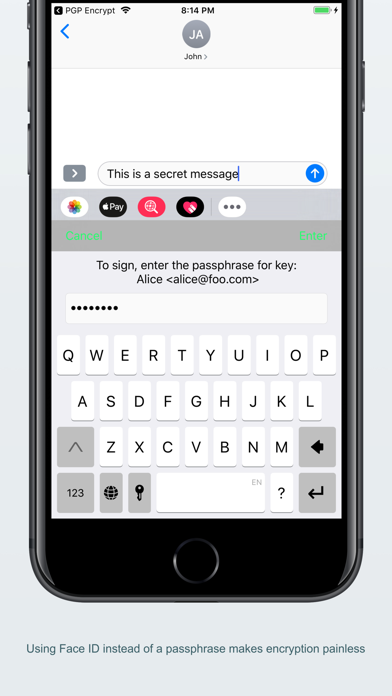
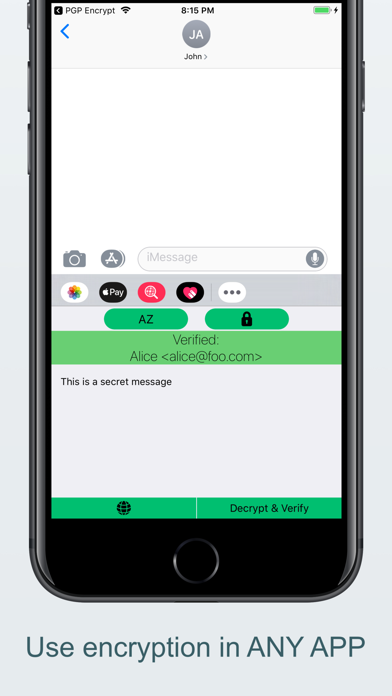
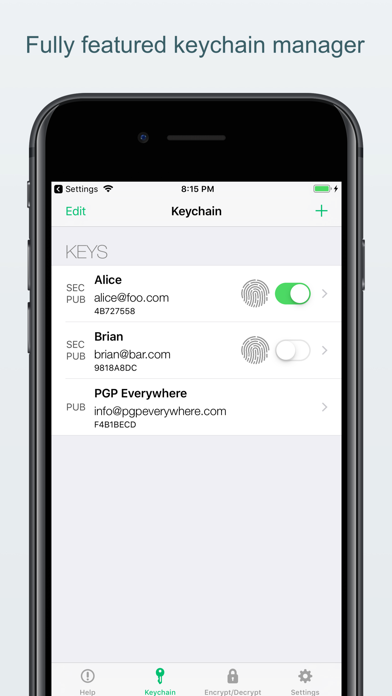
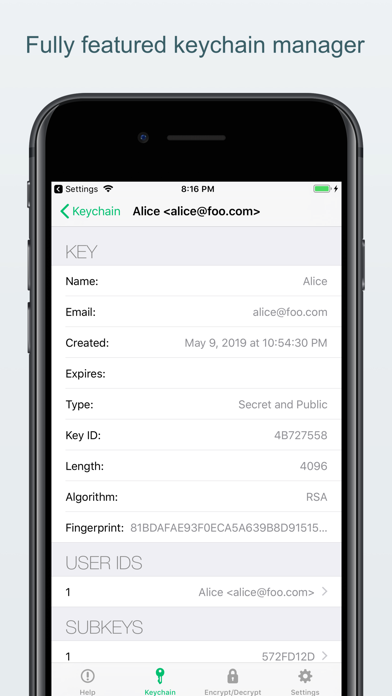
PGP Everywhere is the most flexible PGP solution for iOS. Our keyboard and action extension let you encrypt your messages and files in any app. FEATURES: • Encrypt/decrypt files anywhere with our action extension • Decrypt PGP emails & attachments in your favorite email app • Encrypt/decrypt/sign/verify anywhere with our keyboard extension • Generate RSA Key Pairs • Interact with key servers • Sign public keys • Face ID & Touch ID • Multiple languages & keyboard layouts • Import/Export keys securely via USB with iTunes File Sharing • Built on top of an open source, independently audited implementation of the OpenPGP standard PGP Everywhere is a PGP Keychain Manager with two app extensions: 1. Our keyboard extension allows you to encrypt, decrypt, sign, and verify messages anywhere that you input text. 2. Our action extension allows you to encrypt, decrypt, sign, and verify files in any app. PGP Everywhere replaces stand-alone PGP Mail apps that have limited features and stand-alone encrypted messaging apps that have limited user bases and instead allows you to use PGP encryption with all the apps you already love. *** KEYBOARD EXTENSION *** Encrypt within any app *** FACE ID for PASSPHRASE*** PGP Everywhere emphasizes ease of use and convenience. The option to use Touch ID instead of entering your passphrase allows you to encrypt and decrypt in places where it would be too inconvenient and cumbersome otherwise, like texting or instant messaging. *** GENERATE KEYS *** PGP Everywhere offers the ability to generate new key pairs *** SECURELY IMPORT KEYS *** In addition to importing keys vie copy/paste, PGP Everywhere allows you to securely import your existing private key via iTunes File Sharing *** MULTIPLE LANGUAGES *** App Supports: -English -German -Russian Keyboard Supports: -English -German -Russian -Spanish -French -Italian -Dutch -Portuguese This app utilizes open source implementations of OpenPGP.


