
PC 용 After Focus - Photo Background Blur Bokeh Effects
- 카테고리: Photo & Video
- 최근 업데이트: 2016-07-11
- 현재 버전: 1.5.5
- 파일 크기: 14.03 MB
- 개발자: XiuXia Yang
- 호환성: 필요 Windows XP, Windows Vista, Windows 7, Windows 8, Windows 8.1 and Windows 10, Windows 11
PC에서 After Focus - Photo Background Blur Bokeh Effects 용 호환 APK 다운로드
| 다운로드 | 개발자 | 평점 | 점수 | 현재 버전 | 성인 랭킹 |
|---|---|---|---|---|---|
| ↓ PC용 APK 다운로드 | XiuXia Yang | 0 | 0 | 1.5.5 | 4+ |
에뮬레이터의 중요성은 컴퓨터에서 안드로이드 환경을 흉내 내고 안드로이드 폰을 구입하지 않고도 안드로이드 앱을 설치하고 실행하는 것을 매우 쉽게 만들어주는 것입니다. 누가 당신이 두 세계를 즐길 수 없다고 말합니까? 우선 아래에있는 에뮬레이터 앱을 다운로드 할 수 있습니다.
A. Nox App . OR
B. Bluestacks App .
Bluestacks는 매우 대중적이므로 개인적으로 "B"옵션을 사용하는 것이 좋습니다. 문제가 발생하면 Google 또는 Naver.com에서 좋은 해결책을 찾을 수 있습니다.
Bluestacks.exe 또는 Nox.exe를 성공적으로 다운로드 한 경우 컴퓨터의 다운로드 폴더 또는 다운로드 한 파일을 일반적으로 저장하는 곳으로 이동하십시오.
찾으면 클릭하여 응용 프로그램을 설치하십시오. PC에서 설치 프로세스를 시작해야합니다.
다음을 클릭하여 EULA 라이센스 계약에 동의하십시오.
응용 프로그램을 설치하려면 화면 지시문을 따르십시오.
위 사항을 올바르게 수행하면 소프트웨어가 성공적으로 설치됩니다.
이제 설치 한 에뮬레이터 애플리케이션을 열고 검색 창을 찾으십시오. 지금 입력하십시오. - After Focus - Photo Background Blur Bokeh Effects 앱을 쉽게 볼 수 있습니다. 그것을 클릭하십시오. 응용 프로그램 창이 열리고 에뮬레이터 소프트웨어에 응용 프로그램이 표시됩니다. 설치 버튼을 누르면 응용 프로그램이 다운로드되기 시작합니다. 이제 우리는 모두 끝났습니다.
그런 다음 "모든 앱"아이콘이 표시됩니다.
클릭하면 설치된 모든 응용 프로그램이 포함 된 페이지로 이동합니다.
당신은 After Focus - Photo Background Blur Bokeh Effects 상. 그것을 클릭하고 응용 프로그램 사용을 시작하십시오.
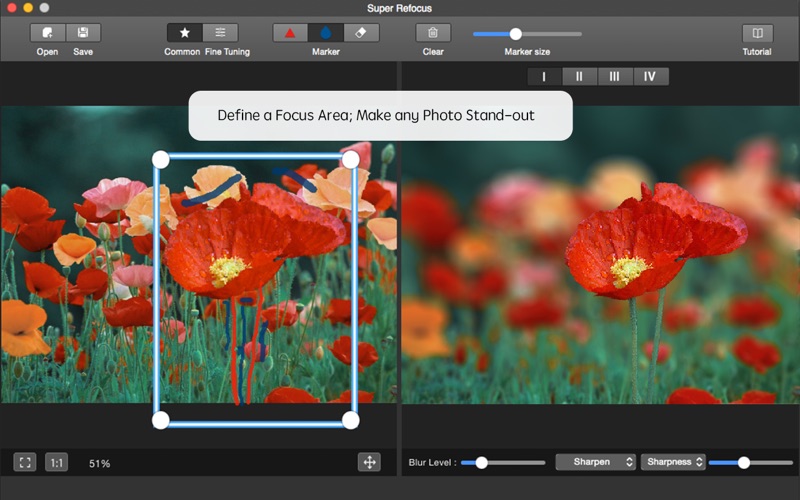
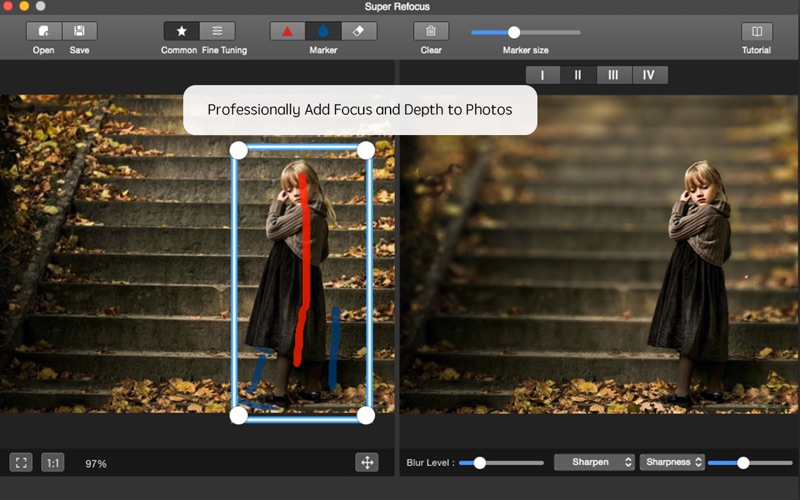
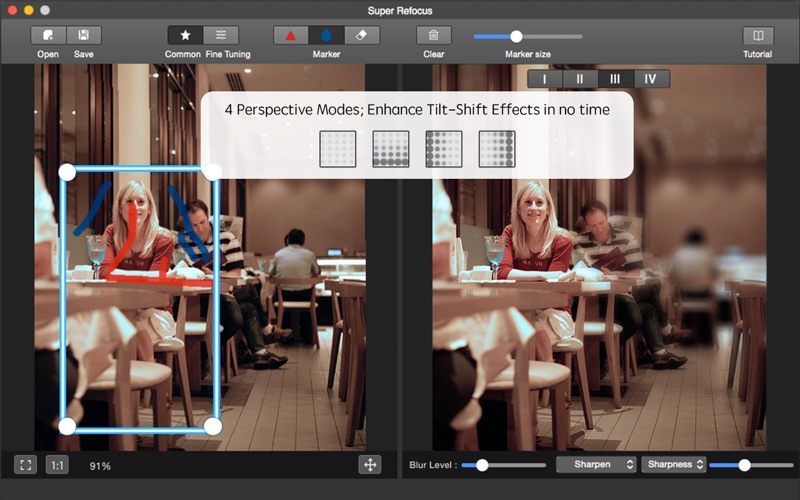
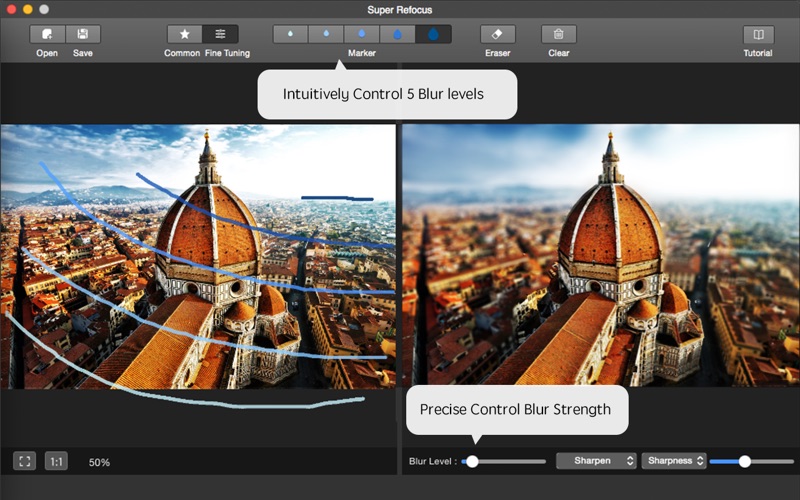
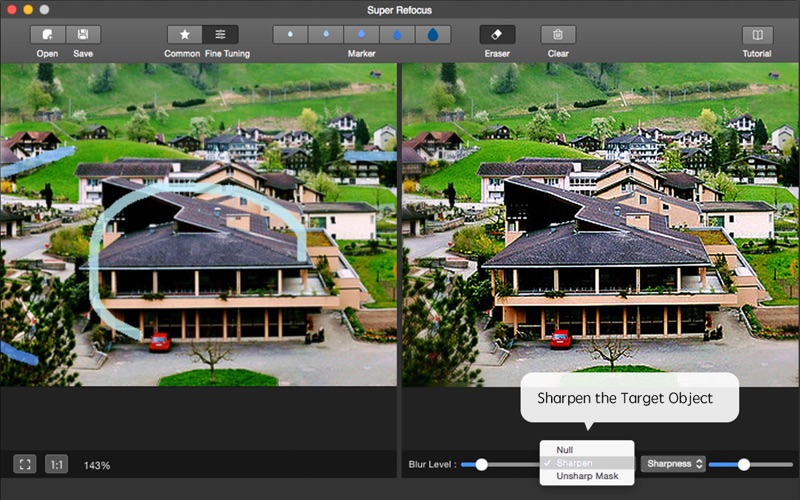
*** On Sale. Original $29.99. *** Don't forget to download "Super PhotoCut" - A great photo background eraser. 50% OFF! After Focus professionally adds focus and depth to your photos without expensive camera lenses. It easily defines a focus area and achieves lens blur, motion blur effects. After Focus extends filter and lens functionality beyond your camera and allows you to adjustable controls to add custom focus options to make any photo stand-out. Post-processing software is not required nor are advanced image processing skills. You don't have to be a professional photographer to become addicted to camera lenses. After Focus is among the best in its class. By simply applying a blurred background and decreasing the depth of field, a sense of depth is created to draw attention to the most important objects of an image. You are welcome to click on the "Support link" to take a look at After Focus video reviews. Main Features: 1 Automatically determine the target prospects based on the target box with state-of-the-art image segmentation algorithm. 2 Two processing modes: Regular mode and Customized mode. It offers simple tools to quickly start and sophisticated tools to further retouch photographic effects; 3 Adjust the scope of the focus area and the background with drawing stroke. 4 Four Perspective Modes offer different types of natural blurring effect for the background. 5 Determine the blur gradient for any area with customized mode. 6 Complete professional image editing with the advanced focus algorithm. 7 Intuitively control 5 blur levels and precise adjust blur strength. 8 Clear the target prospects with an advanced sharpen algorithm to achieve professional refocusing effect. 9 Live previews and real-time editing. 10 Undo, redo history can be saved so you can always undo, redo your changes with unlimited times. Accomplish things in your photos more quickly and with less effort. Download it now. Feedback: Any suggestion will be highly appreciated. Support email: [email protected]