PC 용 Learn How to Retouch in Lightroom CC/6 Edition
- 카테고리: Photo & Video
- 최근 업데이트: 2015-08-26
- 현재 버전: 1
- 파일 크기: 440.48 MB
- 개발자: Serge Ramelli
- 호환성: 필요 Windows XP, Windows Vista, Windows 7, Windows 8, Windows 8.1 and Windows 10, Windows 11
PC에서 Learn How to Retouch in Lightroom CC/6 Edition 용 호환 APK 다운로드
| 다운로드 | 개발자 | 평점 | 점수 | 현재 버전 | 성인 랭킹 |
|---|---|---|---|---|---|
| ↓ PC용 APK 다운로드 | Serge Ramelli | 0 | 1 | 4+ |
호환되는 PC 앱 또는 대안 확인
| 소프트웨어 | 다운로드 | 평점 | 개발자 |
|---|---|---|---|
| Learn How to Retouch in Lightroom CC/6 Edition |
PC 앱 받기 | /5 0 리뷰 |
Serge Ramelli |
에뮬레이터의 중요성은 컴퓨터에서 안드로이드 환경을 흉내 내고 안드로이드 폰을 구입하지 않고도 안드로이드 앱을 설치하고 실행하는 것을 매우 쉽게 만들어주는 것입니다. 누가 당신이 두 세계를 즐길 수 없다고 말합니까? 우선 아래에있는 에뮬레이터 앱을 다운로드 할 수 있습니다.
A. Nox App . OR
B. Bluestacks App .
Bluestacks는 매우 대중적이므로 개인적으로 "B"옵션을 사용하는 것이 좋습니다. 문제가 발생하면 Google 또는 Naver.com에서 좋은 해결책을 찾을 수 있습니다.
Bluestacks.exe 또는 Nox.exe를 성공적으로 다운로드 한 경우 컴퓨터의 다운로드 폴더 또는 다운로드 한 파일을 일반적으로 저장하는 곳으로 이동하십시오.
찾으면 클릭하여 응용 프로그램을 설치하십시오. PC에서 설치 프로세스를 시작해야합니다.
다음을 클릭하여 EULA 라이센스 계약에 동의하십시오.
응용 프로그램을 설치하려면 화면 지시문을 따르십시오.
위 사항을 올바르게 수행하면 소프트웨어가 성공적으로 설치됩니다.
이제 설치 한 에뮬레이터 애플리케이션을 열고 검색 창을 찾으십시오. 지금 입력하십시오. - Learn How to Retouch in Lightroom CC/6 Edition 앱을 쉽게 볼 수 있습니다. 그것을 클릭하십시오. 응용 프로그램 창이 열리고 에뮬레이터 소프트웨어에 응용 프로그램이 표시됩니다. 설치 버튼을 누르면 응용 프로그램이 다운로드되기 시작합니다. 이제 우리는 모두 끝났습니다.
그런 다음 "모든 앱"아이콘이 표시됩니다.
클릭하면 설치된 모든 응용 프로그램이 포함 된 페이지로 이동합니다.
당신은 Learn How to Retouch in Lightroom CC/6 Edition 상. 그것을 클릭하고 응용 프로그램 사용을 시작하십시오.
Mac OS 에서 Learn How to Retouch in Lightroom CC/6 Edition 다운로드
| 다운로드 | 개발자 | 점수 | 현재 버전 | 성인 랭킹 |
|---|---|---|---|---|
| ₩7,500 - Mac 에서 다운로드 | Serge Ramelli | 1 | 4+ |
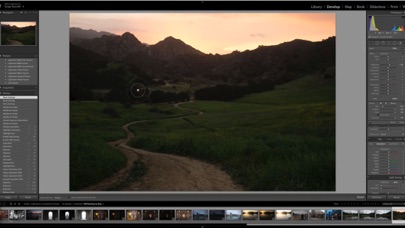
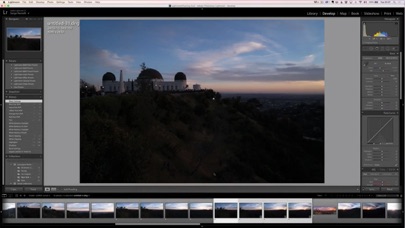
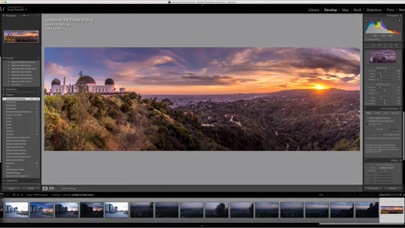
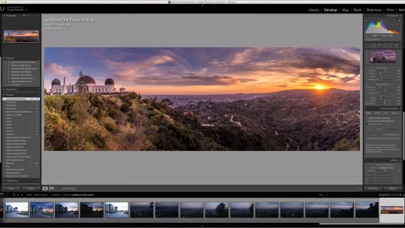
Learn how to use Lightroom CC to develop your raw files to their best potential! I have to say your videos break down the workflow about Lightroom that no one else has available... P.G. Firstly my deepest thanks for your fantastic tutorials. I am now an addict... Tom Just wanted to take a minute and say, "Thank you!" I have ordered Lightroom 5 videos. They are awesome! I am learning so much and enjoying the process.... Tim In this course you will learn how to use Lightroom CC and specifically: Tone Sliders & Histograms - The basic tone sliders, a short explanation of the histogram and how they relate to these settings. White Balance - What White Balance is and how to set it properly? Vibrance, Saturation & Clarity - How to set up vibrance, saturation and clarity on your photos. Curves - How to set the curves. HSL Sliders - Hue, Saturation and Luminance sliders, very powerful tools to set your colors as you like. Sharpening & Noise Reduction - Noise and sharpen, how to get the noise out and sharpen your photos. Correcting Lens Distortion - Lens distortion, how to correct it. Calibration - Camera Calibration. Graduated Filter - Tool Bar: Graduated filter, a powerful tool to make great skies! Brush Tool - Tool Bar: Brush Tool, how to change local lights and colors on your photo like a painter! Radial Filter - Tool Bar: a new filter in Lightroom that has many uses. Spot Removal - Tool Bar: Spot removal tool. Crop Tool - Tool Bar: The crop tool. Panorama in Lightroom CC Project #1 - Let’s see an example of a panorama. HDR Project #2 - The new Lightroom can create a super raw HDR file. SUBSCRIBE TO MY PODCAST ON ITUNES: ================================== https://itunes.apple.com/us/podcast/photography-lightroom-photoshop/id543368680 Follow me ! : ========== GOOGLE + ► https://plus.google.com/+SergeRamelliPhotos FACEBOOK ► http://www.facebook.com/photoserge TWITTER ► https://twitter.com/photoserge