
PC 용 Picly Camera
- 카테고리: Photo & Video
- 최근 업데이트: 2019-10-07
- 현재 버전: 4.1
- 파일 크기: 24.35 MB
- 개발자: Imran Nadeem
- 호환성: 필요 Windows XP, Windows Vista, Windows 7, Windows 8, Windows 8.1 and Windows 10, Windows 11




에뮬레이터의 중요성은 컴퓨터에서 안드로이드 환경을 흉내 내고 안드로이드 폰을 구입하지 않고도 안드로이드 앱을 설치하고 실행하는 것을 매우 쉽게 만들어주는 것입니다. 누가 당신이 두 세계를 즐길 수 없다고 말합니까? 우선 아래에있는 에뮬레이터 앱을 다운로드 할 수 있습니다.
A. Nox App . OR
B. Bluestacks App .
Bluestacks는 매우 대중적이므로 개인적으로 "B"옵션을 사용하는 것이 좋습니다. 문제가 발생하면 Google 또는 Naver.com에서 좋은 해결책을 찾을 수 있습니다.
Bluestacks.exe 또는 Nox.exe를 성공적으로 다운로드 한 경우 컴퓨터의 다운로드 폴더 또는 다운로드 한 파일을 일반적으로 저장하는 곳으로 이동하십시오.
찾으면 클릭하여 응용 프로그램을 설치하십시오. PC에서 설치 프로세스를 시작해야합니다.
다음을 클릭하여 EULA 라이센스 계약에 동의하십시오.
응용 프로그램을 설치하려면 화면 지시문을 따르십시오.
위 사항을 올바르게 수행하면 소프트웨어가 성공적으로 설치됩니다.
이제 설치 한 에뮬레이터 애플리케이션을 열고 검색 창을 찾으십시오. 지금 입력하십시오. - Picly Camera 앱을 쉽게 볼 수 있습니다. 그것을 클릭하십시오. 응용 프로그램 창이 열리고 에뮬레이터 소프트웨어에 응용 프로그램이 표시됩니다. 설치 버튼을 누르면 응용 프로그램이 다운로드되기 시작합니다. 이제 우리는 모두 끝났습니다.
그런 다음 "모든 앱"아이콘이 표시됩니다.
클릭하면 설치된 모든 응용 프로그램이 포함 된 페이지로 이동합니다.
당신은 Picly Camera 상. 그것을 클릭하고 응용 프로그램 사용을 시작하십시오.
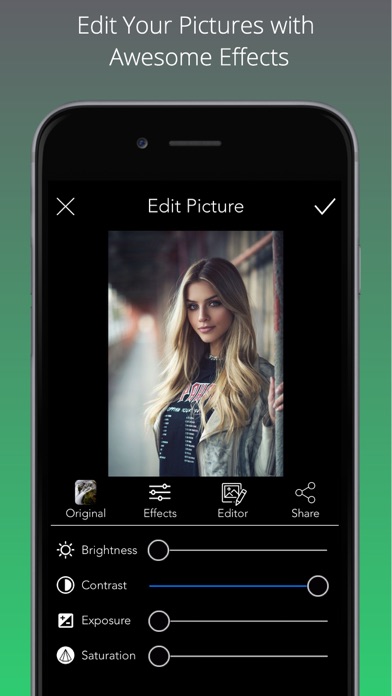
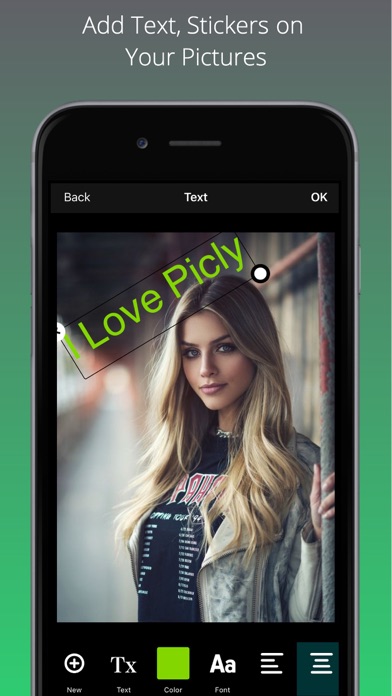
PICLY Camera is a simply awesome app that allows user to take photos with the live camera filters along with the option to edit any video on there phone with the very same filters it provides for the camera photo. Its vast range of awesome live filters allows user to capture precious moments without the effort to edit them later. Moreover it also allows you to edit pictures from your gallery using the same filters and then it gives you the ability to further edit your pictures with your choice in terms of contrast,exposure,brightness etc. It gives you the full control of your picture on your fingertips. The features just don’t end here even after editing your picture in terms of filters you can further edit them with the options such as cropping,resizing, adding texts etc on your pictures.. To add fun to you pictures it provides you with a lot of stickers and emotions pictures which you can add on your pictures and give them a different look. There is no fun to edit pictures and not be able to share them with your friends and family so obviously PICLY Camera allows you to share your edited image on Social Platforms such as Facebook,Twitter etc so you can show your cool pictures with your friends and make them jealous . Features: - Live Camera Photo Filters, - Live Camera Video Filters, - Gallery Video Filters, - Gallery Photo Filters, - Modify brightness, contrast, sharpness and exposure of Photos, - Remove and replace color with Splash of Photos, - Draw, add text on Photos, - Crop, rotate, and straighten your Photos, - Draw attention to the subject of your Photo with Focus or Vignette, - Share photos to Twitter , Facebook and other Social Platforms, - Report Suggestion /Problems. So download PICLY Camera right now and start with the ultimate Photo and Video Editing Experience .