
PC 용 Modern Atlas
- 카테고리: Travel
- 최근 업데이트: 2017-10-01
- 현재 버전: 1.0.4
- 파일 크기: 73.97 MB
- 개발자: Half Mile Labs LLC
- 호환성: 필요 Windows XP, Windows Vista, Windows 7, Windows 8, Windows 8.1 and Windows 10, Windows 11


PC에서 Modern Atlas 용 호환 APK 다운로드
| 다운로드 | 개발자 | 평점 | 점수 | 현재 버전 | 성인 랭킹 |
|---|---|---|---|---|---|
| ↓ PC용 APK 다운로드 | Half Mile Labs LLC | 0 | 1.0.4 | 12+ |
에뮬레이터의 중요성은 컴퓨터에서 안드로이드 환경을 흉내 내고 안드로이드 폰을 구입하지 않고도 안드로이드 앱을 설치하고 실행하는 것을 매우 쉽게 만들어주는 것입니다. 누가 당신이 두 세계를 즐길 수 없다고 말합니까? 우선 아래에있는 에뮬레이터 앱을 다운로드 할 수 있습니다.
A. Nox App . OR
B. Bluestacks App .
Bluestacks는 매우 대중적이므로 개인적으로 "B"옵션을 사용하는 것이 좋습니다. 문제가 발생하면 Google 또는 Naver.com에서 좋은 해결책을 찾을 수 있습니다.
Bluestacks.exe 또는 Nox.exe를 성공적으로 다운로드 한 경우 컴퓨터의 다운로드 폴더 또는 다운로드 한 파일을 일반적으로 저장하는 곳으로 이동하십시오.
찾으면 클릭하여 응용 프로그램을 설치하십시오. PC에서 설치 프로세스를 시작해야합니다.
다음을 클릭하여 EULA 라이센스 계약에 동의하십시오.
응용 프로그램을 설치하려면 화면 지시문을 따르십시오.
위 사항을 올바르게 수행하면 소프트웨어가 성공적으로 설치됩니다.
이제 설치 한 에뮬레이터 애플리케이션을 열고 검색 창을 찾으십시오. 지금 입력하십시오. - Modern Atlas 앱을 쉽게 볼 수 있습니다. 그것을 클릭하십시오. 응용 프로그램 창이 열리고 에뮬레이터 소프트웨어에 응용 프로그램이 표시됩니다. 설치 버튼을 누르면 응용 프로그램이 다운로드되기 시작합니다. 이제 우리는 모두 끝났습니다.
그런 다음 "모든 앱"아이콘이 표시됩니다.
클릭하면 설치된 모든 응용 프로그램이 포함 된 페이지로 이동합니다.
당신은 Modern Atlas 상. 그것을 클릭하고 응용 프로그램 사용을 시작하십시오.
Mac OS 에서 Modern Atlas 다운로드
| 다운로드 | 개발자 | 점수 | 현재 버전 | 성인 랭킹 |
|---|---|---|---|---|
| ₩2,500 - Mac 에서 다운로드 | Half Mile Labs LLC | 1.0.4 | 12+ |
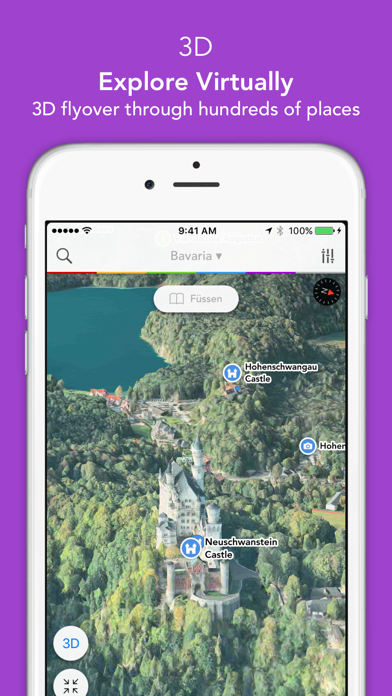
Modern Atlas lets you discover and bookmark places to explore. Make the most of your next adventure. Browse through 21,000 practical travel guides, uncover 1.5 million hidden gems and landmarks, and create your own custom trip maps. Modern Atlas is the most comprehensive tool to explore the world and plan your dream trips. == Practical Travel Guides == Reference over 21,000 travel guides created by independent travelers from Wikivoyage / Wikitravel featuring the best places to see, eat, and sleep. They cover virtually every place in the world a traveler would look to visit, from the largest cities in Europe, to the national parks of North America, to remote villages in the mountains and deserts of Asia and Africa. == Comprehensive Place Guides == Learn about the history of a place with detailed articles for over 1.5 million landmarks, historic sites, and hidden gems from Wikipedia. Never leave yourself wondering about a place again. == Visual Inspiration == Unfamiliar with a destination? Search for visual inspiration from photographers all over the world. Discover new places, see where photos are taken, and plan your future visits around them. == Custom Trip Maps == Create your own custom trip maps by bookmarking places that interest you. Plan an itinerary, remember places you've visited, keep note of your favorite museums and restaurants, or map out all of the mountains and campsites for an upcoming hiking trip. The possibilities are endless. == Beautiful Base Maps == Custom, offline-ready* topographic maps with worldwide coverage. Nearly everything in the world is mapped and at your fingertips for when you hit the ground. *Any maps you've already viewed in the app are available offline, just put your device into airplane mode to test it out == Virtual Tours == Scope out a city and its landmarks in 3D with Apple Flyover. See the full list of supported places at flyovercities.com Modern Atlas was created for the modern adventurer: the travelers, outdoorsmen, and explorers of the world. Be curious and venture outward. For any issues or suggestions, feel free to contact us at [email protected]!