
PC 용 Free Video Editor-Maker App
- 카테고리: Photo & Video
- 최근 업데이트: 2021-12-23
- 현재 버전: 1.1
- 파일 크기: 22.97 MB
- 개발자: Waheed Khan
- 호환성: 필요 Windows XP, Windows Vista, Windows 7, Windows 8, Windows 8.1 and Windows 10, Windows 11




PC에서 Free Video Editor-Maker App 용 호환 APK 다운로드
| 다운로드 | 개발자 | 평점 | 점수 | 현재 버전 | 성인 랭킹 |
|---|---|---|---|---|---|
| ↓ PC용 APK 다운로드 | Waheed Khan | 0 | 0 | 1.1 | 4+ |
에뮬레이터의 중요성은 컴퓨터에서 안드로이드 환경을 흉내 내고 안드로이드 폰을 구입하지 않고도 안드로이드 앱을 설치하고 실행하는 것을 매우 쉽게 만들어주는 것입니다. 누가 당신이 두 세계를 즐길 수 없다고 말합니까? 우선 아래에있는 에뮬레이터 앱을 다운로드 할 수 있습니다.
A. Nox App . OR
B. Bluestacks App .
Bluestacks는 매우 대중적이므로 개인적으로 "B"옵션을 사용하는 것이 좋습니다. 문제가 발생하면 Google 또는 Naver.com에서 좋은 해결책을 찾을 수 있습니다.
Bluestacks.exe 또는 Nox.exe를 성공적으로 다운로드 한 경우 컴퓨터의 다운로드 폴더 또는 다운로드 한 파일을 일반적으로 저장하는 곳으로 이동하십시오.
찾으면 클릭하여 응용 프로그램을 설치하십시오. PC에서 설치 프로세스를 시작해야합니다.
다음을 클릭하여 EULA 라이센스 계약에 동의하십시오.
응용 프로그램을 설치하려면 화면 지시문을 따르십시오.
위 사항을 올바르게 수행하면 소프트웨어가 성공적으로 설치됩니다.
이제 설치 한 에뮬레이터 애플리케이션을 열고 검색 창을 찾으십시오. 지금 입력하십시오. - Free Video Editor-Maker App 앱을 쉽게 볼 수 있습니다. 그것을 클릭하십시오. 응용 프로그램 창이 열리고 에뮬레이터 소프트웨어에 응용 프로그램이 표시됩니다. 설치 버튼을 누르면 응용 프로그램이 다운로드되기 시작합니다. 이제 우리는 모두 끝났습니다.
그런 다음 "모든 앱"아이콘이 표시됩니다.
클릭하면 설치된 모든 응용 프로그램이 포함 된 페이지로 이동합니다.
당신은 Free Video Editor-Maker App 상. 그것을 클릭하고 응용 프로그램 사용을 시작하십시오.
Mac OS 에서 Free Video Editor-Maker App 다운로드
| 다운로드 | 개발자 | 점수 | 현재 버전 | 성인 랭킹 |
|---|---|---|---|---|
| 무료 - Mac 에서 다운로드 | Waheed Khan | 0 |
1.1 | 4+ |
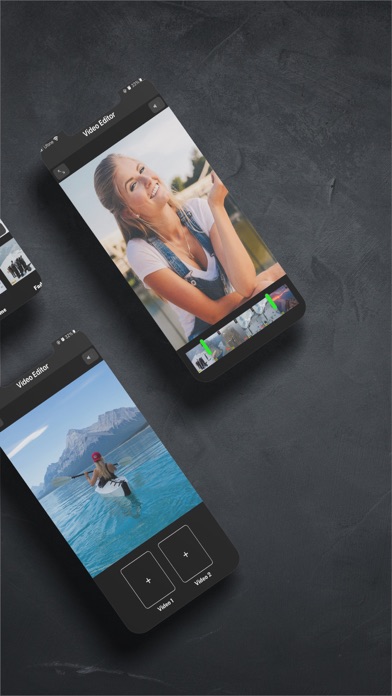
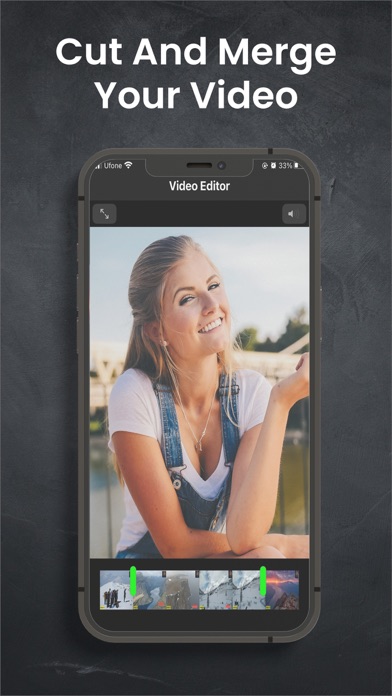
Many people think they can only use their phone cameras to record their videos, but that is only scratching the surface of the possibilities. Advanced free Video Editor-Maker App is pretty handy for those who love to record cute videos of their pets, doing silly things, slow motion videos, stories, status videos and it's convenient enough that you can record something at any given moment and anywhere. An app that provides video editing features to individuals as well as enables them to incorporate their favorite music during the process of editing and adding effects. If you are looking for free video maker app? If you are looking for video cuter and merging app? If you are looking for video transitor app? If you are looking for the easient video editor to make your own videos, this free video editor is just what you need. An amazing video editor or video maker app that allows people to edit, animate, add amazing transitions, cut video, merg video and many more things you can do with this amazing app easily. When it comes down to creating the perfect video all you need are the right tools and that’s why we developed this application! One thing we decided on which was important to us was our application would load fast no matter what device was being used in order for our users to have an enjoyable experience when using our service. Free Video Editor-Maker App Features: The feature of this amazing app video editor and maker are given below. 1. Easy to Use: No experience of video editing and making. dont worry, this amazing app is very easy to use and user-friendly, every one can easily use it. 2. Video Cutting and triming: With the help of this app video editor you can trim or cut your videos easily. 3. Video Merger and Combine Videos: With the help of this app you can merg your videos together. 4. Transitions on Video: You can add different fantastic transitions in your videos with this video editor and video maker app. 5. Videos Effects Editor: You can add different effects in your videos with this app. 6. Add Music in Video Background: You can also add differnet amazing musics and sounds on your video background from your mobile storage. 7. Add text to Video: There are variety of text styles, with the help of this app Free Video Editor add your text styles to your Videos easily. 8. Add Stickers to Your Video: Add different amazing stickers in your video easily with this amazing app easily. 9. Video Speed Editing: You can edit your videos speed from slow to fast and from fast to slow. 10. Export: After editing and making your video export it to your devices in high quality. How to Use: The different usage of this amazing app free video editor app are given below. 1. How to Trim Video? Steps how to trim your video: Step 1: Open the app. Step 2: Upload the video. Step 3: Click on the trim option. Step 4: Make your desire selection in your video. Step 5: click on the Select button and watch. Step 6: Export to save in your Device. Step 7: Done. 2. How to Merg two Videos together? Steps to combine two videos together are given below: Step 1: Open the app. Step 2: Navigate to the Merg Section. Step 3: Upload both videos. Step 4: And merg. Step 5: Export to save. Step 6: Done. 3. How to Add Music in Your Video? Steps to add music in video are given below: Step 1: Open the Video Editor App. Step 2: Import the video Step 3: Navigate to music section. Step 4: upload the music and add to the video. Step5: Done. If you have any kind of sugesstions or questions feel free to contact us at [email protected]. This is the easiest way to create and share short video clips. Share in the fun with family, friends and the world around you.