
PC 용 HiFive - Video Story Creator
- 카테고리: Photo & Video
- 최근 업데이트: 2020-03-17
- 현재 버전: 1.8
- 파일 크기: 36.58 MB
- 개발자: Nitin Gohel
- 호환성: 필요 Windows XP, Windows Vista, Windows 7, Windows 8, Windows 8.1 and Windows 10, Windows 11


PC에서 HiFive - Video Story Creator 용 호환 APK 다운로드
| 다운로드 | 개발자 | 평점 | 점수 | 현재 버전 | 성인 랭킹 |
|---|---|---|---|---|---|
| ↓ PC용 APK 다운로드 | Nitin Gohel | 0 | 0 | 1.8 | 4+ |
에뮬레이터의 중요성은 컴퓨터에서 안드로이드 환경을 흉내 내고 안드로이드 폰을 구입하지 않고도 안드로이드 앱을 설치하고 실행하는 것을 매우 쉽게 만들어주는 것입니다. 누가 당신이 두 세계를 즐길 수 없다고 말합니까? 우선 아래에있는 에뮬레이터 앱을 다운로드 할 수 있습니다.
A. Nox App . OR
B. Bluestacks App .
Bluestacks는 매우 대중적이므로 개인적으로 "B"옵션을 사용하는 것이 좋습니다. 문제가 발생하면 Google 또는 Naver.com에서 좋은 해결책을 찾을 수 있습니다.
Bluestacks.exe 또는 Nox.exe를 성공적으로 다운로드 한 경우 컴퓨터의 다운로드 폴더 또는 다운로드 한 파일을 일반적으로 저장하는 곳으로 이동하십시오.
찾으면 클릭하여 응용 프로그램을 설치하십시오. PC에서 설치 프로세스를 시작해야합니다.
다음을 클릭하여 EULA 라이센스 계약에 동의하십시오.
응용 프로그램을 설치하려면 화면 지시문을 따르십시오.
위 사항을 올바르게 수행하면 소프트웨어가 성공적으로 설치됩니다.
이제 설치 한 에뮬레이터 애플리케이션을 열고 검색 창을 찾으십시오. 지금 입력하십시오. - HiFive - Video Story Creator 앱을 쉽게 볼 수 있습니다. 그것을 클릭하십시오. 응용 프로그램 창이 열리고 에뮬레이터 소프트웨어에 응용 프로그램이 표시됩니다. 설치 버튼을 누르면 응용 프로그램이 다운로드되기 시작합니다. 이제 우리는 모두 끝났습니다.
그런 다음 "모든 앱"아이콘이 표시됩니다.
클릭하면 설치된 모든 응용 프로그램이 포함 된 페이지로 이동합니다.
당신은 HiFive - Video Story Creator 상. 그것을 클릭하고 응용 프로그램 사용을 시작하십시오.
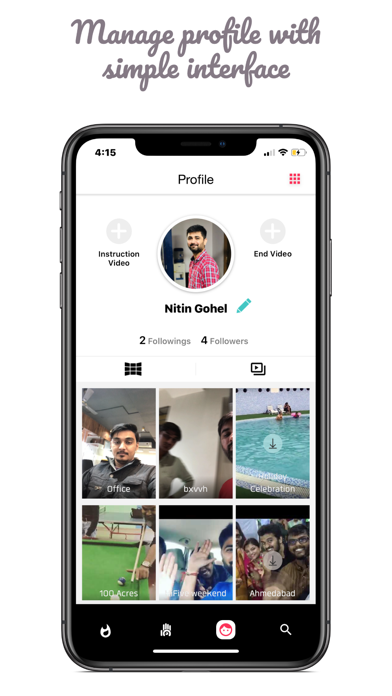
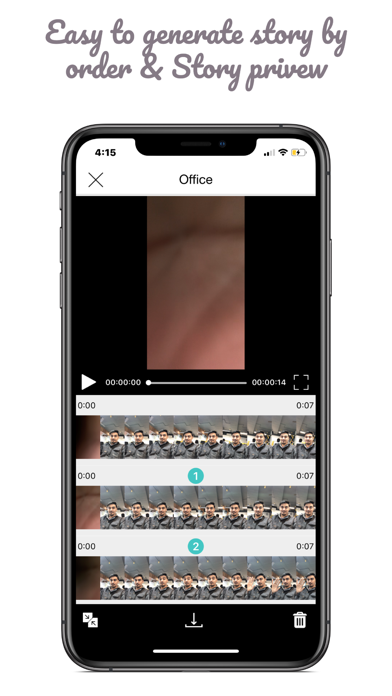
Video story is the best and most effective way to express your feeling with the world. If you are looking for a way to produce video stories in unique format, you must check this video story app “HiFive”. There are hundreds of video story builder apps available in App Store, what is new in this app? To answer this question, I would recommend checking our introduction video! Yes, our video story builder application is very unique from other app. It not only provide unique story builder format, but also gives you one of the best visual effect in your video story. Let me show you how! Unique Visual Effect: HiFive’s unique innovation will provide you the best visual effect while creating your video story. Here you just need to hit your palm on front camera and our app will automatically start shooting your video. Hit your palm again and your clip is ready. Now shoot different clips in the same way from different locations and combine all these short clips with our edit stories section and you will have one of the best video story with unique visual effect. Checkout introduction video or download our app to shoot unique video stories now! Still not convinced? Let us share the all amazing features you will get with this video story application. It is mainly divided in to 3 different sections mentioned below: Create New Video Stories: Once you download this app, New Story will be the first feature you will have to use to start creating your video stories. Follow below steps: - Tap on New Stories - Give Story name and click on go - Your front camera view will start - Now take your palm very close to front camera and the video will start recording - Once you are done, again take your palm very close to front camera and it will stop recording and your clip will be displayed in the same frame. - Repeat this process to create multiple short clips from your trip / functions / festival or any other events. - Now select those clips to create one story. Here you can add the background music from pre-loaded sounds - Now check preview and create your final story Edit Stories: What if you want to add or delete any clips from the stories you already created? Don’t worry, Edit stories section provides seamless story editing facility. To edit story: - Click on Edit Story section - Select the story which you want to edit - Now follow the same process which you did while creating new story (select clips you wish to keep in existing story, do not select the one which you want to remove) - You can also shoot new clip for existing story to append them in easy way - Combine clips again and create final edited version of your story Stories: This is the place where you will find all your stories created with this video story builder application. Here you can: - Play stories - Share the stories via social media networks, email and many more options - Save story to your phone gallery - Delete story Amazing, isn’t it? What are you waiting for? Just download HiFive, a FREE video story builder application and amaze your friends with your awesome video stories.