PC 용 Calisthenics
- 카테고리: Health & Fitness
- 최근 업데이트: 2018-04-02
- 현재 버전: 4.2
- 파일 크기: 98.53 MB
- 개발자: Mihir Panchal
- 호환성: 필요 Windows XP, Windows Vista, Windows 7, Windows 8, Windows 8.1 and Windows 10, Windows 11
에뮬레이터의 중요성은 컴퓨터에서 안드로이드 환경을 흉내 내고 안드로이드 폰을 구입하지 않고도 안드로이드 앱을 설치하고 실행하는 것을 매우 쉽게 만들어주는 것입니다. 누가 당신이 두 세계를 즐길 수 없다고 말합니까? 우선 아래에있는 에뮬레이터 앱을 다운로드 할 수 있습니다.
A. Nox App . OR
B. Bluestacks App .
Bluestacks는 매우 대중적이므로 개인적으로 "B"옵션을 사용하는 것이 좋습니다. 문제가 발생하면 Google 또는 Naver.com에서 좋은 해결책을 찾을 수 있습니다.
Bluestacks.exe 또는 Nox.exe를 성공적으로 다운로드 한 경우 컴퓨터의 다운로드 폴더 또는 다운로드 한 파일을 일반적으로 저장하는 곳으로 이동하십시오.
찾으면 클릭하여 응용 프로그램을 설치하십시오. PC에서 설치 프로세스를 시작해야합니다.
다음을 클릭하여 EULA 라이센스 계약에 동의하십시오.
응용 프로그램을 설치하려면 화면 지시문을 따르십시오.
위 사항을 올바르게 수행하면 소프트웨어가 성공적으로 설치됩니다.
이제 설치 한 에뮬레이터 애플리케이션을 열고 검색 창을 찾으십시오. 지금 입력하십시오. - Calisthenics 앱을 쉽게 볼 수 있습니다. 그것을 클릭하십시오. 응용 프로그램 창이 열리고 에뮬레이터 소프트웨어에 응용 프로그램이 표시됩니다. 설치 버튼을 누르면 응용 프로그램이 다운로드되기 시작합니다. 이제 우리는 모두 끝났습니다.
그런 다음 "모든 앱"아이콘이 표시됩니다.
클릭하면 설치된 모든 응용 프로그램이 포함 된 페이지로 이동합니다.
당신은 Calisthenics 상. 그것을 클릭하고 응용 프로그램 사용을 시작하십시오.
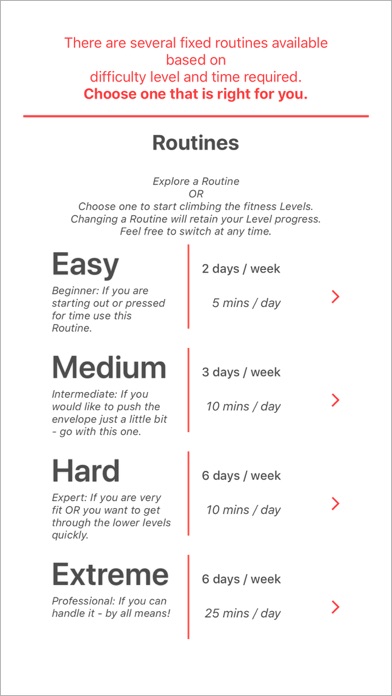
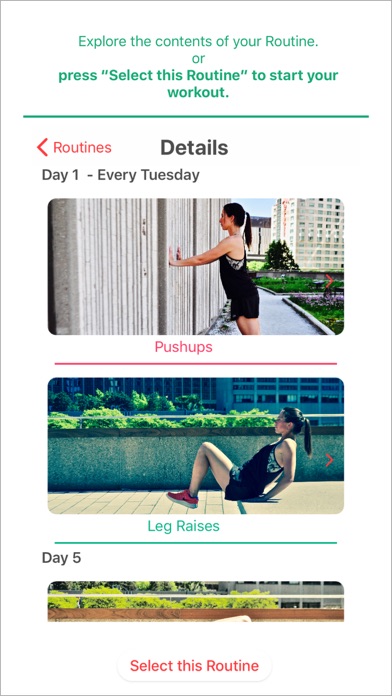
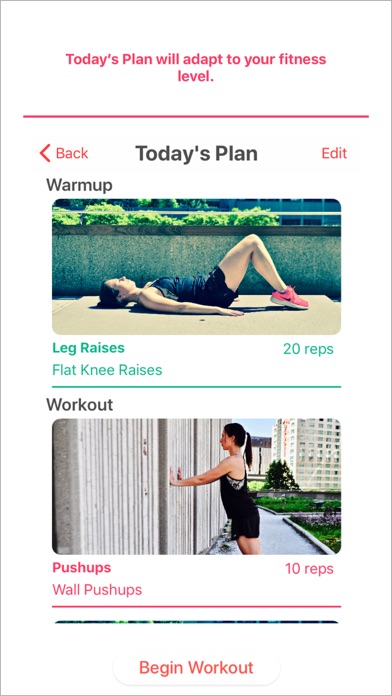
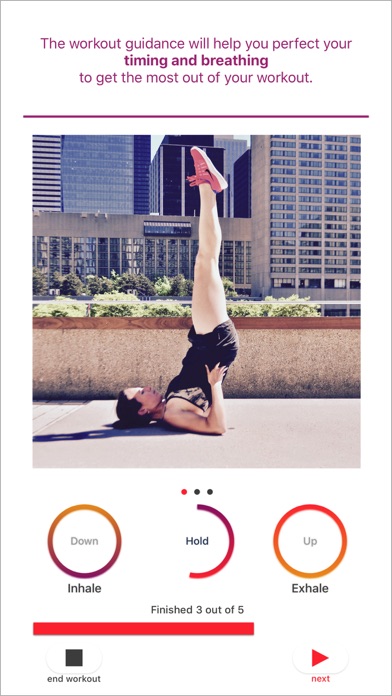
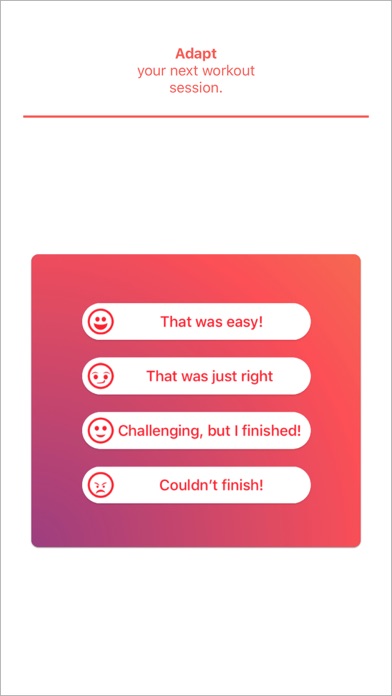
WHAT IS CALISTHENICS? Calisthenics is a fitness practice of using your body-weight to: 1. Increase Muscle mass 2. Lose weight 3. Increase stamina and strength, and 4. Improve general health Calisthenics can be practiced by any individual, however fit they are, wherever they are. WHAT DOES THIS APP DO? This app will do the following: 1. Adapt your workouts to match your fitness level 2. Gradually increase your strength by personalizing the workout program 3. Provide a quick 5-10 min workout program that fits your schedule. A PERSONAL COACH! The intelligent coach does the following: 1. Manages your fitness routine so you don’t ever have to wonder which exercises to do on any given day! 2. Times your exercises and workouts 3. Guides your breathing and timing. Doing your exercises at the right pace is key to getting the most out of your workout. 4. Optimizes your workout everyday to create the shortest, most impactful workout. 5. Tailors each workout to your unique body type. 6. Creates warm up sets when your workouts become intense. WHY DID WE MAKE ANOTHER FITNESS APP? We found that many of the popular apps in the store are either too expensive and/or peddle some very basic exercises as fitness routines. Many of the routines are not practical, are too intense or do not guide the user from strength to strength. We wanted to create something simple, yet powerful. Something that can be by your side in your fitness journey. Out of this aspiration comes this minimalistic fitness app. We carefully designed it to get all the complexity out of the way providing you with this easy to use experience which we are sure you will absolutely love. Give it a try!!! SUBSCRIPTION OPTIONS 1. You get 30 free workouts when you initially download the app. Thereafter you have a variety of subscription options available inside the app. 2. Any subscription option will give you unlimited number of workouts for the subscription duration. 3. Payment will be charged to iTunes account at confirmation of purchase. 4. Your subscription will automatically renew unless auto-renew is turned off at least 24-hour prior to the end of the current period. 5. Your account will be charged for renewal within 24-hours prior to the end of the current period, and identify the cost of the renewal. 6. Your subscriptions can be managed by the user and auto-renewal may be turned off by going to the user’s Account Settings after purchase. 7. No cancellation of the current subscription is allowed during the active subscription period. 8. Any unused portion of the free workouts will lapse once you purchase any subscription for Calisthenics.. 9. Calisthenics Privacy Policy: https://aifitnesstrainers.wordpress.com/privacy/ 10. Calisthenics Terms of Use: https://aifitnesstrainers.wordpress.com/terms/ Please give us your feedback on the support website. If you love this app, please leave a good review. We would greatly appreciate it!! ====== Special thanks to Audra Fediurek for providing her time for the photo shoots. Audra is a qualified fitness instruction in Toronto, Canada.