PC 용 Barcode to Sheet
- 카테고리: Business
- 최근 업데이트: 2021-04-21
- 현재 버전: 3.7
- 파일 크기: 27.53 MB
- 개발자: Velocity Software Solutions Private Limited
- 호환성: 필요 Windows XP, Windows Vista, Windows 7, Windows 8, Windows 8.1 and Windows 10, Windows 11



PC에서 Barcode to Sheet 용 호환 APK 다운로드
| 다운로드 | 개발자 | 평점 | 점수 | 현재 버전 | 성인 랭킹 |
|---|---|---|---|---|---|
| ↓ PC용 APK 다운로드 | Velocity Software Solutions Private Limited | 1 | 5 | 3.7 | 4+ |
호환되는 PC 앱 또는 대안 확인
| 소프트웨어 | 다운로드 | 평점 | 개발자 |
|---|---|---|---|
| Barcode to Sheet |
PC 앱 받기 | 5/5 1 리뷰 5 |
Velocity Software Solutions Private Limited |
에뮬레이터의 중요성은 컴퓨터에서 안드로이드 환경을 흉내 내고 안드로이드 폰을 구입하지 않고도 안드로이드 앱을 설치하고 실행하는 것을 매우 쉽게 만들어주는 것입니다. 누가 당신이 두 세계를 즐길 수 없다고 말합니까? 우선 아래에있는 에뮬레이터 앱을 다운로드 할 수 있습니다.
A. Nox App . OR
B. Bluestacks App .
Bluestacks는 매우 대중적이므로 개인적으로 "B"옵션을 사용하는 것이 좋습니다. 문제가 발생하면 Google 또는 Naver.com에서 좋은 해결책을 찾을 수 있습니다.
Bluestacks.exe 또는 Nox.exe를 성공적으로 다운로드 한 경우 컴퓨터의 다운로드 폴더 또는 다운로드 한 파일을 일반적으로 저장하는 곳으로 이동하십시오.
찾으면 클릭하여 응용 프로그램을 설치하십시오. PC에서 설치 프로세스를 시작해야합니다.
다음을 클릭하여 EULA 라이센스 계약에 동의하십시오.
응용 프로그램을 설치하려면 화면 지시문을 따르십시오.
위 사항을 올바르게 수행하면 소프트웨어가 성공적으로 설치됩니다.
이제 설치 한 에뮬레이터 애플리케이션을 열고 검색 창을 찾으십시오. 지금 입력하십시오. - Barcode to Sheet 앱을 쉽게 볼 수 있습니다. 그것을 클릭하십시오. 응용 프로그램 창이 열리고 에뮬레이터 소프트웨어에 응용 프로그램이 표시됩니다. 설치 버튼을 누르면 응용 프로그램이 다운로드되기 시작합니다. 이제 우리는 모두 끝났습니다.
그런 다음 "모든 앱"아이콘이 표시됩니다.
클릭하면 설치된 모든 응용 프로그램이 포함 된 페이지로 이동합니다.
당신은 Barcode to Sheet 상. 그것을 클릭하고 응용 프로그램 사용을 시작하십시오.
Mac OS 에서 Barcode to Sheet 다운로드
| 다운로드 | 개발자 | 점수 | 현재 버전 | 성인 랭킹 |
|---|---|---|---|---|
| 무료 - Mac 에서 다운로드 | Velocity Software Solutions Private Limited | 5 |
3.7 | 4+ |
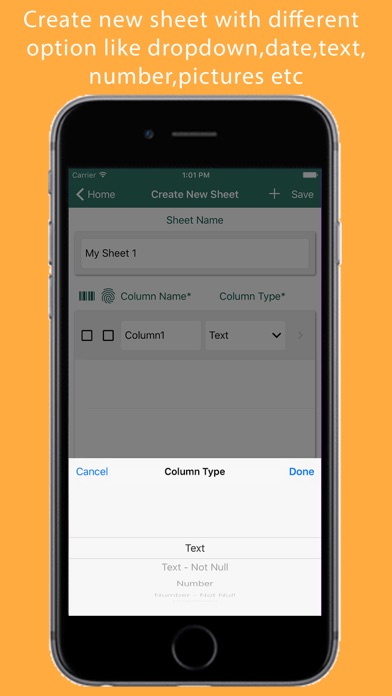
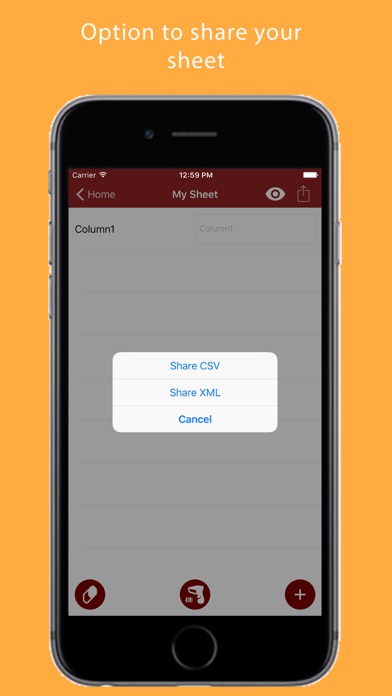
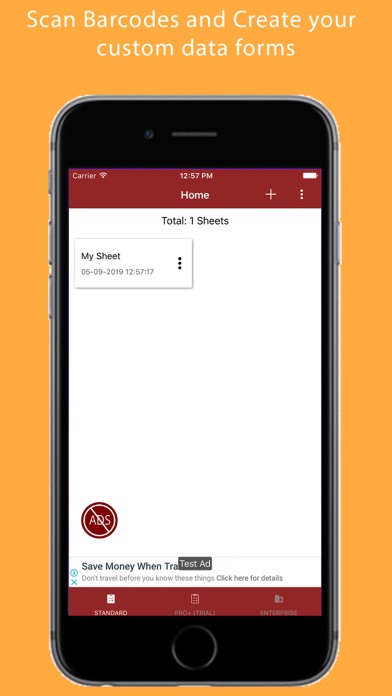
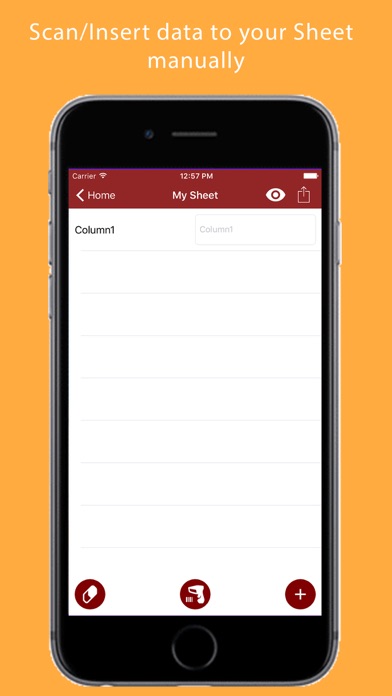
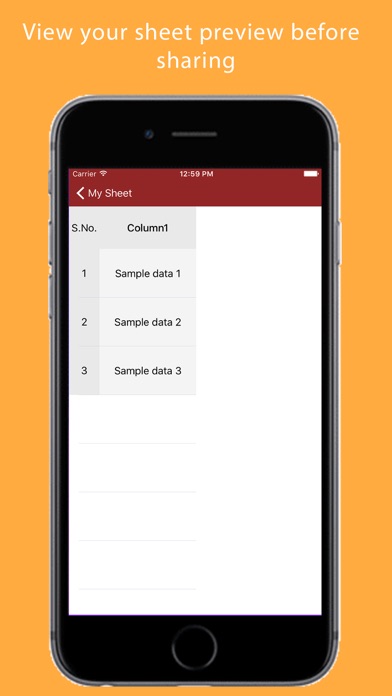
Usages ►Inventory Management - Keep track of your inventory by updating into the sheets ►Warehouse Management - Keep track of the products in your warehouse ►Attendance Management - Keep record of attendance in schools & meetings ►Library Management - Keep record of books present in library & update qty on return ►Records Keeping - Keep records of tools, Logistics management ►Household Finance Planning - Keep records of Earning & Expenses ►Healthcare Records Management - Record of patient reports ***Many more implementations just limited by your imagination*** Different Flavors: - Free: Free for use with unlimited sheets but with only Text type data entry field. Ads are shown. - Pro: Everything in Free version + Ads are removed - Pro+: All types of fields like Text, Numbers, Email, Pictures, Dates, GPS with validations for unique and Scannable fields. No Ads. Unlimited Sheets. - Enterprise: Everything in Pro+. Ability to share sheets with your team and work on the same sheet with maintaining of Data Sanctity. Salient Features ►Easy column creation ► Supported column types - Text (Pro, Pro+, Enterprise) - Number (Pro+, Enterprise) - Dropdown (Pro+, Enterprise) - Pictures (Pro+ & paid extra) - Email (Pro+, Enterprise) - Web/URL (Pro+, Enterprise) - Date (Auto-Filled) (Pro+, Enterprise) - Date (Selectable) (Pro+, Enterprise) - Current Date & Time (Only Pro+, Enterprise) - Time (Selectable) (Only Pro+, Enterprise) - Longitude (Only Pro+, Enterprise) - Latitude (Only Pro+, Enterprise) ►Export/Import Supported Formats - Upload sheet to Google Drive, Dropbox or iCloud - Supported Export Formats -CSV -XML - Supported Import Formats -CSV ►Create UNLIMITED numbers of sheets ►Create sheet from pre-defined templates ►Barcodes Scanning - Scan barcodes - Supported Codes -QR Codes -UPC-E -Code39 -Code93 -Code128 -EAN ►Copy Sheet - Option to Copy sheet structure - Option to Copy sheet structure along with data ►Data Entry Process - Manual Data Entry - Using Barcode Scanner or Phone Camera ► Pictures in the sheet - Add Images to the Sheet - Export images along with sheet data ►Multi-Lingual Support ►Scannable & Unique Value Fields - Scannable- Barcode scanner will open automatically when field is in focus - Unique- Cannot enter duplicate values in the unique value field Enterprise Edition- Features ►Create & share it with multiple users ►Users within an Enterprise can edit and view the sheet at real time from different devices ►Ability to lock & unlock the sheet to maintain data sanctity (right now simultaneous data entry by all users is not allowed but the other user can do editing only after someone else unlocks the sheet) ►Only Admin pays for Enterprise and it’s FREE for the users ►Users DO NOT have to pay for the enterprise ►Real time data sync across all the devices Enterprise Edition- Usages ►Within an Enterprise ►Group of Collaborators ►Store Admin ►Among Students ►Logistics Management Subscription Details Your Enterprise Edition subscription will automatically renew each month through your Appstore account. Cancel any time by turning off auto-renewal in your iTunes Account Settings. *30 Days 3 Users: USD 4.49 *30 Days 5 Users: USD 9.99 *30 Days 10 Users: USD 8.49 *30 Days 15 Users: USD 12.49 Apple Subscription Terms: – Payment will be charged to iTunes Account at confirmation of purchase. – Subscription automatically renews unless auto-renew is turned off at least 24-hours before the end of the current period. – Account will be charged for renewal within 24-hours prior to the end of the current period, and identify the cost of the renewal. – Subscriptions may be managed by the user & auto-renewal may be turned off by going to the user's Account Settings after purchase. – Any unused portion of a free trial period, if offered, will be forfeited when the user purchases a subscription to that publication, where applicable. Privacy Policy: http://www.velsof.com/privacy-policy Contact Us: [email protected]