PC 용 Poster Maker, Flyer Maker
- 카테고리: Photo & Video
- 최근 업데이트: 2026-10-28
- 현재 버전: 2.67
- 파일 크기: 73.68 MB
- 개발자: Nirav Alagiya
- 호환성: 필요 Windows XP, Windows Vista, Windows 7, Windows 8, Windows 8.1 and Windows 10, Windows 11






PC에서 Poster Maker, Flyer Maker 용 호환 APK 다운로드
| 다운로드 | 개발자 | 평점 | 점수 | 현재 버전 | 성인 랭킹 |
|---|---|---|---|---|---|
| ↓ PC용 APK 다운로드 | Nirav Alagiya | 20 | 4.45 | 2.67 | 4+ |
호환되는 PC 앱 또는 대안 확인
| 소프트웨어 | 다운로드 | 평점 | 개발자 |
|---|---|---|---|
| Poster Maker, Flyer Maker |
PC 앱 받기 | 4.45/5 20 리뷰 4.45 |
Nirav Alagiya |
에뮬레이터의 중요성은 컴퓨터에서 안드로이드 환경을 흉내 내고 안드로이드 폰을 구입하지 않고도 안드로이드 앱을 설치하고 실행하는 것을 매우 쉽게 만들어주는 것입니다. 누가 당신이 두 세계를 즐길 수 없다고 말합니까? 우선 아래에있는 에뮬레이터 앱을 다운로드 할 수 있습니다.
A. Nox App . OR
B. Bluestacks App .
Bluestacks는 매우 대중적이므로 개인적으로 "B"옵션을 사용하는 것이 좋습니다. 문제가 발생하면 Google 또는 Naver.com에서 좋은 해결책을 찾을 수 있습니다.
Bluestacks.exe 또는 Nox.exe를 성공적으로 다운로드 한 경우 컴퓨터의 다운로드 폴더 또는 다운로드 한 파일을 일반적으로 저장하는 곳으로 이동하십시오.
찾으면 클릭하여 응용 프로그램을 설치하십시오. PC에서 설치 프로세스를 시작해야합니다.
다음을 클릭하여 EULA 라이센스 계약에 동의하십시오.
응용 프로그램을 설치하려면 화면 지시문을 따르십시오.
위 사항을 올바르게 수행하면 소프트웨어가 성공적으로 설치됩니다.
이제 설치 한 에뮬레이터 애플리케이션을 열고 검색 창을 찾으십시오. 지금 입력하십시오. - Poster Maker, Flyer Maker 앱을 쉽게 볼 수 있습니다. 그것을 클릭하십시오. 응용 프로그램 창이 열리고 에뮬레이터 소프트웨어에 응용 프로그램이 표시됩니다. 설치 버튼을 누르면 응용 프로그램이 다운로드되기 시작합니다. 이제 우리는 모두 끝났습니다.
그런 다음 "모든 앱"아이콘이 표시됩니다.
클릭하면 설치된 모든 응용 프로그램이 포함 된 페이지로 이동합니다.
당신은 Poster Maker, Flyer Maker 상. 그것을 클릭하고 응용 프로그램 사용을 시작하십시오.
Mac OS 에서 Poster Maker, Flyer Maker 다운로드
| 다운로드 | 개발자 | 점수 | 현재 버전 | 성인 랭킹 |
|---|---|---|---|---|
| 무료 - Mac 에서 다운로드 | Nirav Alagiya | 4.45 |
2.67 | 4+ |
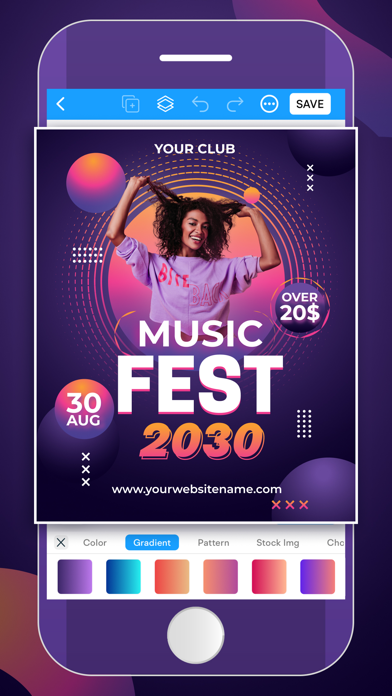
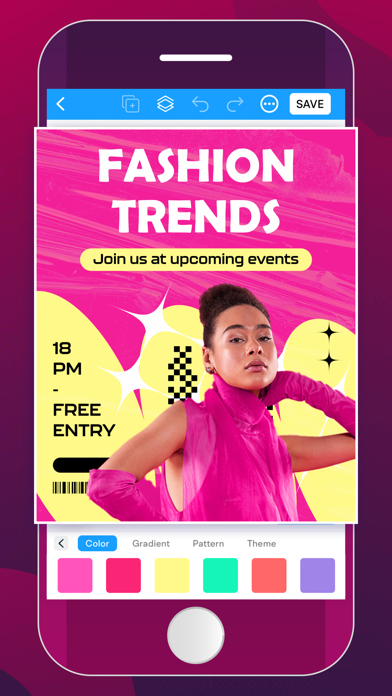
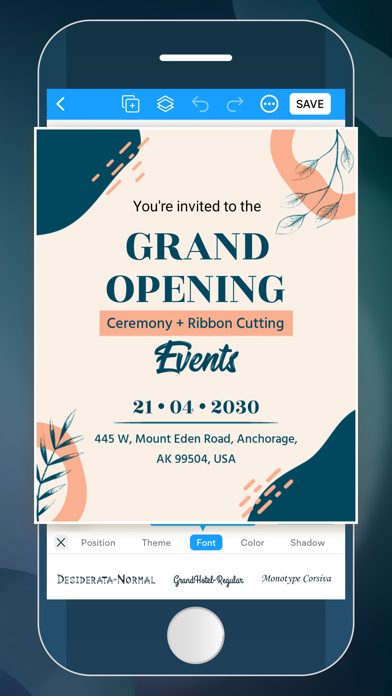
Create a poster in minutes with poster maker app. 30K+ poster templates. Quick & Easy to Edit. No graphic design skills are needed. Also you can generate a poster in minutes with AI poster generator. Key Features: AI Poster Generator: Write a prompt and turn your ideas into beautiful posters. Easy-to-Use: Experience the quickest poster maker you've ever used. Customization: Tailor your designs to perfectly match your vision. Save, Share, and Edit: Save your creations in the poster maker and flyer maker, share them with ease, and revisit your designs for updates whenever you need them. Versatile Design Templates: Whether you're a business looking to boost your online presence or an individual creating stunning visuals, our app offers a diverse range of templates for your graphic design needs. Flyer Maker: Promote events, businesses, products, and more with our versatile flyer maker. Craft compelling business flyers, real estate flyers, restaurant menus, and more. Announcement Maker: Capture attention and generate excitement for your upcoming events, product launches, or special announcements with eye-catching posters. Boost Your Marketing: Elevate your marketing game with captivating marketing posters and advertising flyers designed using the poster maker and flyer maker app. Professional Results: Our design templates are designed for efficiency, allowing creators to customize pre-designed layouts with typography, imagery, and color schemes, ensuring professional and captivating results. Social Media Marketing: Seamlessly create posts, stories, and status designs for various social media channels using our creative poster templates. Banner Maker: Create eye-catching banners for your business with access to over 5,000 quick and easy-to-use templates with the poster maker and flyer maker. Event Posters: Get your audience excited about upcoming events with the poster maker app, which offers over 100 customizable designs. Party Posters: Design party posters for gatherings and celebrations in just minutes with a selection of over 100 designs with the poster maker app. Birthday Posters: Spread the word about your birthday bash with creative poster designs tailored for birthdays with the poster maker app. Festival Poster Maker: Craft posters for festivals, holidays, and special occasions, including Christmas, Halloween, Thanksgiving, Diwali, and more using our poster maker, and flyer maker app. Perfect for Digital Marketing: Ideal for digital marketing, branding, social media marketing, graphic design, digital printing, advertising, creating ads, designing offer announcements, cover photos, typography, and artwork. Subscription Information: Should you choose to subscribe to any of the "Poster Maker Pro" Subscriptions, payment will be charged to your iTunes account upon confirmation of purchase. Please note that any unused portion of a free trial period, if offered, will be forfeited upon subscription purchase. The subscription automatically renews unless auto-renewal is turned off at least 24 hours before the current period ends. You can manage your subscription and turn off auto-renewal in your account settings post-purchase. Cancellation of the current subscription is not allowed during the active period. For any inquiries while using the app, please reach out to us via email at [email protected]. Terms of Use - https://postermaker.co.in/terms-of-use/iosterms/?id=nu6lqg Privacy Policy - https://postermaker.co.in/privacy-policy/iosprivacy-poster-cds/?id=nu6lqg We value your feedback and encourage you to rate and provide feedback on the poster maker and flyer maker app. Your input helps us improve and create more exceptional apps for you. Thank you for choosing us!